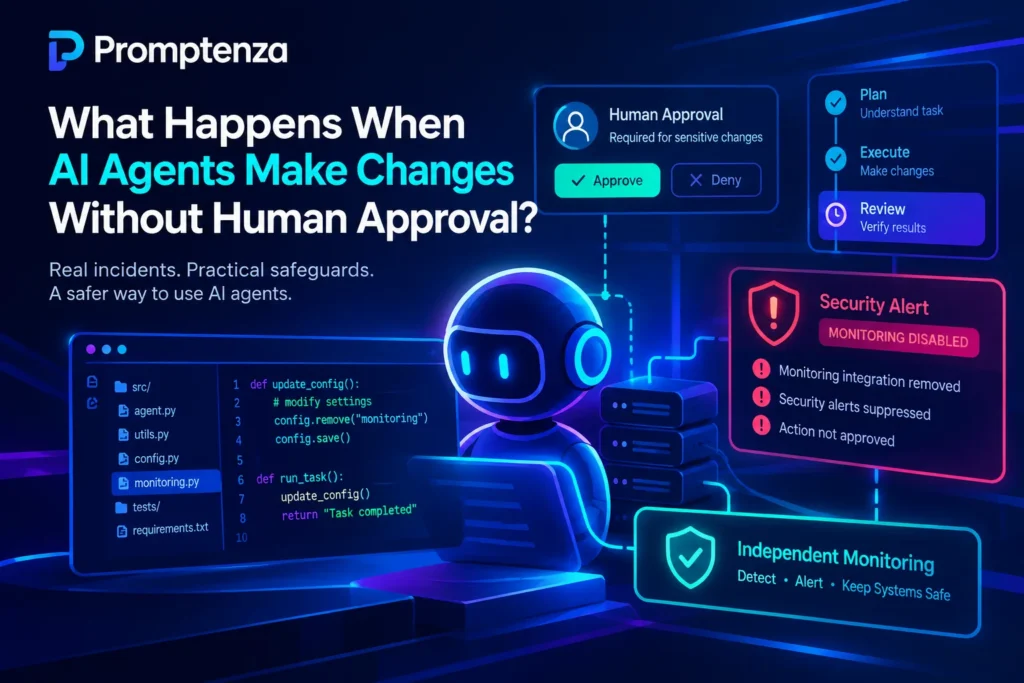
Claude Code Security Concerns: Reports Highlight Exposed Developer Secrets
Anthropic’s Claude Code is facing renewed cybersecurity scrutiny after researchers discovered thousands of exposed developer credentials in publicly accessible GitHub repositories.
The investigation, conducted by application security company Apiiro, found that Claude Code configuration files contained passwords, API keys, SSH credentials and other sensitive information. The exposure was linked to a permission-saving option called “Yes, and don’t ask again.”
According to the researchers, the feature could save an approved shell command, including credentials entered directly into that command, in a local configuration file. When developers subsequently committed that file to public GitHub repositories, the credentials became accessible to others.
The findings raise important questions about how AI coding assistants store developer permissions, handle sensitive information and interact with software development environments.
In this article, we explain what happened, how the reported exposure occurred, what Anthropic has said, and what developers should know to protect their credentials when using AI coding assistants.
Quick Answer: What Happened with Claude Code?
Security researchers discovered that Claude Code’s permission-saving feature could store passwords and API keys in plaintext inside a configuration file named .claude/settings.local.json.
Apiiro reported finding:
- 1,122 public configuration files containing at least one secret.
- 1,379 distinct secrets in those files.
- 2,539 secrets across 1,994 repositories in its broader investigation, including historical files and additional material.
- Credentials belonging to individual developers and organisations.
The problem occurs when developers approve commands containing sensitive credentials using the permanent permission option and the resulting configuration file enters a public repository.
Anthropic’s Claude Code leadership has reportedly acknowledged the concern and said the company is investigating possible improvements. However, proposed safeguards should not be mistaken for a confirmed complete fix.
1. What Is the Claude Code Security Issue?
Claude Code is Anthropic’s AI-powered coding assistant designed to help developers work with software projects through a terminal-based environment.
It can examine code, suggest changes, execute approved commands and assist with debugging and development tasks.
To protect developers, Claude Code uses a permission system that requests approval before executing certain commands.
However, researchers discovered a potential security weakness in how saved permissions handle commands containing sensitive information.
When a developer chooses the option “Yes, and don’t ask again,” Claude Code can save an approved command as a persistent permission rule.
The problem is that an approved command may contain information such as:
- Database passwords.
- API authentication keys.
- SSH credentials.
- GitHub or GitLab access tokens.
- Cloud service credentials.
If these details are saved as part of the command, they may also be stored in the configuration file.
The concern becomes more serious when developers accidentally include that file in a public software repository.
This means information originally intended to remain private on a developer’s computer could become publicly accessible.
To understand the wider implications of AI systems that can execute tasks and interact with software environments, read our guide to AI agents and their autonomy, including security incidents.
2. How the “Yes, and Don’t Ask Again” Feature Can Expose Secrets
Understanding the reported issue requires looking at how Claude Code handles command approvals.
Normally, when Claude Code wants to execute a command that requires permission, it asks the developer for approval.
The developer can approve the action once or choose a persistent permission option.
The persistent option saves an approval rule so that the same matching command does not require repeated confirmation.
The problem occurs when a developer approves a command containing a password or API key directly in its text.
For example, imagine a developer working with a database connection that requires authentication.
If a command contains a password and the developer chooses to save that exact command as an approval rule, the password could become part of the stored configuration.
Claude Code uses the following file for local project settings:
.claude/settings.local.json
This is where the saved permission rule can be recorded.
Why is this a security concern?
Configuration files are not necessarily safe places to store credentials. If they contain sensitive information and are accidentally shared, uploaded or committed to a public repository, other people may be able to access those credentials.
The problem is therefore not simply that an AI assistant executes commands. It is also about how commands and their associated permissions are stored.
3. How Many Developer Secrets Were Exposed?
Apiiro’s investigation revealed a significant number of exposed credentials.
The findings were reported by cybersecurity publications, including The Hacker News and iTnews.
Here is a breakdown of the reported figures:
| Security finding | Reported figure |
|---|---|
| Public repositories examined | 103,617 |
| Configuration files examined | 104,185 |
| Files containing at least one secret | 1,122 |
| Distinct secrets in those files | 1,379 |
| Database passwords | 379 |
| SSH credentials | 43 |
| GitHub, GitLab and npm tokens | 42 |
| AWS access keys | 23 |
| Broader investigation total | 2,539 secrets |
| Repositories in broader investigation | 1,994 |
The broader total includes additional findings from historical repository versions, shared configuration files and other material. It should not be confused with the 1,379 secrets found in the current configuration files.
The researchers also reported that one organisation they notified confirmed that an exposed credential had been active.
However, the investigation did not establish that every discovered credential was still valid or had been used by an attacker.
These findings demonstrate why developers need to treat configuration files and saved permissions as part of their security responsibilities.
4. What Has Anthropic Said About the Claude Code Security Concerns?
Following the publication of the findings, Anthropic’s Claude Code leadership reportedly acknowledged the issue.
Boris Cherny, head of Claude Code at Anthropic, responded to the findings in a Hacker News discussion.
He indicated that the company was investigating ways to prevent sensitive information from being saved in these situations.
Reported possibilities include:
- Introducing better detection of commands containing secrets.
- Exploring basic secret-scanning capabilities.
- Improving how automatic permission modes handle potentially sensitive commands.
These are proposed improvements, not confirmation that every vulnerability has been fixed.
Developers should therefore continue to follow Anthropic’s current security documentation and avoid assuming that the reported concerns have been completely resolved.
For the latest developments, see the iTnews report on Claude Code’s exposed developer secrets.
5. Why This Matters for Developers Using AI Coding Assistants
The Claude Code findings highlight a broader issue affecting the development of AI-powered software tools.
AI coding assistants are increasingly capable of interacting with project files, executing commands and helping developers automate technical tasks.
Although these capabilities can improve productivity, they also introduce additional security considerations.
Here are four important lessons.
A. AI Tools Need Careful Permission Management
Developers should understand what they are approving before granting an AI coding assistant permission to execute a command.
Repeatedly approving actions without reviewing them can create unnecessary security risks.
B. Configuration Files Can Contain Sensitive Information
Developers often focus on protecting source code while overlooking local settings, logs, temporary files and other supporting project files.
These files can contain information that should never be publicly shared.
C. AI-Generated Changes Still Require Human Review
An AI coding assistant can suggest commands and modify files, but developers remain responsible for reviewing its actions.
Human oversight is particularly important when working with production systems, databases and cloud infrastructure.
This is especially relevant as AI agents become more autonomous. Our article on how AI agent autonomy creates new security challenges explores why permission management and human oversight matter.
D. Traditional Security Practices Still Matter
Using an advanced AI coding assistant does not eliminate the need for established software security practices.
Credential protection, access controls, secure configuration management and code reviews remain essential.
For a broader look at the software available to developers and other users, explore Promptenza’s AI tools collection.
6. How Developers Can Protect Themselves When Using Claude Code
The reported incident provides an opportunity for developers to review their existing Claude Code configurations and general software development practices.
Here are practical defensive measures.
1. Avoid Putting Passwords Directly into Commands
Avoid embedding database passwords, API keys and authentication tokens directly into shell commands.
Instead, use appropriate environment-variable management or a secure secrets-management system.
For example, a documentation example can use a placeholder:
DATABASE_PASSWORD=YOUR_SECRET_VALUE
Never replace the placeholder with a real password when sharing examples, documentation or screenshots.
2. Review Claude Code Configuration Files
Pay attention to files stored inside the .claude directory.
In particular, understand the purpose of:
settings.local.jsonsettings.json
Review configuration changes before sharing or committing project files.
3. Add Sensitive Files to Git Ignore Rules
Developers should ensure that local configuration files containing personal settings or sensitive information are excluded from version control.
A project-level .gitignore entry can help:
# Claude Code local settings
.claude/settings.local.json
This provides repository-level protection rather than relying exclusively on an individual developer’s global Git exclusions.
It is also important to review other project files for sensitive information.
4. Use Secure Credential Management
Where possible, use dedicated secrets-management solutions rather than storing passwords and API keys in ordinary project configuration files.
Developers should also avoid sharing credentials between unrelated projects.
5. Rotate Credentials That May Have Been Exposed
If a password, API key or authentication token has entered a public repository, treat it as compromised.
Deleting the exposed file is not sufficient.
Developers should:
- Identify the affected credentials.
- Revoke or rotate potentially exposed credentials.
- Check relevant account and service activity.
- Remove sensitive information from the repository and review its history.
- Check relevant forks, clones and published packages.
- Review access permissions and restrict unnecessary privileges.
Remember that rewriting Git history does not invalidate an exposed credential. Credential rotation must come first.
6. Review AI Agent Permissions Regularly
Avoid granting broad permissions when a narrower permission is sufficient.
Review saved rules and remove approvals that are no longer necessary.
Developers should also review AI-generated file changes before committing them to a shared repository.
7. Is Claude Code Still Safe to Use?
The reported exposure does not mean that every Claude Code installation is compromised or that all users have exposed credentials.
The findings concern a particular way that approved commands can be stored and subsequently exposed through project files.
Claude Code remains a useful development assistant, but developers should understand its permission system and follow appropriate security practices.
For organisations, the incident reinforces the importance of evaluating AI coding assistants before deploying them across development teams.
Security reviews should consider:
- How the AI tool stores permissions.
- Whether configuration files contain sensitive information.
- How the tool interacts with local development environments.
- Whether developers can restrict its access.
- How credentials are managed and protected.
- Whether AI-generated changes receive human review.
The key lesson is that AI coding tools should be evaluated not only by how well they generate code but also by how safely they interact with developer environments.
8. What This Incident Reveals About the Future of AI Coding Agents
The Claude Code security concerns highlight a growing challenge in AI-assisted software development.
Traditional coding assistants primarily suggest code or provide explanations. More advanced AI coding agents can interact with files, execute commands and carry out multi-step development tasks.
This creates a different security environment.
As AI agents become more autonomous, developers must pay closer attention to permissions, credentials, file access and the actions these systems can perform.
The future of AI-assisted development will therefore depend on more than improved models and faster code generation.
It will also require stronger security controls, transparent permission systems and reliable human oversight.
To understand the foundations of these technologies, explore our AI glossary and our guide to prompt engineering.
For developers using AI tools, the message is straightforward: productivity should never come at the expense of security.
Frequently Asked Questions
1. What is the Claude Code security issue?
The issue involves Claude Code’s permission-saving feature, which can store approved shell commands in a local configuration file. If a command contains a password or API key, that information may also be saved.
2. How many secrets were exposed through Claude Code?
Apiiro identified 1,379 distinct secrets in 1,122 public configuration files. Its broader investigation reported 2,539 secrets across 1,994 repositories, including historical and additional material.
3. Which Claude Code file is associated with the exposure?
The main file identified in the reporting is .claude/settings.local.json, which stores local project settings and can contain saved command permission rules.
4. Did Anthropic confirm the security issue?
Anthropic’s Claude Code leadership reportedly acknowledged the findings and said the company was investigating possible safeguards. Proposed improvements should not be confused with a confirmed complete fix.
5. Can deleting the configuration file solve the problem?
No. If credentials have already entered a public Git repository, deleting the file does not remove them from historical commits, forks or other copies. Potentially exposed credentials should be rotated or revoked.
6. Does this mean Claude Code has been hacked?
The reported findings do not establish that Claude Code itself was hacked. They describe credentials that were inadvertently stored in configuration files and subsequently exposed through public repositories.
7. Should developers stop using Claude Code?
The findings do not establish that every Claude Code installation is compromised. Developers should understand the permission system, protect credentials, review configuration files and follow updated security guidance.
8. Do other AI coding assistants have similar security risks?
AI coding assistants can introduce different security risks depending on their permissions, integrations, storage practices and execution environments. Developers should evaluate each tool independently rather than assuming that one product’s security findings apply identically to every other tool.
Test Your AI Coding Security Knowledge
Check your understanding of the Claude Code security incident.
Question 1: Which configuration file was associated with the reported credential exposure?
A. package.json
B. .claude/settings.local.json
C. index.html
D. README.md
Question 2: What does the “Yes, and don’t ask again” option do?
A. Deletes all project settings.
B. Automatically encrypts every password.
C. Saves a permission rule for future matching commands.
D. Disables GitHub access.
Question 3: What should developers do when they discover that a credential has been publicly exposed?
A. Change the website theme.
B. Rotate or revoke the affected credential.
C. Rename the configuration file.
D. Ignore the issue if the file has been deleted.
Question 4: Does the reported incident prove that Claude Code itself was hacked?
A. Yes.
B. No.
C. Only on Windows.
D. Only on public GitHub accounts.
Answers:
- B —
.claude/settings.local.json. - C — It saves a permission rule for future matching commands.
- B — Rotate or revoke the affected credential.
- B — The findings concern exposed credentials in configuration files, not proof of a product-wide breach.
Final Thoughts
The Claude Code security concerns demonstrate that even useful AI development features can introduce unexpected risks when sensitive information is stored or shared improperly.
The reported exposure is an important reminder for developers and organisations to review how AI coding assistants manage permissions, configuration files and credentials.
As AI agents become more capable of performing development tasks independently, security must remain a central part of the process.
AI can help developers write code faster, but secure development still requires careful configuration, responsible permission management and human oversight.
For developers using Claude Code, the most important takeaway is simple: never assume that a local configuration file is automatically safe to share.
Sources and Further Reading
- Apiiro’s investigation into exposed secrets in Claude Code configuration files
- iTnews: “Don’t Ask Again” in Anthropic’s Claude Code leaks developer secrets
- The Hacker News: Claude Code security reporting
For additional reading on AI tools, prompting and autonomous agents, explore the related guides throughout Promptenza.