25+ ChatGPT Prompts to Turn Photos into Animated GIFs
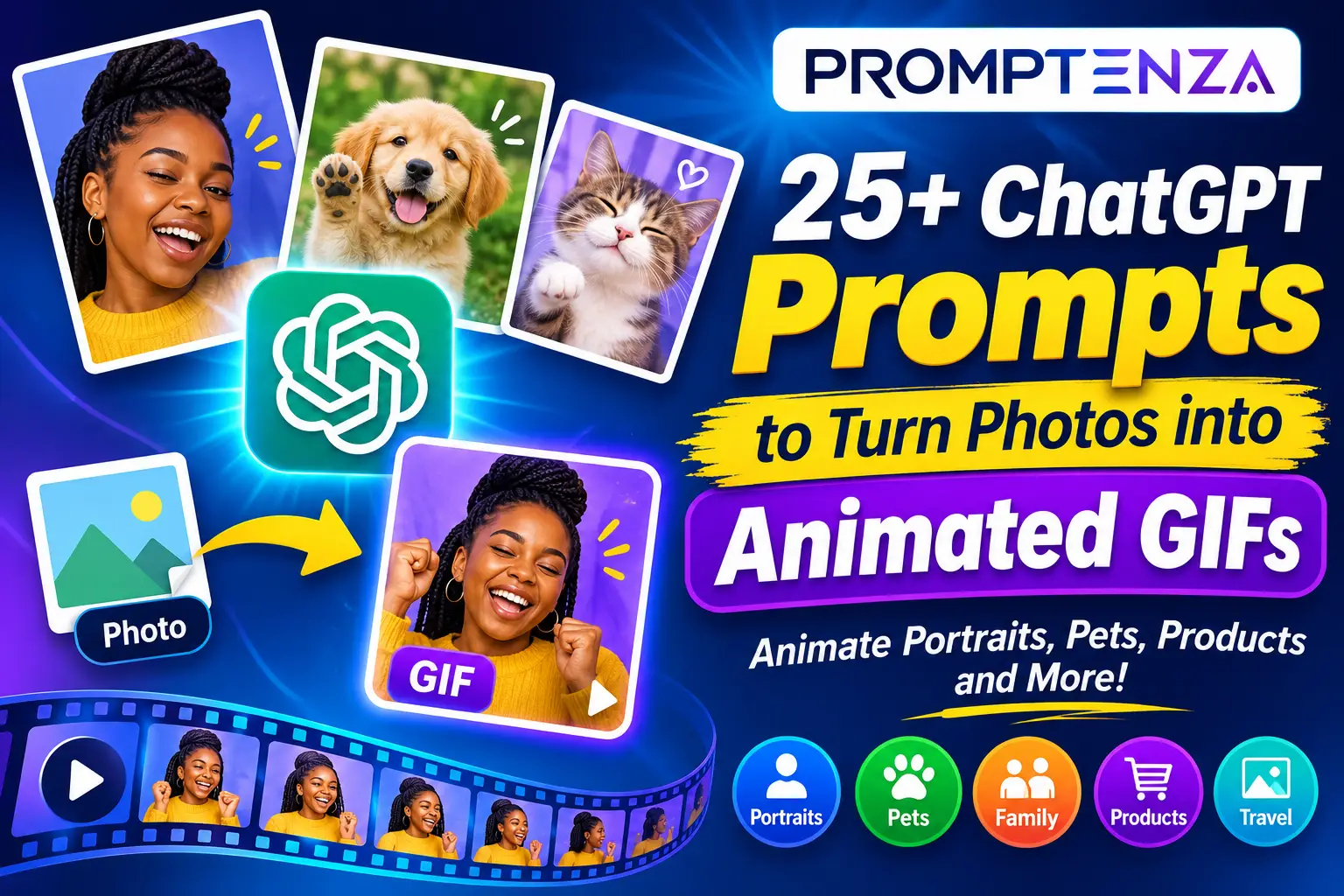
Have a favourite photograph you wish could move? You can use ChatGPT to turn a still image into a short animated GIF. A portrait can become a smiling animation, a pet photograph can become a playful moment, and a product image can become an engaging visual for social media.
With ChatGPT’s GIF creation feature, you can upload a still image, describe the movement you want, and ask ChatGPT to animate it.
In this guide, you’ll find 32 ChatGPT prompts to turn photos into animated GIFs, covering portraits, pets, family moments, products, travel pictures, creative illustrations, and social media content.
Each prompt is ready to copy and customize. Upload your image, paste a prompt, and adjust the instructions to suit the result you want.
Quick Answer: How Do You Turn a Photo into a GIF with ChatGPT?
To turn a photo into an animated GIF with ChatGPT, upload a still image, describe the movement you want, and ask ChatGPT to create a short looping animation. You can animate portraits, pets, objects, illustrations, and other suitable images. Review the result, refine the animation if necessary, adjust playback speed when available, and save or share your GIF.
For the best results, explain what should move, what should stay unchanged, and how the animation should loop.
How to Turn a Photo into an Animated GIF with ChatGPT: Step-by-Step
You don’t need to write complicated technical instructions to animate a photograph. The important thing is to describe the movement clearly and tell ChatGPT which parts of the original image should remain consistent.
Step 1: Open ChatGPT
Visit ChatGPT and sign in to your account.
Start a new conversation where you can upload your photograph and describe the animation you want to create.
Step 2: Upload Your Photo
Select the attachment or upload option in the message box and choose a still image from your device.
You can use different types of photographs, including:
- Portrait photographs
- Pet photographs
- Family pictures
- Couple photographs
- Product photographs
- Travel and landscape pictures
- Illustrations and digital artwork
Choose an image where the main subject is clearly visible. Make sure you have permission to use the photograph, especially if it contains other people.
Step 3: Describe the Movement You Want
After uploading your image, explain exactly what you want to animate.
For example, if you upload a portrait, you could use this instruction:
Animate this photograph into a short looping GIF. Make the person blink naturally, give a gentle smile, and slightly tilt their head. Preserve the original facial features, hairstyle, clothing, background, and overall appearance. Keep the camera stationary and make the movement smooth and natural.
The more specific your instructions, the easier it is to communicate the result you want.
Step 4: Add a Looping Instruction
If you want your animation to repeat continuously, tell ChatGPT how the ending should connect to the beginning.
Add this instruction:
Make the animation loop seamlessly. Return the subject to approximately the same starting pose at the end. Avoid sudden jumps, camera movements, or changes to the original composition.
This helps describe the type of repeating movement you want.
Step 5: Generate Your GIF
Submit your prompt and allow ChatGPT to process the image.
Review the result and check whether:
- The original subject remains recognizable.
- The requested movement looks natural.
- The background remains consistent.
- The animation repeats smoothly.
- No unwanted objects or visual changes have appeared.
You may need to refine the prompt if the first result does not match your expectations.
Step 6: Refine the Animation
If something looks different from what you expected, ask ChatGPT to make a specific adjustment.
For example:
Keep the original photograph unchanged except for the person’s facial movement. Reduce the head movement, make the blinking more natural, and preserve the original background and clothing.
Make one or two adjustments at a time so you can assess the changes.
Step 7: Adjust the GIF Playback Speed
If the playback-speed control is available, experiment with it until the animation looks right.
Slower playback can make gentle movements easier to appreciate, while faster playback can give playful reactions more energy.
Step 8: Save or Share Your GIF
Once you are satisfied with the result, open the generated GIF and select the save option to download it to your device. You can also use the available sharing option to send it to another app.
Your animated GIF is now ready to use.
Note: ChatGPT’s GIF creation feature is rolling out, so availability and controls may vary between accounts. The workflow described here applies to supported still-image animation.
32 ChatGPT Prompts to Turn Photos into Animated GIFs
The following prompts are designed for different types of photographs. Upload the relevant image before using a prompt, then customize the movement, animation style, or background to suit your needs.
1. ChatGPT Portrait-to-GIF Prompts
Turn ordinary portrait photographs into subtle, expressive animations. These prompts focus on natural facial movements while preserving the original appearance.
1. Natural Smiling Portrait
Animate this portrait into a short looping GIF. Make the person gradually develop a warm, natural smile, blink once, and slightly tilt their head. Preserve their original facial features, hairstyle, clothing, lighting, and background. Keep the movement subtle and realistic.
2. Gentle Blinking Animation
Turn this portrait into a short animated GIF. Make the subject blink naturally twice while maintaining the same facial expression and head position. Preserve the original photograph’s details and lighting. Keep the camera stationary and create a smooth loop.
3. Looking Towards the Camera
Animate this photograph so the subject gently turns their eyes towards the camera, gives a slight smile, and returns to the original gaze. Preserve their appearance, clothing, and background. Use realistic, smooth movement and a seamless loop.
4. Friendly Waving Portrait
Turn this photograph into a friendly animated GIF. Make the subject gently raise one hand and wave towards the camera before returning to the original position. Keep their facial features, clothing, and surroundings consistent with the source photograph.
2. ChatGPT Pet Photo-to-GIF Prompts
Pet photographs are great subjects for playful animations. Try these prompts to add movement to pictures of dogs, cats, and other animals.
5. Cute Dog Tail Wagging
Animate this dog photograph into a short looping GIF. Make the dog’s tail wag happily while its ears move slightly and its head tilts playfully. Preserve the dog’s original fur pattern, colour, facial features, and surroundings.
6. Cat Blinking Animation
Turn this cat photograph into a cute animated GIF. Make the cat blink slowly, move its ears slightly, and gently turn its head. Preserve its original appearance, fur details, and background. Keep the animation smooth and natural.
7. Playful Puppy Jump
Animate this puppy photograph so the puppy makes one small playful jump and returns to its original standing position. Preserve its appearance, markings, and surroundings. Use cheerful movement and a smooth looping animation.
8. Cat Looking Around
Create a short looping GIF from this cat photograph. Make the cat slowly look to the left, turn its head to the right, and return to its original position. Keep the cat’s appearance and the background consistent.
3. ChatGPT Couple and Family Photo-to-GIF Prompts
Use these prompts to create gentle animations from special family moments and couple photographs. Keep the movement natural and avoid changing anyone’s appearance.
9. Couple Smiling Together
Animate this couple photograph into a short looping GIF. Make both people exchange a warm smile and gently turn towards each other. Preserve their original facial features, hairstyles, outfits, and the background. Keep the movement subtle and realistic.
10. Family Group Smiling
Turn this family photograph into a short animated GIF. Make everyone gradually develop a natural smile while maintaining their original positions. Preserve each person’s appearance, clothing, and the setting. Avoid changing the number of people in the photograph.
11. Family Celebration
Animate this family photograph into a cheerful looping GIF. Add gentle celebratory movement, with the people smiling and raising their hands slightly. Preserve the original people, outfits, and background. Keep the scene natural and consistent.
12. Couple Holding Hands
Turn this couple photograph into a gentle animated GIF. Make the couple slightly adjust their hands and exchange a warm smile. Preserve their original appearance, clothing, body positions, and surroundings. Use soft, natural movement.
For more family and couple image ideas, explore our ChatGPT Couple and Family Photo Prompts.
4. ChatGPT Birthday and Special Occasion Photo-to-GIF Prompts
Bring birthday and celebration photographs to life with subtle movement, decorative effects, and cheerful animations.
13. Birthday Smile Animation
Animate this birthday photograph into a short looping GIF. Make the subject smile warmly while colourful confetti gently falls in the background. Preserve the person’s original appearance, outfit, and setting. Keep the animation cheerful and polished.
14. Birthday Candle Moment
Turn this birthday photograph into an animated GIF. Animate the candle flames gently flickering while a few small decorative sparkles appear around the birthday setting. Preserve the original cake, decorations, subject, and composition.
15. Graduation Celebration
Animate this graduation photograph into a short looping GIF. Make the graduate gently raise their graduation cap and smile proudly. Add a few subtle celebratory confetti effects. Preserve the original face, gown, cap, and background.
16. Wedding Celebration
Turn this wedding photograph into an elegant animated GIF. Add gentle movement to the decorative lights and a subtle natural movement to the couple. Preserve their original appearance, wedding outfits, and surroundings. Use a romantic, cinematic visual style without changing the composition.
You can find more ideas in our ChatGPT Birthday Photoshoot Prompts and ChatGPT Graduation Photo Prompts guides.
5. ChatGPT Product Photo-to-GIF Prompts
Product animations can help make promotional content more visually engaging. These prompts focus on subtle movement while keeping the product recognizable.
17. Product Showcase Animation
Animate this product photograph into a professional looping GIF. Make the product gently rotate to reveal a slightly different viewing angle, then return to its original position. Preserve the product’s shape, colour, branding, and important details. Use clean studio lighting.
18. Floating Product Effect
Turn this product photograph into a short animated GIF. Make the product gently float upward and downward against the existing background. Preserve its original design, proportions, colour, and visible branding. Keep the camera stationary.
19. Product Spotlight
Create a polished animated GIF from this product image. Add a soft moving spotlight that gradually highlights the product’s main features. Keep the product itself unchanged and preserve the original composition.
20. Cosmetic Product Animation
Animate this cosmetic product photograph into a premium promotional GIF. Add subtle light reflections and a gentle background shimmer while keeping the packaging, label, colours, and product shape unchanged. Use an elegant beauty-advertising style.
6. ChatGPT Travel and Landscape Photo-to-GIF Prompts
Landscape and travel photographs can become more immersive with gentle environmental movement.
21. Ocean Waves Animation
Turn this beach photograph into a short looping GIF. Animate the ocean waves gently moving towards the shore while preserving the beach, sky, horizon, and original composition. Use realistic water movement and a seamless loop.
22. Moving Clouds
Animate this landscape photograph into a short looping GIF. Make the clouds slowly drift across the sky while keeping the mountains, buildings, trees, and foreground unchanged. Use natural movement and preserve the original lighting.
23. Sunset Animation
Turn this sunset photograph into a cinematic animated GIF. Make the clouds move slowly while the sunlight gently changes across the horizon. Preserve the original landscape, colours, and composition.
24. Waterfall Movement
Animate this waterfall photograph into a realistic looping GIF. Make the water flow continuously while preserving the rocks, surrounding vegetation, and background. Keep the camera stationary and avoid changing the original scene.
7. Creative and Artistic Photo-to-GIF Prompts
These prompts are suitable for illustrations, artwork, fashion photographs, and creative visual projects.
25. Animated Illustration
Turn this illustration into a short looping GIF. Animate the main character with a gentle blink, a small head movement, and a friendly smile. Preserve the original drawing style, colours, proportions, and background.
26. Fashion Photo Movement
Animate this fashion photograph into a stylish short GIF. Add gentle movement to the fabric and a subtle shift in the subject’s pose. Preserve the original outfit, colours, hairstyle, and composition. Use polished editorial-style animation.
27. Magical Sparkle Effect
Turn this photograph into a magical animated GIF. Add small glowing sparkles that gently appear and disappear around the main subject. Preserve the original image and keep the effects subtle, elegant, and seamless.
28. Cartoon Transformation Style
Animate this uploaded illustration with playful cartoon movement. Make the main subject blink, slightly tilt its head, and perform one simple gesture. Preserve the original character design, colour palette, and illustration style.
8. Social Media and Profile Photo-to-GIF Prompts
Use these prompts to create short animated visuals for profile content, social media posts, and personal branding.
29. Animated Profile Picture
Turn this profile photograph into a subtle animated GIF. Make the subject blink naturally, smile gently, and slightly turn towards the camera. Preserve their original appearance, outfit, and background. Keep the animation professional and suitable for a profile image.
30. Social Media Celebration
Animate this photograph into a cheerful social media GIF. Add small floating stars, gentle confetti, and subtle movement around the main subject. Preserve the original photograph and keep the animation visually clean.
31. Animated Thank-You Photo
Turn this photograph into a warm animated GIF suitable for a thank-you post. Add gentle glowing decorative effects and subtle movement to the main subject. Keep the original composition and appearance consistent. Do not add written text.
32. Cinematic Photo Animation
Transform this still photograph into a short cinematic looping GIF. Add subtle depth and natural movement to the main subject while maintaining the original scene, colours, lighting, and composition. Keep the camera movement minimal and make the loop smooth.
How to Write Better Photo-to-GIF Prompts
The prompts above provide a starting point, but you can create more specific animations by understanding the elements that make an effective instruction.
A useful photo-to-GIF prompt should include six elements:
| Element | What to describe | Example |
|---|---|---|
| Original image | What you uploaded | A portrait photograph |
| Main subject | What should be animated | The person in the photograph |
| Movement | What the subject should do | Blink and smile |
| Visual consistency | What should remain unchanged | Face, hairstyle, clothes |
| Animation style | How the result should look | Natural and realistic |
| Looping instruction | How the animation should repeat | Return to the starting pose |
Use This Photo-to-GIF Prompt Formula
You can create your own prompts using this simple structure:
Uploaded photo + Main subject + Desired movement + Details to preserve + Animation style + Looping instruction
For example:
Animate this uploaded [photo type] into a short looping GIF. Make [main subject] [desired movement]. Preserve [important original details]. Use a [animation style] appearance. Keep the camera [stationary or specified movement] and make the final frame transition smoothly into the first frame.
This formula works for many types of photographs. You only need to change the subject, movement, and visual style.
Tips for Getting Better Results When Animating Photos with ChatGPT
1. Start with a Clear Photograph
A clear image makes it easier to identify the subject and describe the intended movement. Avoid photographs where the main subject is heavily obscured or difficult to distinguish.
2. Animate One Main Action at a Time
A prompt asking a person to blink, smile, wave, turn around, jump, and dance may produce inconsistent results.
Start with one main action. Once you are happy with the result, experiment with additional movements.
3. Tell ChatGPT What Must Stay Unchanged
This is particularly important when animating portraits, family pictures, and product photographs.
Use instructions such as:
- Preserve the original facial features.
- Keep the clothing unchanged.
- Maintain the original background.
- Do not add extra people or objects.
- Keep product labels and visible branding consistent.
4. Specify the Animation Style
Describe whether you want a realistic, cinematic, playful, cartoon, or minimalist animation.
For example:
Use a realistic animation style with subtle movement, natural lighting, and consistent details.
5. Request a Smooth Loop
A good looping GIF should not feel as though the animation suddenly restarts.
Tell ChatGPT to return the subject to its original position or create a natural transition between the final and first frames.
6. Refine Instead of Rewriting Everything
If the animation is almost right, make a small adjustment rather than replacing the entire prompt.
For example:
Keep the current animation, but reduce the movement and preserve more of the original photograph’s details.
Common Mistakes When Turning Photos into GIFs
| Mistake | Better approach |
|---|---|
| Using vague instructions | Describe the exact movement you want |
| Requesting too many actions | Focus on one main action |
| Ignoring image consistency | Specify which original details must remain unchanged |
| Forgetting the loop | Include a seamless-loop instruction |
| Overcomplicating the background | Keep the original setting simple |
| Expecting perfect results immediately | Review and refine the animation |
More ChatGPT Image and GIF Prompt Collections
If you want to explore more ways to create images and animations with ChatGPT, check out these Promptenza guides:
- ChatGPT GIF Generator: How to Make GIFs with ChatGPT – Learn how to create animated GIFs using ChatGPT.
- 50+ ChatGPT GIF Prompts to Create Funny and Creative Animations – Explore a broad collection of creative GIF ideas.
- 30+ Funny ChatGPT GIF Prompts for Reactions and Memes – Create humorous reactions and meme-style animations.
- AI Image Prompting Guide – Learn how to write more effective image-generation instructions.
- Prompt Anatomy: Parts of an Effective AI Prompt – Understand the essential parts of a well-structured prompt.
- ChatGPT Image Prompt Codes – Explore creative ways to structure visual prompts.
Frequently Asked Questions About Turning Photos into GIFs with ChatGPT
Can ChatGPT turn a photo into an animated GIF?
Yes. ChatGPT’s GIF creation feature can animate an uploaded still image. You can describe the movement you want, such as blinking, smiling, waving, or moving environmental elements, and ask ChatGPT to create a looping GIF.
How do I animate a picture with ChatGPT?
Upload a still image to ChatGPT, describe the subject and the movement you want, and request a looping GIF. Review the generated result and provide additional instructions if you want to adjust the animation.
What types of photos can I turn into GIFs?
You can use suitable still photographs of people, pets, products, landscapes, objects, and illustrations. The final result depends on the image, the animation instructions, and the capabilities available in your account.
Can I animate a portrait without changing the person’s face?
You can ask ChatGPT to preserve the original facial features while adding subtle movements such as blinking or smiling. However, generated animations may not reproduce every original detail perfectly, so review the result carefully.
Can ChatGPT animate pet photographs?
Yes. You can upload a pet photograph and request movements such as blinking, wagging a tail, turning its head, or making a playful gesture.
Can I turn a family photograph into a GIF?
You can upload a family photograph and request gentle animations, such as smiling or subtle celebratory movements. Include instructions to preserve everyone’s appearance and position.
Can I control how fast my animated GIF plays?
ChatGPT provides a playback-speed adjustment for supported GIF creation. The availability of controls may depend on the feature rollout and interface.
Can I upload an existing GIF and ask ChatGPT to change it?
ChatGPT’s current GIF workflow supports animating still images. It does not currently support editing an animated GIF uploaded by the user.
Are ChatGPT photo-to-GIF prompts free?
The prompts in this article are free to copy and customize. However, access to GIF creation depends on the features, usage limits, and account availability offered by ChatGPT.
Can I use ChatGPT-generated GIFs on social media?
You can create GIFs intended for social media sharing. Before publishing, check that you have permission to use the original photograph and any third-party material included in the result.
Final Thoughts
Turning photographs into animated GIFs gives you another way to use your favourite images. Whether you want to animate a portrait, bring a pet photograph to life, create a memorable family animation, or make a product visual more engaging, the right prompt helps communicate your idea.
Start with one of the 32 prompts in this guide, upload your photograph, and describe the movement you want. Remember to preserve important details, keep the animation simple, and request a smooth loop.
For more creative ideas, explore the other ChatGPT GIF and image-prompt collections on Promptenza.