The best free AI tools in 2026 can help you write, study, research, create content, design graphics, code, organize tasks, and automate everyday work. From AI assistants and research tools to writing and design platforms, free AI tools can help students, professionals, creators, and businesses save time and get more done without paying for a premium subscription.
You don’t need to pay for dozens of AI subscriptions to get serious value from artificial intelligence.
In 2026, free AI tools can help you write, research, study, code, design graphics, generate images, create videos, make presentations, edit audio, analyze information and automate everyday work.
But there’s a catch: “free” doesn’t always mean unlimited.
Many popular AI services use free tiers with limits on messages, credits, generations, storage, or advanced features. Those limits can also change over time.
So instead of throwing 100 random AI websites at you, this guide focuses on 25 free AI tools worth trying, what each is actually good at, and where it fits into a practical workflow.
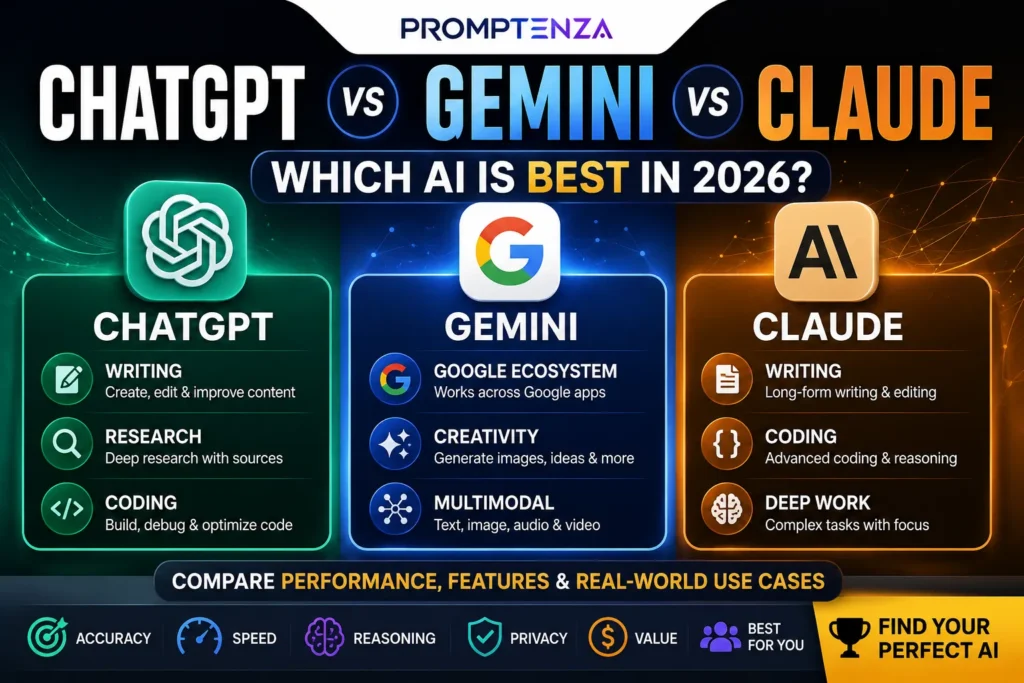
Quick answer: For general AI work, start with ChatGPT, Gemini or Claude. For research, try Perplexity and NotebookLM. For design, Canva is one of the easiest starting points. For coding, GitHub Copilot Free is worth exploring. For voice, ElevenLabs has a free tier. For AI video, Runway offers a limited free plan. Free availability and usage limits can change, so check each tool’s current plan before relying on it.
The 25 Best Free AI Tools in 2026
| # | AI Tool | Best For | Free Option |
|---|---|---|---|
| 1 | ChatGPT | General AI assistance | Yes |
| 2 | Google Gemini | Research, writing & Google workflows | Yes |
| 3 | Claude | Writing & reasoning | Yes |
| 4 | Microsoft Copilot | Everyday AI & Microsoft users | Yes |
| 5 | Perplexity | AI-powered research | Yes |
| 6 | NotebookLM | Researching your own documents | Yes |
| 7 | DeepSeek | AI chat & reasoning | Yes |
| 8 | Canva AI | Design & visual content | Yes |
| 9 | Adobe Firefly | AI images & creative work | Limited free access |
| 10 | Gamma | Presentations & documents | Yes |
| 11 | Grammarly | Writing & editing | Yes |
| 12 | QuillBot | Paraphrasing & writing assistance | Yes |
| 13 | GitHub Copilot | Coding | Yes |
| 14 | ElevenLabs | AI voice & audio | Yes |
| 15 | Runway | AI video | Limited free plan |
| 16 | CapCut | AI video editing | Yes |
| 17 | Suno | AI music creation | Free tier |
| 18 | Photoroom | Product photos & image editing | Free option |
| 19 | Leonardo AI | AI image generation | Free tier |
| 20 | Ideogram | AI images & typography | Free tier |
| 21 | Poe | Accessing multiple AI models | Free option |
| 22 | Hugging Face | Open AI models & experiments | Yes |
| 23 | Remove.bg | Background removal | Free option |
| 24 | VEED | AI video creation & editing | Free option |
| 25 | Google AI Studio | Experimenting with Google’s AI models | Free access with usage limits |
Important: Free tiers are not necessarily unlimited. Some tools provide monthly credits, usage caps, watermarked exports, or limited access to premium models.
1. ChatGPT — Best Free AI Tool for General Use
If you only want to learn one AI assistant first, ChatGPT is a strong starting point.
Its free tier currently includes capabilities such as web search, file and image uploads, data analysis, image creation and access to GPTs, subject to separate usage limits.
What you can use it for
- Writing
- Brainstorming
- Learning
- Research
- Coding
- Summarizing
- Planning
- Data analysis
- Image generation
- File analysis
Try this prompt
Prompt:
Act as my personal productivity assistant. Help me organize the following tasks by urgency and importance, then create a realistic schedule for completing them.
For a deeper guide, see ChatGPT Tutorial and 100+ ChatGPT Prompts.
2. Google Gemini — Best for Google-Centered Workflows
Google Gemini is particularly interesting if you already use Google’s ecosystem.
It can help with writing, brainstorming, research, learning and other everyday AI tasks, while Google’s broader AI ecosystem includes tools such as NotebookLM.
Best uses
- Research
- Writing
- Studying
- Brainstorming
- Summarization
- Google ecosystem workflows
- Image-related tasks
Try this prompt
Prompt:
Explain [TOPIC] to me like I’m a beginner. Give me a simple explanation, three real-world examples, common misconceptions, and five questions I can use to test myself.
See Promptenza’s Gemini AI Tutorial.
3. Claude — Best for Writing and Thoughtful Editing
Claude is worth trying when your priority is clear writing, document work, analysis and careful reasoning.
It’s particularly useful as a second opinion for writing.
Best uses
- Editing
- Long-form writing
- Summarization
- Brainstorming
- Document analysis
- Coding
- Critiquing drafts
Try this prompt
Prompt:
Edit this article for clarity and readability. Keep the original meaning, remove unnecessary repetition, improve transitions, and identify any claims that may require verification.
Learn more in the Claude AI Tutorial.
4. Microsoft Copilot — Best for Microsoft Users
Microsoft Copilot can be useful if your workflow already revolves around Microsoft’s ecosystem.
It can assist with everyday questions, writing, summarization, brainstorming and other productivity tasks.
Best for
- Microsoft users
- Writing
- Productivity
- Research
- Brainstorming
- Everyday questions
Try this
Prompt:
Turn these rough meeting notes into a concise list of decisions, action items, deadlines and unanswered questions.
5. Perplexity — Best for AI-Powered Research
If your first question is:
“Where did this information come from?”
Perplexity is worth trying.
It is designed around AI-powered search and source-backed answers, making it useful when you want to investigate a topic rather than simply generate text.
Best for
- Research
- Current information
- Comparing sources
- Finding references
- Topic exploration
- Initial fact-checking
Try this
Research Prompt:
Research [TOPIC] using reliable sources. Summarize the major findings, provide links to the sources, separate facts from interpretation, and identify anything that remains uncertain.
For deeper research workflows, see ChatGPT Research.
6. NotebookLM — Best for Your Own Documents
NotebookLM is one of the most useful tools to explore if you have lots of documents.
Instead of asking AI about the entire internet, you can use your own source material as the foundation of the conversation.
Useful for
- Research papers
- PDFs
- Class notes
- Reports
- Study material
- Meeting information
- Long documents
Try this
Upload your material and ask:
Prompt:
Using only the sources I provided, identify the five most important ideas, explain each one simply, and show which source supports each conclusion.
This makes NotebookLM especially interesting for students, researchers and professionals working with source-heavy material.
7. DeepSeek — A Free AI Chat Alternative
DeepSeek is another AI assistant worth knowing about.
It can be used for conversational questions, reasoning, writing and coding.
Best for
- General questions
- Reasoning
- Coding
- Brainstorming
- Technical discussions
Try this
Explain this programming problem step by step. First identify the underlying concept, then explain the solution, and finally show how I can test it.
8. Canva AI — Best for Easy AI Design
You don’t need to be a professional designer to experiment with AI-powered design.
Canva AI combines AI capabilities with Canva’s broader design environment.
Canva says its Free plan provides access to AI tools with usage allowances, while more advanced AI capabilities are available on paid plans.
You can create
- Social posts
- Presentations
- Posters
- Graphics
- Images
- Marketing materials
- Videos
Try this prompt
Create a clean social media graphic about “5 AI Tools Students Should Know.” Use a modern technology style, large readable typography, minimal text and a professional layout.
9. Adobe Firefly — Best for Creative AI
Adobe Firefly is designed for generative creative work.
Depending on the current plan and feature, Firefly can be used for tasks involving image, video, speech and other creative generation.
Adobe uses a generative-credit system, so free access and available generations can be limited.
Best for
- Image generation
- Creative concepts
- Image editing
- Design experimentation
- Creative assets
10. Gamma — Best for AI Presentations
Creating a presentation from scratch can take hours.
AI presentation tools can dramatically reduce the time needed to create the first draft.
Gamma is worth exploring for presentations, documents and visual storytelling.
Try this
Create a 10-slide presentation explaining generative AI to beginners. Use one main idea per slide, simple language, practical examples and a clean professional visual style.
11. Grammarly — Best for Writing Polish
You don’t always need AI to write something from scratch.
Sometimes you already have the right idea—you just need to make it clearer.
That’s where Grammarly can help.
Useful for
- Grammar
- Clarity
- Rewriting
- Tone
- Professional communication
- Editing
Try this
Rewrite this email to sound professional, friendly and concise. Keep the original message and don’t make it overly formal.
12. QuillBot — Best for Paraphrasing
QuillBot is useful when you already have text but want to improve its wording or structure.
Useful for
- Paraphrasing
- Rewriting
- Summarizing
- Grammar
- Improving readability
Important
Don’t use paraphrasing tools to disguise copied work.
Use them to improve your own writing while maintaining accurate attribution when you’re working with sources.
13. GitHub Copilot — Best Free AI Coding Assistant
For programmers, GitHub Copilot deserves a place on the list.
GitHub currently offers a Copilot Free plan for individual developers. Its published plan includes limited AI coding assistance, with the current page listing 2,000 completions per month and limited chat access.
Useful for
- Code completion
- Debugging
- Explaining code
- Refactoring
- Generating boilerplate
- Learning programming
Try this
Explain this function line by line. Identify potential bugs, suggest improvements, and then show a cleaner version while preserving its behavior.
You can also explore Promptenza’s ChatGPT Coding guide.
14. ElevenLabs — Best for AI Voice
If you’re creating videos, podcasts or other audio projects, ElevenLabs is worth testing.
Its current free plan includes 10,000 credits per month and access to features including text-to-speech, speech-to-text, sound effects, voice design, music and image tools, subject to the plan’s terms.
Useful for
- Voiceovers
- Narration
- Audio experiments
- Speech-to-text
- Sound effects
Try this
Create a warm, energetic narration style for a 45-second educational video explaining what generative AI is.
15. Runway — Best for Trying AI Video
AI video generation can become expensive quickly, which makes free credits useful for experimentation.
Runway currently offers a Free plan with a one-time allocation of 125 credits and limited access to generative tools. The credits do not renew after being used.
Best for
- AI video experiments
- Visual concepts
- Short clips
- Creative video generation
Try this
Create a cinematic 5-second futuristic scene showing a digital workspace transforming into an AI-powered creative studio.
16. CapCut — Best for AI-Assisted Video Editing
If you’re creating TikToks, Reels, Shorts or other social videos, CapCut is worth testing.
Its AI-powered features can help with editing, captions, effects and content creation.
Best for
- Short-form video
- Captions
- Social content
- Video editing
- Quick content production
17. Suno — Best for AI Music Experiments
Suno lets users experiment with generating music from text descriptions.
You can describe the style, mood and concept you’re looking for.
Example
Create an upbeat instrumental track with an energetic electronic-pop feel suitable for a technology explainer video.
Always check the current licensing terms before using generated music commercially.
18. Photoroom — Best for Product Images
If you’re selling products online, photography can become one of the biggest content bottlenecks.
Photoroom focuses heavily on product photography and image editing.
Useful for
- Product backgrounds
- Product photos
- Online stores
- Social media
- Image cleanup
Try this
Place this product on a clean professional studio background suitable for an online store while keeping the product itself unchanged.
19. Leonardo AI — Best for AI Image Experimentation
Leonardo AI is another platform worth exploring if you want to experiment with AI-generated visuals.
Useful for
- Concept art
- Illustrations
- Creative assets
- Game concepts
- Visual experimentation
Better prompt
Instead of:
Create a robot.
Try:
Create a futuristic friendly AI assistant in a modern digital workspace, cinematic lighting, clean technology aesthetic, detailed environment, wide composition.
The more clearly you describe the intended visual, the easier it is to steer the result.
20. Ideogram — Best for AI Images With Text
Some AI image generators struggle when you ask them to create graphics containing readable text.
Ideogram is worth exploring when typography is an important part of the visual.
Useful for
- Posters
- Logos and concepts
- Social graphics
- Typography-focused visuals
- Marketing concepts
Example
Create a technology conference poster with the headline “THE FUTURE OF AI” in large, perfectly readable typography, with a futuristic digital background and strong visual hierarchy.
21. Poe — Best for Exploring Multiple AI Models
Poe is useful if you want to experiment with different AI models and bots through one platform.
Instead of becoming deeply invested in a single assistant, you can use it to explore different conversational AI experiences.
Useful for
- Comparing AI responses
- Experimenting with models
- Specialized bots
- Writing
- Brainstorming
A practical approach is to ask different models the same question and compare their reasoning and outputs.
22. Hugging Face — Best for Exploring Open AI Models
If you want to go beyond mainstream AI chatbots, Hugging Face is a valuable place to explore AI models and machine-learning projects.
It’s particularly interesting for technically curious users and developers.
Explore it for
- Open-source models
- AI demos
- Machine learning
- Model experimentation
- Developer projects
This is less beginner-friendly than ChatGPT or Gemini, but it’s an excellent way to discover what’s happening underneath the consumer AI layer.
23. Remove.bg — Best for Removing Backgrounds
Sometimes you don’t need a complicated AI editor.
You just need to remove the background from an image.
Remove.bg specializes in exactly that.
Useful for
- Product photos
- Profile graphics
- Social media images
- E-commerce
- Marketing materials
Upload an image, remove the background and then use the result in another design tool.
24. VEED — Best for Simple AI Video Creation
VEED combines online video editing with AI-powered tools.
It’s useful if you want to create videos without learning complicated professional editing software.
Useful for
- Social videos
- Captions
- Video editing
- AI-assisted content
- Marketing videos
Try this
Create a short educational video explaining three benefits of AI for small businesses. Use concise captions, clear scene transitions and a professional visual style.
25. Google AI Studio — Best for Experimenting With AI
If you’re more technically curious, Google AI Studio provides a way to experiment with Google’s AI models and build prototypes.
It’s particularly useful for people who want to move from simply using AI toward experimenting with AI applications.
Try this
Help me design a simple AI-powered FAQ assistant. Explain the architecture first, then show how the components would communicate, and finally suggest a basic prototype structure.
Which Free AI Tool Should You Try First?
You don’t need all 25.
In fact, having 25 AI tabs open can make you less productive, not more.
Start with the tool that matches your task.
If you want one general AI assistant
Try: ChatGPT, Gemini or Claude.
If you need research
Try: Perplexity or NotebookLM.
If you need to study your own documents
Try: NotebookLM.
If you need designs
Try: Canva AI.
If you need AI images
Try: Canva AI, Adobe Firefly, Leonardo AI or Ideogram.
If you need coding assistance
Try: GitHub Copilot.
If you need AI voice
Try: ElevenLabs.
If you want AI video
Try: Runway, CapCut or VEED.
If you need presentations
Try: Gamma.
The Best Free AI Stack Isn’t One Tool
Here’s a more practical way to think about AI.
Instead of searching for one AI tool that does everything, create a small toolkit.
For example:
ChatGPT → general tasks
Perplexity → research
NotebookLM → your documents
Canva → design
GitHub Copilot → coding
ElevenLabs → voice
Runway → video
This approach lets each tool do the job it is best suited for.
A Free AI Workflow for Content Creators
Here’s an example of how a creator could combine these tools.
Step 1: Research
Use Perplexity or another research tool to discover current information.
Step 2: Organize sources
Put your important documents into NotebookLM.
Step 3: Develop the article
Use ChatGPT or Claude to create an outline and draft.
Step 4: Improve the writing
Use Grammarly or your preferred editor for a final readability pass.
Step 5: Create visuals
Use Canva, Firefly, Leonardo or Ideogram for appropriate graphics.
Step 6: Create video
Turn the article into a short video using CapCut, VEED or Runway.
Step 7: Create narration
Use ElevenLabs if an AI voice fits the project.
The result is a complete content workflow using mostly free or free-tier tools.
7 Free AI Tools I’d Start With
If I had to reduce this entire list to seven tools for someone just getting started, I’d choose:
- ChatGPT — general AI
- Gemini — Google ecosystem and general tasks
- Perplexity — research
- NotebookLM — source-based research
- Canva — design
- GitHub Copilot — coding
- ElevenLabs — voice
That gives you coverage across writing, research, studying, design, coding and audio without needing a subscription to every service.
How to Get More Value From Free AI Tools
Don’t collect tools—build workflows
The goal isn’t to have 50 AI accounts.
The goal is to finish work faster and better.
Learn prompting
A good tool with a weak instruction can produce poor results.
Learn the fundamentals with Promptenza’s Prompting for Beginners guide.
Then explore Prompt Anatomy and Prompt Engineering.
Compare outputs
For important tasks, ask two different AI systems the same question.
Compare:
- Accuracy
- Sources
- Reasoning
- Clarity
- Completeness
Don’t assume the most confident answer is the correct one.
Keep your own judgment
AI tools are assistants.
They aren’t automatically authoritative.
Verify important information before publishing it, submitting it academically, making decisions from it, or passing it on to someone else.
What Does “Free AI Tool” Actually Mean?
This is an important distinction.
A tool can be described as “free” even when it has significant restrictions.
Free forever
You can use a basic version without paying, although limits may apply.
Free tier
You receive a certain amount of usage and can pay for more.
Free credits
You receive a fixed number of generations or credits.
Free trial
You can use premium features temporarily before being asked to pay.
These are not the same thing.
For example, Runway’s current free plan provides a one-time 125-credit allocation rather than renewable monthly credits.
Canva’s Free plan also provides AI access but with usage allowances and fewer advanced capabilities than paid plans.
That’s why you should always check the current pricing page before choosing an AI tool for a long-term workflow.
Are Free AI Tools Safe to Use?
Free doesn’t automatically mean private.
Before uploading confidential information, check:
- Privacy policies
- Data retention
- Training settings
- File handling
- Account permissions
- Commercial-use restrictions
Don’t upload sensitive documents simply because a tool accepts file uploads.
For example, GitHub says interactions from some Copilot Free users may be used for model training unless the user opts out, according to its current policy.
The safest approach is simple:
Know what you’re uploading before you upload it.
Frequently Asked Questions About Free AI Tools
What is the best free AI tool in 2026?
There isn’t one tool that’s best for every task. ChatGPT, Gemini and Claude are strong general-purpose options, while Perplexity is useful for research, NotebookLM for source-based work, Canva for design and GitHub Copilot for coding.
Are free AI tools really free?
Some are genuinely free at a basic level, while others use free tiers, credits or usage limits. Always check the current plan before assuming unlimited access.
What is the best free AI tool for students?
ChatGPT, Gemini and NotebookLM are useful starting points for learning, research and working with study materials. Students should use AI to understand concepts and improve their work rather than simply submitting AI-generated answers.
What is the best free AI tool for research?
Perplexity is useful for web-based research and source discovery, while NotebookLM is particularly useful when you want to work with your own documents and sources.
What is the best free AI image generator?
There isn’t one universal winner. Canva AI, Adobe Firefly, Leonardo AI and Ideogram are all worth testing for different types of visual work.
What is the best free AI tool for coding?
GitHub Copilot Free is a strong option for developers who want AI-assisted coding without immediately paying for a subscription. Its free plan has usage limits.
Can I use free AI tools for business?
Yes, but check the specific tool’s licensing, privacy and commercial-use terms before using generated content commercially.
Do free AI tools have limits?
Yes. Limits can include messages, credits, image generations, storage, model access, export quality or other restrictions.
Final Verdict
The biggest AI mistake in 2026 isn’t not having enough AI tools.
It’s having too many.
You don’t need 25 subscriptions.
Start with two or three tools that solve your actual problems, learn how to prompt them properly, and build a workflow around them.
If you’re new to AI, start with:
ChatGPT → Research tool → Canva
Then add specialist tools when you actually need them.
For more AI resources, explore Promptenza’s AI Tools, Prompt Library, Tutorials and AI Prompting Techniques.
Explore More on Promptenza
ChatGPT Prompts: 100+ Best Prompts for Work & School
ChatGPT vs Gemini vs Claude: Which AI Is Best in 2026?
15 ChatGPT Features You Probably Aren’t Using Yet in 2026