AI agents are AI systems that can understand a goal, plan tasks, use tools, make decisions, and take actions with limited human intervention. Unlike a basic chatbot that mainly responds to prompts, an AI agent can work through multiple steps to complete a task—for example, researching information, analyzing it, and producing a final result.
AI has moved beyond the simple question-and-answer chatbot.
In 2026, AI agents can increasingly plan tasks, use tools, retrieve information, interact with software, execute multi-step workflows, check results, and continue working toward a goal with less step-by-step direction from a human.
But there is a lot of hype around the word agent.
An AI agent is not a magical digital employee that can safely do anything you ask. Its abilities depend on the AI model, tools, permissions, data, instructions, and safeguards connected to it.
So what can AI agents actually do in 2026?
This guide explains what AI agents are, how they work, what they can realistically accomplish, how they differ from chatbots and automation, practical examples, limitations, and where agentic AI is heading next.
What Is an AI Agent?
An AI agent is a software system that uses an AI model to pursue a goal by reasoning about what needs to happen, using available tools, and taking actions based on the results.
Google Cloud describes agents as systems that can use reasoning, planning, memory and tools to accomplish tasks, while OpenAI describes agents as systems that combine triggers, processes or skills, and connected tools or systems.
The simplest way to understand the difference is:
Chatbot: Give me a question and I’ll give you an answer.
AI assistant: Help me accomplish something.
AI agent: Give me a goal and, within my permissions, I’ll work through the steps needed to accomplish it.
For example:
Traditional chatbot
“Summarize this report.”
AI agent
“Review these reports, identify the biggest changes, compare them with last month’s data, create a summary, and prepare a report for review.”
The second task requires multiple steps rather than a single response.
What Can AI Agents Actually Do in 2026?
AI agents can perform a surprisingly wide range of tasks when they have the right tools and permissions.
They can potentially:
- Search for information
- Read documents and files
- Analyze data
- Break large tasks into smaller steps
- Generate and modify code
- Interact with APIs
- Work with business databases
- Use software interfaces
- Create documents and reports
- Coordinate multiple tasks
- Monitor information
- Perform repetitive workflows
- Check intermediate results
- Ask for human approval at important points
- Work with other specialized agents
OpenAI’s current agent tooling, for example, supports capabilities such as web search, file search, computer interaction and custom tools, while Google describes agents as systems that can reason, plan, use tools and act on information from their environment.
The important phrase is “when they have the right tools.”
An AI model by itself cannot automatically access every website, database, application or account.
AI Agents vs Chatbots vs AI Assistants vs Automation
These terms are often used interchangeably, but they are not exactly the same.
AI Chatbot
A chatbot primarily responds to conversations.
Example:
“Explain photosynthesis.”
It provides an answer and waits for another instruction.
AI Assistant
An assistant can help with a broader range of tasks but generally works interactively with the user.
Example:
“Help me prepare for tomorrow’s presentation.”
You may work through several requests together.
AI Agent
An agent can take a goal and determine the sequence of actions needed to pursue it.
Example:
“Review these files, identify the three most important issues, research supporting information, create a draft report, and flag anything that requires my approval.”
Traditional Automation
Traditional automation usually follows predefined rules.
For example:
Trigger → Step 1 → Step 2 → Step 3 → Finished
An agent can be more flexible because the AI can interpret the situation and determine what action should come next.
Anthropic distinguishes predefined workflows from agents by noting that workflows follow defined paths, while agents dynamically direct their own processes and tool usage.
How Do AI Agents Work?
A useful mental model is:
Goal → Plan → Gather Information → Act → Check → Adjust → Complete
An agent typically combines several components.
1. AI Model
The model provides the reasoning and language capabilities.
Think of it as the agent’s reasoning engine.
2. Instructions
The agent needs rules explaining:
- What it is supposed to accomplish
- What it should prioritize
- What it should avoid
- What format it should produce
- When it should ask for approval
3. Tools
Tools allow the agent to interact with the outside world.
They might include:
- Web search
- Databases
- APIs
- File systems
- Code execution
- Business software
- Email or messaging systems
- Computer interfaces
OpenAI categorizes agent tools broadly into data tools, action tools and orchestration tools.
4. Memory and Context
An agent may need to remember information during a task or retrieve information from an external knowledge source.
Google’s current agent architecture guidance describes models, grounding, tools, data architecture, orchestration and runtime as important building blocks.
5. Orchestration
Orchestration determines how the different steps fit together.
For example:
Research agent → Analysis agent → Writing agent → Review agent
This can become a multi-agent workflow.
The AI Agent Loop Explained
One of the easiest ways to understand agentic AI is through a loop:
Step 1: Receive the Goal
The user provides an objective.
“Analyze our website traffic and identify opportunities.”
Step 2: Create a Plan
The agent determines what information it needs.
Step 3: Use Tools
It might retrieve analytics data, documents or other information.
Step 4: Analyze the Results
The agent interprets what it found.
Step 5: Take an Action
It could create a report, update a document or prepare recommendations.
Step 6: Check the Result
The agent evaluates whether the task was completed correctly.
Step 7: Continue or Stop
If more work is necessary, it continues. Otherwise, it finishes or asks for human approval.
This perception/reasoning/planning/action/reflection pattern is central to many descriptions of agentic systems.
10 Things AI Agents Can Actually Do
Here are practical examples rather than theoretical promises.
1. Research a Complex Topic
Instead of asking an AI one question, an agent can potentially:
- Search multiple sources
- Gather relevant information
- Compare findings
- Identify conflicting information
- Organize the evidence
- Produce a report
This is particularly useful when a task requires multiple research steps.
2. Analyze Documents
An agent can work with collections of documents to:
- Extract information
- Compare documents
- Identify differences
- Categorize information
- Summarize findings
- Produce structured reports
For example:
“Review these 20 documents and create a table showing the important differences between them.”
3. Automate Repetitive Business Work
Agents can potentially work with systems such as:
- CRMs
- Databases
- Project management platforms
- Internal documentation
- Support systems
An agent could retrieve information, process it and prepare an action.
4. Write and Modify Code
Coding agents are one of the clearest examples of agentic workflows.
Instead of:
“Write a Python function.”
A coding agent might receive:
“Investigate this bug, inspect the relevant files, modify the code, run tests, identify failures and revise the implementation.”
The important difference is the iterative workflow.
OpenAI reports that agentic coding workflows increasingly involve longer, multi-step tasks rather than isolated code-generation requests.
5. Work With Websites and Computer Interfaces
Some agents can interact with computers or software interfaces.
Depending on the implementation, they may be able to:
- Navigate interfaces
- Read information
- Enter information
- Click through workflows
- Complete structured tasks
But computer access introduces additional security considerations, so permissions and human oversight matter.
6. Create Reports
An agent can potentially move from:
Raw information → Analysis → Draft → Review → Final report
This can save time when the workflow is repetitive.
7. Monitor Information
Some agent systems can be triggered by events or schedules.
For example:
“Every morning, check the approved sources, identify important updates, summarize them, and prepare a briefing.”
The exact scheduling and automation capabilities depend on the platform.
8. Coordinate Multiple AI Specialists
Instead of one AI handling everything, different agents can specialize.
For example:
Research Agent
Finds information.
↓
Data Agent
Analyzes it.
↓
Writing Agent
Creates the report.
↓
Review Agent
Checks the output.
↓
Human
Approves the final result.
This is an example of a multi-agent system.
9. Transform Data
An agent can potentially:
- Retrieve data
- Clean it
- Analyze it
- Convert formats
- Generate tables
- Create reports
10. Manage Multi-Step Workflows
This is arguably the biggest difference between agents and ordinary AI chat.
Instead of repeatedly telling the AI what to do, you can define a goal and allow the system to manage a sequence of actions.
A Real-World Example: An AI Research Agent
Imagine you want to publish an article about a new technology.
A traditional workflow might look like this:
You → Search Google → Open articles → Take notes → Compare sources → Write → Edit
An agentic workflow could look more like:
Goal
Research the latest developments in AI agents and prepare a source-backed briefing.
Agent
→ Searches approved sources
→ Collects information
→ Compares claims
→ Identifies important developments
→ Organizes findings
→ Creates a briefing
→ Flags uncertain claims
→ Requests approval
The advantage isn’t simply that the AI can write.
The advantage is that the AI can participate in the workflow surrounding the writing.
AI Agent Prompt Example
If you’re using an AI system that supports agent-style workflows, a useful instruction might look like this:
Goal: Research the latest developments in AI agents.
Sources: Use reliable primary sources where possible.
Process: Search, compare findings, identify disagreements, and organize the information by topic.
Output: Create a concise report with key findings, supporting sources, uncertainties, and questions requiring human verification.
Rule: Do not present an uncertain claim as established fact.
This is stronger than simply asking:
“Tell me about AI agents.”
Why?
Because it specifies the goal, process, sources, output and quality requirements.
For more help creating effective prompts, see Promptenza’s Prompt Engineering guide and Prompt Anatomy guide.
AI Agents vs Prompt Chaining
These concepts are related but different.
Prompt Chaining
You define the sequence.
Prompt 1 → Prompt 2 → Prompt 3 → Prompt 4
For example:
- Generate an outline.
- Write the introduction.
- Write the main sections.
- Edit the article.
The workflow is mostly predetermined.
AI Agent
The agent can determine which actions are necessary.
Goal → Agent decides next step → Tool → Result → Agent decides next step
This makes agents more flexible for tasks where you cannot predict every step in advance.
Anthropic specifically distinguishes fixed workflows such as prompt chaining from agents that dynamically determine their process and tool use.
You can learn more in Promptenza’s Prompt Chaining guide.
AI Agents vs Traditional Automation
Traditional automation is usually deterministic.
For example:
If form submitted → send email → add row → notify manager
The sequence is explicitly defined.
An agent can work differently:
If form submitted → understand the request → determine what information is needed → retrieve it → decide which workflow applies → prepare an action
That flexibility is powerful.
But it also introduces uncertainty.
A traditional automation system may be easier to predict.
An AI agent may be better suited to situations where the path to the answer changes from one case to another.
When Should You Use an AI Agent?
AI agents are particularly useful when a task is:
Repetitive
You perform the same general workflow regularly.
Multi-Step
The task requires several connected actions.
Tool-Based
The AI needs to interact with external systems.
Goal-Oriented
You care more about achieving an outcome than following one rigid sequence.
Difficult to Fully Script
Different situations require different decisions.
OpenAI’s workspace-agent guidance similarly highlights repeatable, structured, time-based or event-driven, and tool-based work as strong candidates for agents.
When Should You NOT Use an AI Agent?
Not every AI task needs an agent.
For a simple request such as:
“Rewrite this paragraph.”
A normal AI chat is probably enough.
You may not need an agent for:
- Simple brainstorming
- Basic rewriting
- One-off summaries
- Simple explanations
- Straightforward translations
- Short calculations
- Simple content generation
Anthropic recommends starting with the simplest solution and adding agentic complexity only when it provides a measurable benefit.
More autonomy is not automatically better.
The Biggest Problem With AI Agents: They Can Be Wrong
This is one of the most important things to understand about agentic AI.
An agent can make an incorrect decision and then use that incorrect decision as the basis for another action.
Errors can therefore compound across a long workflow.
Anthropic notes that the autonomy that makes agents useful also increases the importance of testing, stopping conditions and safeguards.
For important tasks, agents should have:
- Clear permissions
- Reliable data sources
- Defined boundaries
- Logging
- Testing
- Human review
- Approval checkpoints
- Error handling
- Stop conditions
Why Human Oversight Still Matters
A good AI agent should not necessarily operate without humans.
A safer model for important work is:
AI handles execution → Human handles important judgment
For example:
Agent: Researches 50 sources
Agent: Creates analysis
Agent: Drafts recommendations
Human: Reviews evidence
Human: Approves final decision
This is particularly important when an agent can change data, communicate externally, spend resources or make consequential decisions.
AI Agent Security Is a Major Issue
The more an AI agent can do, the more carefully its permissions need to be designed.
Imagine an agent that can:
- Read private files
- Access databases
- Send messages
- Modify records
- Browse websites
- Execute code
A mistake could have consequences beyond producing a bad paragraph.
This is why production agent systems increasingly need security controls, testing, monitoring and clear boundaries.
Anthropic’s 2026 work on agent evaluations emphasizes that agents are harder to evaluate because they operate over multiple turns, call tools, modify state and adapt during execution.
AI Agents in 2026: What Has Actually Changed?
The important shift in 2026 is not simply that AI models are becoming better at generating text.
The larger change is the movement from:
AI that responds
to
AI that can participate in workflows.
OpenAI’s 2026 reporting describes agentic work as moving beyond short interactions toward delegated, longer-horizon tasks involving tool calls and interaction with environments.
Google likewise describes the evolution from passive chatbots toward systems capable of reasoning, using tools and executing complex workflows.
That means the emerging question is increasingly:
“What task can I delegate to AI?”
rather than simply:
“What question can I ask AI?”
What AI Agents Cannot Reliably Do
Despite the hype, agents still have limitations.
They cannot automatically:
- Know everything
- Guarantee factual accuracy
- Make perfect decisions
- Understand every business context
- Safely access every system
- Replace human judgment in every situation
- Work without appropriate permissions
- Guarantee successful outcomes
- Eliminate the need for testing
An agent is only as reliable as its model, tools, information, instructions, permissions and evaluation process.
7 Practical AI Agent Use Cases for Everyday Work
Research
Goal: Find, compare and organize information.
Content Creation
Goal: Turn research into outlines, drafts and supporting assets.
Data Analysis
Goal: Retrieve, clean and analyze structured information.
Software Development
Goal: Investigate issues, modify code and run tests.
Customer Support
Goal: Understand a request, retrieve customer information and prepare or perform an approved action.
Business Operations
Goal: Move information between systems and prepare routine reports.
Personal Productivity
Goal: Organize information, prepare plans and automate repetitive tasks.
The best use cases generally have a clear objective and measurable outcome.
A Simple AI Agent Workflow for Content Creation
For a website such as Promptenza, imagine this workflow:
Step 1: Topic Discovery
Agent identifies potential topics based on your content strategy.
Step 2: Research
Agent gathers reliable information.
Step 3: Content Brief
Agent creates:
- Search intent
- Target audience
- Questions to answer
- Suggested structure
- Supporting topics
Step 4: Draft
Agent creates the first version.
Step 5: Fact Check
Agent identifies claims that require verification.
Step 6: SEO Review
Agent checks:
- Search intent
- Title
- Meta description
- Internal links
- Heading structure
- Content gaps
Step 7: Human Review
You make the final editorial decisions.
This is a good example of where agentic workflows can complement—not replace—human expertise.
For creating better instructions at each stage, see Promptenza’s AI Prompting Techniques and Prompt Library.
The Future: From Single Agents to Agent Teams
One of the most interesting developments is the emergence of multi-agent systems.
Instead of one agent performing every task, multiple specialized agents can collaborate.
For example:
Research Agent
Finds information.
↓
Data Agent
Analyzes evidence.
↓
SEO Agent
Evaluates search intent.
↓
Writing Agent
Creates the draft.
↓
Review Agent
Checks quality.
↓
Human Editor
Makes the final decision.
Google describes multi-agent systems as systems in which multiple agents collaborate or compete to accomplish objectives, while OpenAI’s agent tooling supports orchestration of single- and multi-agent workflows.
5 AI Agent Prompts You Can Adapt
Research Agent Prompt
Research [TOPIC] using reliable sources. Identify the most important findings, compare conflicting information, separate established facts from uncertain claims, and create a structured briefing with sources for human review.
Content Agent Prompt
Create a content brief for [TOPIC]. Identify the target audience, search intent, important questions, key subtopics, potential internal links, and useful examples. Do not invent facts or statistics.
Data Agent Prompt
Analyze the provided dataset. Identify important patterns, anomalies and trends. Explain your reasoning clearly and distinguish observations from conclusions. Do not make unsupported claims.
Coding Agent Prompt
Investigate the reported problem in this project. First identify the likely cause, then propose a minimal solution, implement the change, run appropriate tests, review the results, and clearly report anything that remains unresolved.
Review Agent Prompt
Review this output against the following criteria: accuracy, completeness, clarity, consistency and factual support. List problems first, explain why each matters, and propose specific corrections. Do not rewrite the entire document unless requested.
For more ready-to-use AI prompts, explore Promptenza’s 100+ ChatGPT Prompts.
How to Get Better Results From AI Agents
Give the Agent a Clear Goal
Weak:
“Do some research.”
Better:
“Research the latest developments in AI agents and produce a source-backed briefing for beginners.”
Define Success
Tell the agent what a successful result looks like.
Define Boundaries
Specify:
- Allowed sources
- Available tools
- What it cannot do
- When it must ask for approval
Require Verification
Tell the agent to distinguish verified information from assumptions.
Use Checkpoints
Important actions should require human approval.
Start Small
Don’t immediately build a complicated autonomous system.
Start with one workflow and measure whether it actually improves the result.
The Most Important AI Agent Principle
Don’t ask, “How autonomous can I make this?”
Ask:
“Where does autonomy actually improve the outcome?”
A simple workflow that reliably completes a task can be better than a sophisticated agent that frequently makes unpredictable decisions.
Anthropic’s guidance makes a similar point: successful agent systems often use simple, composable patterns, and additional complexity should be introduced only when it demonstrably improves results.
Frequently Asked Questions About AI Agents
What is an AI agent in simple terms?
An AI agent is an AI-powered system that can pursue a goal by reasoning through multiple steps, using available tools and taking actions rather than simply returning one response.
What is the difference between AI and an AI agent?
Traditional AI can analyze information or generate an output. An AI agent can combine an AI model with tools, planning and actions to pursue a broader objective.
Can AI agents use websites?
Some agent systems can interact with websites or computer interfaces when the necessary computer-use capabilities and permissions are available.
Can AI agents write code?
Yes. Coding agents can inspect code, make changes, run tests and iterate on solutions. The exact capabilities depend on the agent and development environment.
Can AI agents replace humans?
Not universally. Agents can automate parts of workflows, but humans remain important for judgment, oversight, accountability, security and decisions where errors have significant consequences.
Are AI agents the same as chatbots?
No. A chatbot generally responds to conversations. An agent can pursue a goal across multiple steps and use tools to take actions.
Are AI agents fully autonomous?
Not necessarily. Autonomy exists on a spectrum. Some agents require approval for important actions, while others can perform more steps independently within defined boundaries.
Are AI agents reliable?
They can be useful, but reliability depends on the model, tools, data, instructions, evaluation and safeguards. Longer autonomous workflows can also introduce more opportunities for errors.
What is agentic AI?
Agentic AI refers broadly to AI systems designed around autonomous or semi-autonomous decision-making and action. AI agents are the individual systems or components that can perform those actions.
Should beginners use AI agents?
Yes, but start with simple, low-risk workflows. Learn how prompting, tools, workflows and evaluation work before giving an agent broader permissions.
AI Agents vs Generative AI: The Quick Answer
Generative AI creates.
AI agents act.
A generative AI system might write:
“Here is a customer-support response.”
An agentic system could potentially:
Read the support request → retrieve customer information → determine the appropriate response → prepare it → update the support system → request approval → send it.
That distinction explains why AI agents are attracting so much attention in 2026.
Final Takeaway
AI agents are not simply better chatbots.
They represent a shift toward AI systems that can reason through tasks, use tools, interact with software, execute multiple steps and work toward goals with varying degrees of autonomy.
The most useful way to think about them is:
Chatbots answer.
Assistants help.
Automation follows rules.
Agents pursue goals.
But greater autonomy also means greater responsibility.
The strongest AI-agent workflows in 2026 are not necessarily the ones with the most autonomy. They are the ones that combine clear goals, reliable tools, good context, measurable outcomes, testing and appropriate human oversight.
As AI moves from generating individual answers toward completing longer workflows, understanding agents will become increasingly important for anyone who wants to use AI effectively at work, school, business or content creation.
Explore More on Promptenza
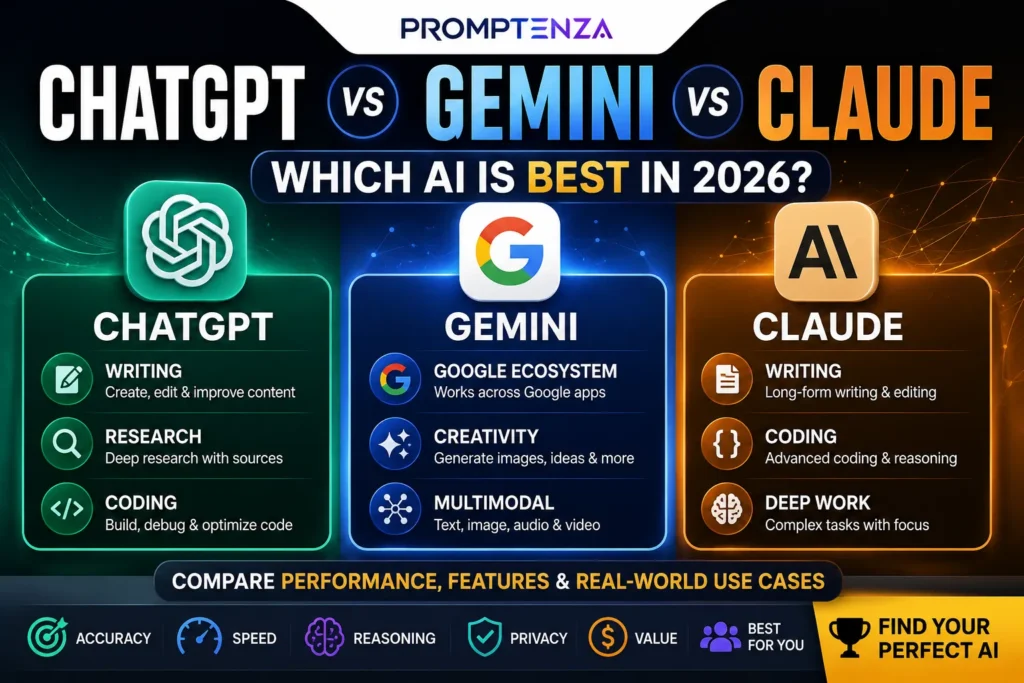
ChatGPT vs Gemini vs Claude: Which AI Is Best in 2026?
15 ChatGPT Features You Probably Aren’t Using Yet in 2026
25 Best Free AI Tools in 2026 for Work, Study, Writing & More
How to Use AI to Learn Faster: 20 Powerful Prompts for Students
Best AI Tools for Students in 2026: 15 Tools for Studying
Gemini vs ChatGPT: What’s the Difference?
10 AI Tools That Can Save You Hours Every Week in 2026
ChatGPT Prompts: 100+ Best Prompts for Work & School