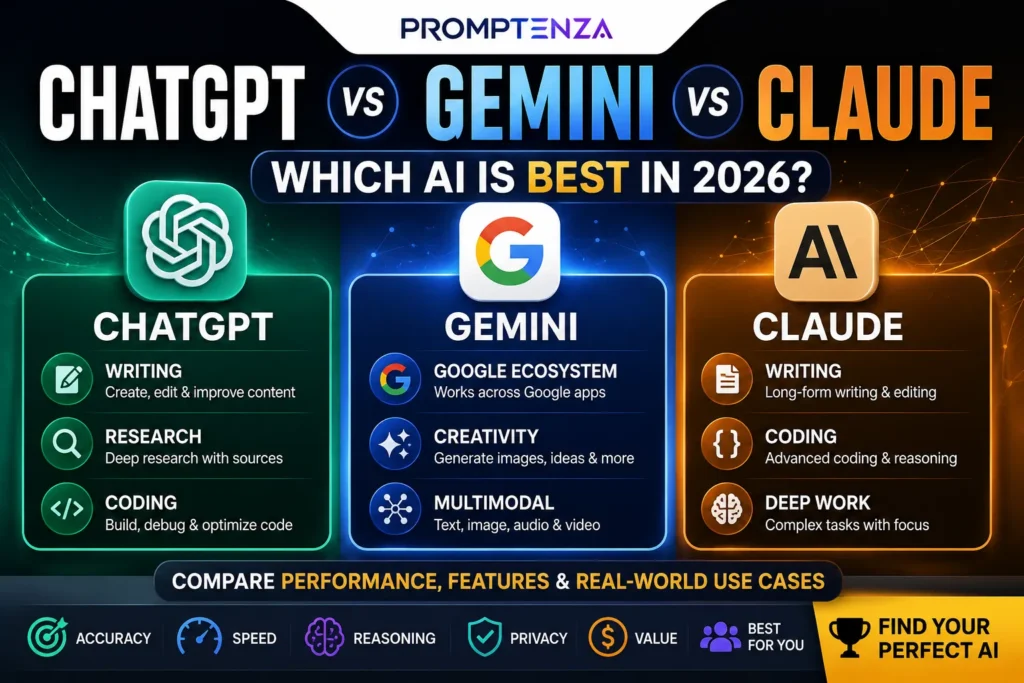
Gemini and ChatGPT are both AI assistants, but they are developed by different companies and have different strengths. ChatGPT is developed by OpenAI and is widely used for writing, reasoning, coding, research, and creative tasks, while Gemini is developed by Google and is closely integrated with Google’s ecosystem and services. The better choice depends on the task, features you need, and which tools fit your workflow.
If you are trying to decide between Gemini vs ChatGPT, the short answer is this: both are powerful AI assistants, but they are built around different ecosystems and workflows.
Gemini and ChatGPT are both general-purpose AI assistants, but they have different strengths. Gemini is particularly suited to Google’s ecosystem and Search-connected workflows, while ChatGPT offers a broad range of conversational, research, coding, file, data and image capabilities. The better choice depends on the tasks, tools and ecosystem you use most.
ChatGPT is particularly useful for conversational problem-solving, writing, coding, research, data analysis, image work, and multi-step workflows. Gemini is especially attractive if you already use Google services and want AI closely connected to Google’s ecosystem, Search, and productivity tools.
The important question isn’t simply “Which AI is better?”
It is:
Which AI assistant is better for what you actually need to do?
This guide breaks down Gemini vs ChatGPT by features, writing, research, studying, coding, productivity, prompting, ecosystem, and everyday use—so you can choose based on your workflow rather than hype.
Gemini vs ChatGPT: Quick Answer
ChatGPT is OpenAI’s AI assistant, while Gemini is Google’s AI assistant. Both can write, answer questions, analyze information, code, and work with different types of content, but their features, integrations, models, and strengths differ.
Which is better, Gemini or ChatGPT?
There is no universal winner.
Choose ChatGPT if you want:
- A versatile conversational AI assistant
- Strong writing and rewriting workflows
- Coding and debugging help
- Data analysis
- Image generation and image analysis
- Web search and cited answers
- Deep research workflows
- Customizable AI workflows and projects
Choose Gemini if you want:
- An AI assistant integrated with Google’s ecosystem
- Google Search-connected experiences
- Help with writing, planning and brainstorming
- Large-context workflows where available
- Google-oriented productivity and research workflows
- AI features that connect naturally with Google’s products
ChatGPT currently supports capabilities including web search, deep research, file uploads, data analysis, image input and generation, voice, Canvas, memory and other tools depending on the plan and experience.
Gemini is Google’s AI assistant and is designed for tasks such as writing, planning and brainstorming, with features and usage limits varying by plan and availability.
Gemini vs ChatGPT at a Glance
| Feature | ChatGPT | Gemini |
|---|---|---|
| General AI assistance | Excellent | Excellent |
| Writing | Excellent | Excellent |
| Brainstorming | Excellent | Excellent |
| Web research | Yes | Yes |
| Deep research | Yes | Yes |
| Coding | Strong | Strong |
| File analysis | Yes | Yes |
| Image understanding | Yes | Yes |
| Image generation | Yes | Available |
| Google ecosystem | Good | Excellent |
| Data analysis | Strong | Strong |
| Long-context workflows | Depends on plan/model | Strong, with plan-dependent limits |
| Voice interaction | Yes | Yes |
| Best for | Broad AI workflows | Google-centered workflows |
Important: Features, models, limits and availability change frequently. Your experience can also depend on your country, account and subscription.
What Is ChatGPT?
ChatGPT is an AI assistant from OpenAI that can help with tasks such as answering questions, writing, studying, planning, coding, analyzing files and images, brainstorming and research.
One of its biggest advantages is the number of different workflows available inside one conversational environment.
For example, you can start by asking ChatGPT to research a subject, then ask it to organize the information, analyze a spreadsheet, create an outline and rewrite the final result.
Depending on your plan and enabled tools, ChatGPT can also search the web, perform deeper research, analyze uploaded files and data, generate or analyze images, and work in Canvas.
Learn more in our ChatGPT Tutorial.
What Is Gemini?
Gemini is Google’s AI assistant and generative AI platform.
You can use Gemini for tasks such as writing, planning, brainstorming and answering questions.
One of Gemini’s biggest differentiators is its relationship with the wider Google ecosystem.
That can make Gemini particularly appealing to people who already spend much of their time using Google products and services.
Google has also continued integrating Gemini capabilities into Search and other parts of its AI ecosystem. Google’s Search updates, for example, have incorporated Gemini models into AI-powered Search experiences.
Gemini vs ChatGPT for Writing
Which is better for writing?
Both can be excellent writing assistants.
The difference often comes down to workflow and personal preference rather than raw writing ability.
ChatGPT can help you:
- Write articles
- Rewrite paragraphs
- Change tone
- Brainstorm ideas
- Create outlines
- Edit grammar
- Summarize documents
- Develop content strategies
- Generate variations of copy
Gemini can perform many of the same tasks.
Example writing prompt
Prompt:
“Rewrite this introduction so it sounds natural, clear and engaging. Keep the original meaning, remove unnecessary repetition, use short paragraphs, and make the opening sentence immediately answer the reader’s question.”
The quality of the result depends heavily on the instructions you provide.
That’s why learning Prompt Engineering can be more valuable than simply switching between AI models.
Gemini vs ChatGPT for Research
Which is better for research?
Both platforms now offer tools designed to make research easier.
ChatGPT can search the web and provide cited answers. Its Deep Research capability is designed for more complex, multi-step research and can synthesize information from multiple sources into structured outputs.
Gemini also provides research-oriented capabilities, with availability depending on the account and plan.
For either tool, don’t treat an AI-generated answer as automatically correct.
OpenAI specifically warns that AI systems can produce incorrect information and recommends checking important claims and sources.
A better research prompt
Prompt:
“Research this topic using reliable sources. Separate established facts from uncertain claims. For every important statistic or factual statement, provide the source and publication date. At the end, identify claims that require additional verification.”
This approach works better than simply asking:
“Tell me everything about this topic.”
For more practical techniques, see ChatGPT Research.
Gemini vs ChatGPT for Students
Which is better for studying?
Both can be useful learning assistants when used correctly.
You can ask either one to:
- Explain difficult concepts
- Create practice questions
- Summarize notes
- Build revision plans
- Explain mistakes
- Generate flashcards
- Quiz you on a topic
- Break complex subjects into smaller lessons
The biggest mistake is asking AI to simply do the learning for you.
A better approach is to make the AI act like a tutor.
Try this prompt
Prompt:
“Teach me this topic as a tutor. Start with the basics, ask me one question at a time, wait for my answer, explain mistakes clearly, and gradually increase the difficulty.”
For more examples, visit ChatGPT for Students.
Gemini vs ChatGPT for Coding
Which is better for programming?
Both can help programmers write, understand, debug and improve code.
ChatGPT can assist with:
- Explaining code
- Debugging
- Writing functions
- Refactoring
- Creating tests
- Understanding errors
- Designing solutions
- Learning programming concepts
Gemini can also help with coding and technical problem-solving.
The best choice can depend on the programming language, task, model available to you and how you prefer to work.
Better coding prompt
Prompt:
“Review this code for bugs, security problems, performance issues and maintainability. Don’t rewrite it immediately. First identify each issue, explain why it matters, and then provide an improved version with comments explaining the important changes.”
You can explore our ChatGPT Coding Tutorial for more practical examples.
Gemini vs ChatGPT for Google Services
Where Gemini has a major advantage
If your daily workflow revolves around Google’s ecosystem, Gemini can be a particularly natural choice.
Google has positioned Gemini across its broader AI and Search ecosystem, while Gemini Apps also offer different capabilities depending on subscription and availability.
This matters if your workflow frequently involves Google-based information, documents or productivity tools.
For example:
Google-centered workflow:
Google ecosystem → Gemini → research → writing → organization
General AI workflow:
ChatGPT → research → analysis → writing → coding → content creation
Neither workflow is automatically better.
The right choice depends on where your information already lives and how you work.
Gemini vs ChatGPT for Everyday Tasks
For everyday questions, the difference can be surprisingly small.
Both can help with:
- Meal planning
- Brainstorming
- Trip planning
- Learning
- Writing emails
- Organizing information
- Creating checklists
- Comparing options
- Explaining concepts
- Planning projects
For simple tasks, the quality of your prompt may matter more than which assistant you choose.
Compare these two prompts:
Weak prompt
“Plan my week.”
Better prompt
Prompt:
“Create a realistic weekly schedule based on these priorities: school/work, exercise, study, family responsibilities and personal projects. Keep the schedule flexible, include breaks, and identify the three most important tasks for each day.”
The second prompt gives the AI context, constraints and an expected output.
Gemini vs ChatGPT for Multimodal AI
What does multimodal mean?
A multimodal AI system can work with more than just text.
Depending on the product, features can include:
- Text
- Images
- Files
- Audio
- Video
- Code
- Structured data
ChatGPT supports image analysis, image generation, file uploads and data analysis among its available capabilities.
Gemini was designed as a multimodal model family, with Google’s Gemini ecosystem supporting different forms of media and information depending on the feature and model available.
Why this matters
Instead of typing:
“What is wrong with this chart?”
You can potentially provide the chart itself and ask the AI to analyze it.
That changes AI from a simple chatbot into a more flexible workspace.
Gemini vs ChatGPT for Long Documents
Which one handles large amounts of information better?
This is an area where context limits matter.
A context window determines how much information an AI system can consider together.
Gemini’s current documentation lists context windows that vary significantly by plan, including a larger context option on higher-tier plans.
ChatGPT also supports file uploads and document analysis, with capabilities and limits depending on the plan and tool being used.
For a long document, don’t automatically choose a tool based only on the advertised context size.
Test the actual task you need.
For example:
Prompt:
“Analyze this document and identify the five most important arguments. For each argument, quote or reference the relevant section, explain its significance, and identify any weaknesses or unanswered questions.”
That gives you a much more meaningful comparison.
Gemini vs ChatGPT for Content Creators
Which is better for bloggers and creators?
Both can be useful throughout a content workflow.
A creator might use AI for:
Research → Outline → Draft → Editing → SEO → Social posts → Visual ideas
ChatGPT can support many of these stages, including research, writing, data analysis and image-related tasks.
Gemini can also help with brainstorming, planning, writing and research.
The bigger opportunity is not choosing one AI.
It’s building a repeatable workflow.
Example content workflow
Step 1: Research the topic.
Step 2: Identify the searcher’s actual questions.
Step 3: Create an outline.
Step 4: Draft the article.
Step 5: Fact-check important claims.
Step 6: Improve the introduction and headings.
Step 7: Create supporting content for social platforms.
Step 8: Review everything yourself.
You can learn how to build better workflows with Prompt Chaining.
Gemini vs ChatGPT: Which Has Better Answers?
The answer isn’t as simple as “one is smarter”
AI performance can vary depending on:
- The model being used
- The task
- The prompt
- Available tools
- Context provided
- Files provided
- Current information requirements
- Account or plan
- The complexity of the problem
A model that produces the best result for one task may not produce the best result for another.
That’s why a meaningful comparison should test real tasks, not just benchmark scores.
Gemini vs ChatGPT: Which Is Better for SEO?
Both can help with SEO—but don’t let AI replace strategy
You can use either AI assistant to:
- Generate keyword ideas
- Analyze search intent
- Build content outlines
- Improve titles
- Rewrite meta descriptions
- Create FAQs
- Identify content gaps
- Develop internal linking ideas
- Generate content briefs
But AI-generated SEO content should still be reviewed for:
- Search intent
- Accuracy
- Originality
- Experience
- Evidence
- Internal linking
- User value
A useful prompt is:
Prompt:
“Act as an SEO strategist. Analyze the search intent behind [TOPIC]. Identify the main question the searcher wants answered, related subtopics, potential content gaps, useful entities, and questions a high-quality article should answer. Do not invent search-volume data.”
For more prompting techniques, visit AI Prompting Techniques.
Gemini vs ChatGPT: Prompting Makes a Huge Difference
One of the most overlooked parts of the Gemini vs ChatGPT debate is how you communicate with the AI.
A vague prompt gives the model very little direction.
A structured prompt gives it a target.
A simple prompt formula
Role + Task + Context + Constraints + Output
For example:
Prompt:
“Act as an experienced science tutor. Explain photosynthesis to a beginner using simple language. Give me one real-world example, then ask me three questions to test my understanding. Don’t reveal the answers until I respond.”
This structure works across different AI assistants.
You can learn the fundamentals in Prompting for Beginners.
Gemini vs ChatGPT: Which One Should You Use?
Choose ChatGPT if…
ChatGPT may be the better fit if you want a broad AI workspace for:
- Writing
- Coding
- Research
- Data analysis
- File analysis
- Image tasks
- Brainstorming
- Complex conversations
- Multi-step workflows
Its current toolset extends beyond basic chat, although availability varies by plan and experience.
Choose Gemini if…
Gemini may be the better fit if you:
- Already rely heavily on Google
- Prefer Google’s AI ecosystem
- Want Google-centered workflows
- Frequently work with large amounts of context
- Want to explore Google’s evolving AI and Search features
Google’s Gemini limits and feature availability vary by plan, region and feature.
Or use both
You don’t necessarily have to choose one.
A practical approach is to use both and assign each tool the jobs where it performs best for you.
For example:
Gemini → Google-focused research and workflows
ChatGPT → writing, coding, analysis and broader AI workflows
Then compare the outputs on important tasks.
Gemini vs ChatGPT: A Practical Test You Can Run
Want to know which one is better for you?
Don’t rely on someone else’s ranking.
Run the same five prompts through both.
Test 1: Writing
“Rewrite this paragraph for a general audience. Keep the facts unchanged and make the writing clearer.”
Test 2: Research
“Answer this question using reliable sources. Cite important claims and identify anything uncertain.”
Test 3: Reasoning
“Solve this problem step by step, then explain the final answer in simple language.”
Test 4: Creativity
“Give me 10 original ideas for [PROJECT]. Avoid generic suggestions and explain why each could work.”
Test 5: Real-world workflow
“Take this information and turn it into a practical action plan with priorities, deadlines and potential problems.”
Then score each response for:
Accuracy + usefulness + clarity + reasoning + citations + instruction-following
The winner for your workflow is more valuable than a generic internet ranking.
Gemini vs ChatGPT: Common Mistakes to Avoid
Don’t judge an AI from one response
One bad answer doesn’t necessarily mean the tool is bad.
Try improving your prompt first.
Don’t assume confident answers are automatically correct
AI systems can make mistakes.
ChatGPT’s own guidance notes that models can produce incorrect or misleading information and recommends verifying important information.
Don’t compare outdated features
AI products change quickly.
Features, models, limits and pricing can change, so an article or video from several years ago may no longer accurately describe the current products.
Don’t choose based only on benchmarks
A benchmark score doesn’t tell you how well an AI will handle your specific workflow.
Don’t use the same prompt for every task
Research, writing, coding and studying require different instructions.
Gemini vs ChatGPT for Different Users
| User | Recommended starting point |
|---|---|
| Beginner exploring AI | Either |
| Blogger | Either |
| Student | Either |
| Programmer | ChatGPT or Gemini |
| Researcher | Either |
| Google-heavy user | Gemini |
| Content creator | Either |
| Data analyst | ChatGPT or Gemini |
| SEO professional | Either |
| General productivity | Either |
These are starting points, not permanent rankings. Your results can change with the model, plan, prompt and task.
The Best Strategy: Learn to Use AI, Not Just One AI
The biggest long-term advantage isn’t knowing which chatbot has the highest score.
It’s knowing how to give AI useful instructions.
A good AI user understands:
- How to provide context
- How to define the task
- How to set constraints
- How to request a specific format
- How to provide examples
- How to verify information
- How to iterate on an answer
Explore the Prompt Library for ready-to-use examples.
You can also learn about Zero-Shot Prompting, Few-Shot Prompting and Prompt Chaining.
Frequently Asked Questions About Gemini vs ChatGPT
Is Gemini better than ChatGPT?
Not universally. Gemini can be particularly attractive for Google-centered workflows, while ChatGPT offers a broad collection of conversational, research, coding, file, data and image capabilities. The better option depends on the task and your workflow.
Is ChatGPT more accurate than Gemini?
Neither should be assumed to be perfectly accurate. Both can produce incorrect answers, so important facts should be checked against reliable sources.
Which is better for students, Gemini or ChatGPT?
Both can be useful for studying, explanations, practice questions and revision. The best choice depends on which interface and learning workflow you prefer.
Which is better for coding?
Both can assist with programming, debugging and code explanation. Test both with the programming tasks you actually perform instead of relying only on general rankings.
Which is better for research?
Both offer research capabilities. ChatGPT provides web search and Deep Research features, while Gemini has its own research and Search-connected capabilities. Feature availability varies.
Can I use Gemini and ChatGPT together?
Yes. You can use different AI assistants for different stages of a workflow—for example, one for brainstorming and another for reviewing or restructuring the result.
Which is better for writing?
Both are strong writing assistants. Your prompt, source material, editing requirements and desired writing style can have a major impact on the final result.
Should I pay for Gemini or ChatGPT?
Don’t subscribe simply because one is marketed as “the best.” First identify the features you actually need, then compare the current plans, limits and tools available to you.
Gemini vs ChatGPT: Final Verdict
Gemini and ChatGPT are no longer simply competing chatbots. They are becoming broader AI workspaces.
ChatGPT stands out for its wide range of conversational tools, research capabilities, coding, data analysis, files, images and customizable workflows.
Gemini stands out for its connection to Google’s ecosystem and the company’s growing integration of AI into Search and other products.
So, which should you use?
If your work revolves around Google, start with Gemini.
If you want a broad, flexible AI workspace, start with ChatGPT.
If you’re serious about AI, learning both can be even more useful.
The real advantage comes from knowing how to prompt, verify, compare and combine AI tools effectively.
Explore More on Promptenza
ChatGPT vs Gemini vs Claude: Which AI Is Best in 2026?
15 ChatGPT Features You Probably Aren’t Using Yet in 2026
25 Best Free AI Tools in 2026 for Work, Study, Writing & More
10 AI Tools That Can Save You Hours Every Week in 2026
ChatGPT Prompts: 100+ Best Prompts for Work & School