AI image and video generators can turn written ideas into illustrations, product visuals, cinematic scenes, animations, and marketing content. But getting a useful result starts with knowing how to describe what you want.
A prompt for an image needs to communicate what the final visual should look like. A prompt for a video must go further by explaining what moves, how the scene develops, and how the camera should behave.
This guide shows you how to write AI image and video prompts, improve vague instructions, use reusable templates, and turn a single visual idea into both a still image and a moving scene.
Quick answer: To write effective AI image and video prompts, describe the subject, setting, composition, lighting, and visual style. For video, add the subject’s actions, camera movement, and the sequence of events. Start with a clear prompt, generate a result, and refine the instructions based on what needs improvement.
What Is the Difference Between AI Image and Video Prompts?
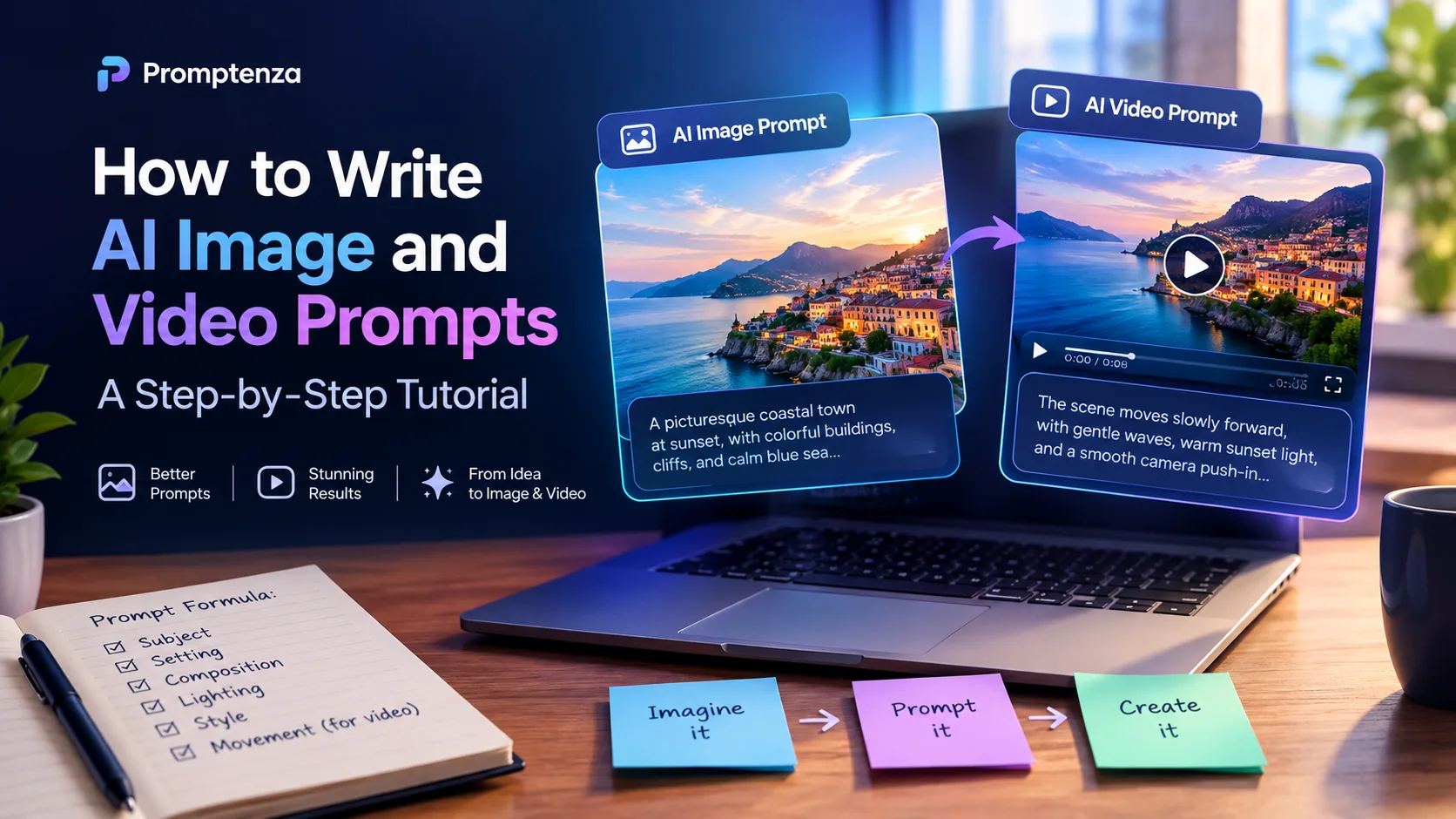
An AI image prompt describes a visual that you want an image generator to create. An AI video prompt describes a scene and how it should change over time.
For example, an image prompt might describe a coffee cup beside a window, with morning sunlight illuminating the table. A video prompt could use the same scene but add rising steam, moving shadows, and a slow camera push-in.
| Prompt element | AI image prompt | AI video prompt |
|---|---|---|
| Subject | What appears in the image | What appears in the scene |
| Setting | The environment and background | The environment and its activity |
| Composition | Framing and subject placement | Framing and camera perspective |
| Lighting | Light, shadows, and atmosphere | Lighting throughout the shot |
| Movement | Usually describes a single moment or pose | Describes actions and changes |
| Camera | Viewpoint or angle | Viewpoint and possible camera movement |
| Timing | Usually not needed | May describe pacing and sequence |
| Consistency | Preserve important visual details | Maintain visual details across frames |
The main difference is time. An image prompt describes a visual moment; a video prompt describes a visual moment plus movement and change.
For more specialized instructions, continue to our AI Image Prompting guide or AI Video Prompting guide.
Step 1: Start With One Clear Creative Goal
Before writing a prompt, decide what you want the final result to accomplish.
Are you creating a website featured image, a product advertisement, a social media visual, an educational illustration, or a short cinematic video?
Your goal determines which details matter most.
For example:
- A website featured image may need a wide composition and space for a headline.
- A product visual may need accurate proportions, controlled lighting, and a clean background.
- An educational illustration may need simple elements that communicate a concept clearly.
- A short video may need one main action and a camera movement that supports it.
Avoid beginning with a long list of visual effects before you know what the image or video needs to communicate.
Step 2: Describe the Subject and Setting
The subject is the main person, object, animal, product, or environment in your visual. The setting explains where it appears.
A vague prompt such as:
A beautiful city.
leaves many details open to interpretation.
A more useful image prompt is:
A modern coastal city with glass buildings, palm-lined streets, and a waterfront promenade at sunset.
This version describes the environment, architecture, and time of day.
For video, add a clear action:
A modern coastal city at sunset, with cars moving along the waterfront road and palm trees swaying gently in the breeze.
The subject and setting establish the foundation. Add only the details that support your intended result.
Step 3: Define Composition, Lighting, and Style
These three elements help establish how the final visual should look.
Composition
Composition describes how the subject and other elements are arranged within the frame.
Useful instructions include:
- Close-up: Emphasizes small details.
- Wide shot: Shows the subject within its surroundings.
- Centered composition: Places the main subject near the middle.
- Low angle: Views the subject from below.
- Top-down view: Looks directly down at the scene.
- Negative space: Leaves an uncluttered area for text or design elements.
Lighting
Lighting influences the mood and appearance of the scene.
Examples include soft window light, warm golden-hour sunlight, dramatic side lighting, and controlled studio lighting.
Rather than saying “make it look professional,” explain the visual qualities you want.
Visual style
Choose a style that matches your goal, such as photorealistic product photography, cinematic editorial illustration, clean vector graphics, or 3D animation.
Try to avoid combining several conflicting styles unless you deliberately want a mixed aesthetic.
Step 4: Write Your First AI Image Prompt
Use this simple formula:
Subject + setting + composition + lighting + style + constraints
For example, imagine you want a featured image for an article about AI productivity.
Copyable image prompt:
Create a professional 16:9 editorial image for an article about AI productivity. Show an abstract network of interconnected geometric shapes representing intelligent automation, set against a dark navy background with subtle cyan and purple highlights. Use refined lighting, a clean modern composition, and negative space on the left for a headline. Keep the main visual clear and uncluttered. Avoid people, devices, logos, watermarks, and additional text.
Why this prompt works:
- It identifies the intended purpose.
- It describes the central visual concept.
- It establishes a color palette and lighting.
- It specifies the composition.
- It identifies elements to avoid.
The result will still depend on the generator, but the instructions communicate a clearer creative direction.
Step 5: Adapt the Image Prompt for Video
Now imagine you want to turn that visual concept into a short video.
You do not need to rewrite the entire idea. Keep the core visual description, then add movement and camera instructions.
Copyable video prompt:
Create a short cinematic video showing an abstract network of interconnected geometric shapes representing intelligent automation against a dark navy background with cyan and purple highlights. Small points of light travel along the connections while the network gradually expands. The camera slowly pushes toward the central structure. Maintain the same color palette and visual style throughout the shot. Use smooth motion and a clean composition without additional text, logos, or unrelated objects.
The video version adds three important things:
- Action: Points of light travel along the connections.
- Change: The network gradually expands.
- Camera movement: The camera slowly pushes toward the central structure.
This is the core technique: preserve the scene description, then explain what should move and how the scene should unfold.
Step 6: Use a Reusable AI Image Prompt Template
Copy this template and replace the bracketed sections with your own details.
Create a [type of image] for [intended purpose]. Show [main subject] in [setting]. Use [composition and camera angle], [lighting], and [color palette]. Apply a [visual style] aesthetic with [important details]. Keep [elements that must remain consistent] and avoid [unwanted elements]. The final image should communicate [intended mood or message].
Example:
Create an editorial illustration for a website article about AI education. Show a glowing network of connected shapes in a digital environment. Use a wide composition, soft cyan lighting, and a navy-purple color palette. Apply a clean, modern technology-editorial style. Keep the central subject prominent and leave space for a headline. Avoid people, logos, watermarks, and extra text.
This template is useful for website graphics, educational illustrations, product concepts, and other still images.
Step 7: Use a Reusable AI Video Prompt Template
Video prompts need the same visual foundation, plus actions and changes over time.
Create a [duration or format, if supported] video showing [main subject] in [setting]. The scene begins with [opening state]. Then [main action] happens, followed by [secondary action]. Use [camera movement] and [visual style]. Maintain [important visual details] throughout the shot. End with [desired final state].
Example:
Create a short cinematic video of a sailboat on a calm lake at sunrise. Begin with a wide view of the boat surrounded by light mist. The boat slowly moves forward as gentle ripples spread across the water. The camera gradually pushes closer while sunlight illuminates the sail. Maintain consistent boat proportions, natural colors, and smooth motion. End with the boat framed against the brightening horizon.
Adapt the template to the capabilities of your chosen generator. Some tools let you select duration, aspect ratio, or camera settings separately instead of specifying them in the prompt.
Step 8: Learn From Weak and Strong Prompts
The best way to improve a prompt is to identify what is missing.
Example A: Product image
Weak prompt:
Make a nice picture of a perfume bottle.
Improved prompt:
Create a premium product photograph of a clear glass perfume bottle on a dark stone surface. Use a minimalist studio background, soft directional lighting, controlled reflections, and a three-quarter camera angle. Keep the bottle centered with open space on the right for advertising copy.
The improved version specifies the product, background, lighting, composition, and intended use.
Example B: Product video
Weak prompt:
Make a video of a perfume bottle.
Improved prompt:
Show a clear glass perfume bottle on a dark stone surface in a minimalist studio. The camera slowly moves around the bottle as a soft strip of light reveals the glass texture. Keep the bottle’s shape and label consistent throughout the shot. Use elegant lighting, controlled reflections, and a refined commercial style.
The video version adds camera movement, changing reflections, and a consistency requirement.
Example C: Nature image and video
Image prompt:
Create a cinematic landscape of a mountain valley at sunrise, with mist between distant ridges and a winding river reflecting warm morning light. Use natural colors, detailed foreground grasses, and atmospheric depth.
Video prompt:
Show the same mountain valley at sunrise. Mist drifts slowly between the ridges while the river flows gently through the landscape. The camera slowly moves forward above the river as sunlight illuminates the mountain peaks. Maintain natural colors and consistent landscape details throughout the shot.
The scene stays recognizable, but the video prompt describes movement.
Step 9: Troubleshoot Your Results
AI generation is not perfectly predictable. Even a well-written prompt may produce unexpected details, so inspect the output and refine the instructions.
| Problem | What to try |
|---|---|
| The image feels generic | Add distinctive details about the subject, setting, or composition |
| The subject appears in the wrong place | Specify its position within the frame |
| The image has unwanted text | Explicitly request no additional text and review the result |
| The video looks too static | Describe the specific subject or environmental movement |
| The camera moves unpredictably | Specify one primary camera movement |
| The scene contains too much activity | Reduce the number of simultaneous actions |
| A character or product changes | Repeat important details and use reference images when supported |
| The output does not match the intended format | Check the generator’s available aspect ratio and output settings |
Change one major element at a time where possible. If you rewrite the entire prompt after every attempt, it becomes harder to tell which change improved the result.
Step 10: Choose the Right Workflow for Your Project
There are three common approaches.
Text-to-image
Start with a written description and generate a still image.
This is useful for editorial visuals, product concepts, illustrations, and other static assets.
Text-to-video
Describe a scene and its movement to generate a video.
This is useful when you want to create a moving scene directly from a written idea.
Image-to-video
Start with an existing image and describe the movement you want to add.
For example:
Use the supplied landscape image as the starting frame. Animate the clouds and trees gently while keeping the mountain arrangement and overall composition consistent. Add a subtle camera push-in and preserve the original color palette.
This approach can be useful when you want to retain the visual concept of an image while introducing motion.
The available controls and results vary by tool. Check the current documentation for supported inputs, reference images, output formats, and usage terms.
Step 11: Follow a Repeatable Prompting Workflow
Use this process for website content, marketing visuals, educational material, or creative projects.
- Define the goal: Decide what the visual must communicate.
- Choose the format: Determine whether you need an image, text-to-video, or image-to-video.
- Write the first prompt: Describe the subject and essential visual details.
- Generate a result: Review what the model interpreted correctly.
- Identify the biggest problem: Focus on composition, lighting, movement, or consistency.
- Refine the prompt: Change the instructions related to that problem.
- Review the final output: Check unwanted elements, spelling, motion, and visual quality.
- Prepare for publication: Check image dimensions, file size, accessibility text, and any applicable usage rights.
A simple workflow is:
Prompt → Generate → Inspect → Refine → Review → Publish
The objective is not to write the longest prompt. It is to communicate the important details clearly and improve the result through deliberate refinement.
Frequently Asked Questions
How do you write a good AI image prompt?
Describe the main subject, setting, composition, lighting, visual style, and any important constraints. Include the details that directly affect the result you want.
How do you write a good AI video prompt?
Describe the subject and environment, then specify what moves, how the camera behaves, and how the scene should develop over time. Keep the action manageable and the instructions consistent.
What is the difference between image prompting and video prompting?
Image prompting focuses on a single visual result. Video prompting also describes motion, camera behavior, timing, and changes within the scene.
Are longer AI prompts better?
Not necessarily. A short, specific prompt can be more useful than a long prompt filled with unnecessary or conflicting instructions.
Can I use the same prompt for images and videos?
You can reuse the subject, setting, lighting, and style descriptions. For video, add appropriate actions, movement, and camera instructions.
How do I keep AI-generated visuals consistent?
Repeat important details, use reference images when supported, and avoid changing the subject’s defining characteristics unnecessarily. Consistency is not guaranteed, so review the outputs.
Which aspect ratio should I use?
Choose the format that matches the intended use. Common options include 16:9 for landscape, 9:16 for vertical video, and 1:1 for square content. Availability depends on the tool.
Can I use AI-generated images and videos commercially?
Usage rights depend on the tool’s terms, the source material, applicable laws, and any third-party rights involved. Check the relevant terms before using the output commercially.
Test Your AI Image and Video Prompting Knowledge
1. What should an effective image prompt describe?
A. Only the image file name
B. The subject, setting, composition, and relevant visual details
C. As many unrelated adjectives as possible
D. Only the intended file size
2. What should you add when adapting an image prompt for video?
A. More unrelated subjects
B. Only a different color
C. Actions, movement, and camera instructions where relevant
D. A longer title
3. What should you do if a generated video has unpredictable camera movement?
A. Add several conflicting camera directions
B. Simplify the prompt and specify one primary camera movement
C. Remove the subject description
D. Ignore the problem
4. What is a useful way to refine a prompt?
A. Change every detail at once
B. Add more words regardless of relevance
C. Remove all constraints
D. Change one important element at a time
5. What is image-to-video generation?
A. Turning an existing image into a moving scene
B. Compressing an image file
C. Writing an article about photography
D. Changing a file name
6. Why should you review generated visuals before publishing?
A. Every result is guaranteed to be incorrect
B. Review is unnecessary for AI-generated content
C. Outputs may contain errors, unwanted elements, or inconsistencies
D. Reviewing automatically improves search rankings
Answers: 1-B, 2-C, 3-B, 4-D, 5-A, 6-C.
Final Takeaway
Writing effective AI image and video prompts begins with a clear creative goal. Describe the subject, setting, composition, lighting, and style. When creating a video, add the actions, movement, and camera behavior that explain how the scene should unfold.
Start with a practical prompt, inspect the result, and refine the instructions that need improvement. This approach makes prompting easier to learn and gives you a repeatable process for creating useful visual content.
Continue learning with Promptenza: