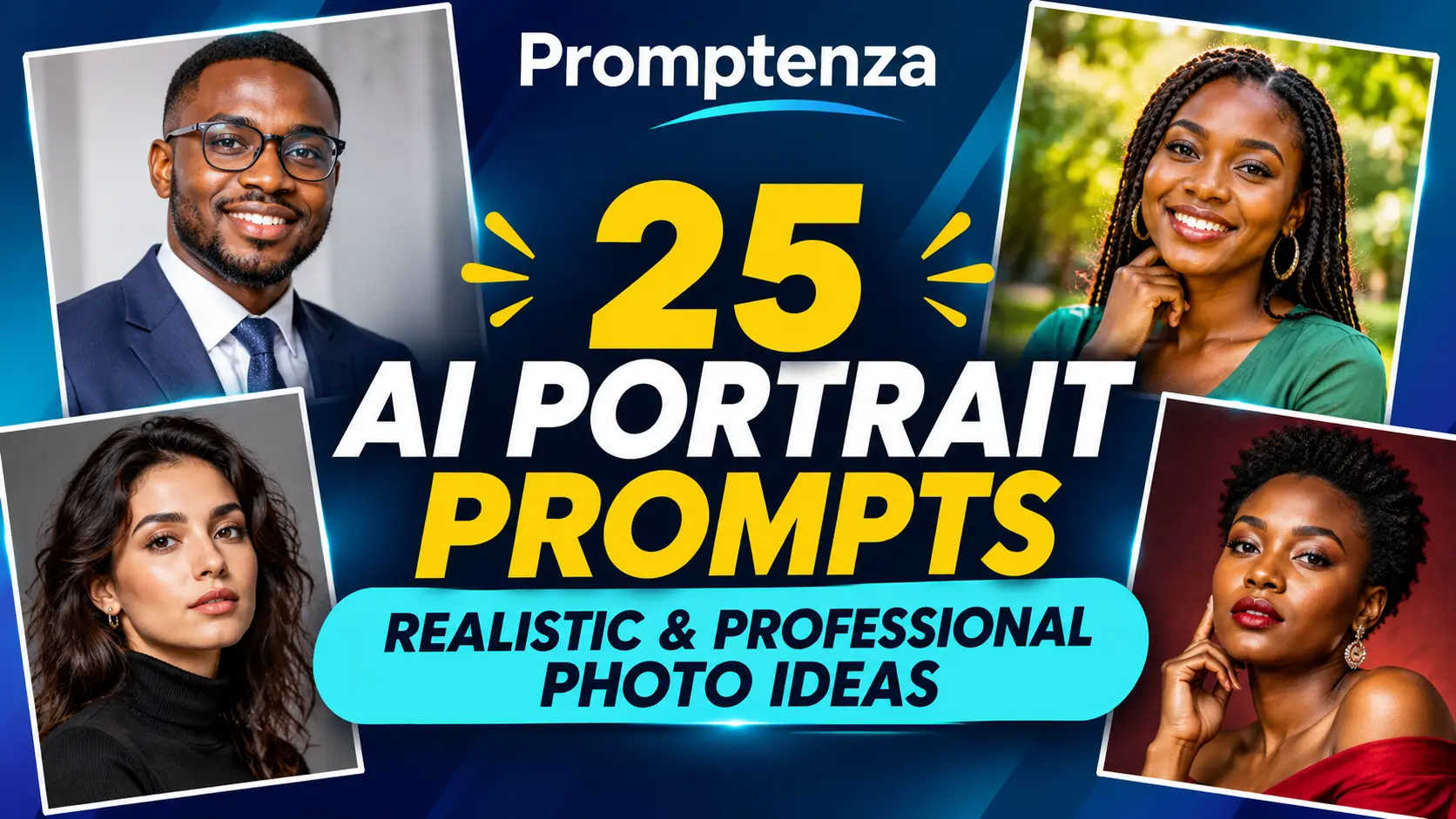
25 AI Portrait Prompts for Realistic and Professional Photos
A convincing AI portrait starts with a clear description of the person, setting, pose, lighting, framing, and photographic style. Instead of simply asking an image generator to create a professional portrait, describe the exact kind of photograph you want and the details that should remain natural.
Whether you need a professional headshot, a studio portrait, a business profile image, a creative editorial photograph, or a relaxed outdoor portrait, the right instructions can help you communicate your visual direction more clearly.
This guide contains 25 AI portrait prompts you can copy and customize. You will also learn how to write realistic portrait prompts, improve generated results, and understand the limitations of AI-generated portraits.
Quick Answer: What Are the Best AI Portrait Prompts?
The best AI portrait prompts describe the subject, pose, clothing, background, lighting, camera framing, and desired photographic style.
For example, rather than writing:
Create a professional portrait of a businessperson.
Try a more descriptive instruction:
Create a realistic professional studio headshot of an adult business professional wearing a navy blazer and a simple light-colored shirt. Use a relaxed, natural expression and an upright but comfortable posture. Frame the subject from the chest upward against a clean, softly blurred light-gray background. Use soft, balanced studio lighting, natural skin texture, and realistic photographic detail. Keep the composition polished and suitable for a professional profile.
A useful AI portrait prompt usually includes:
- Subject: Describe the person or character you want to portray.
- Pose and expression: Explain the position, gaze, and expression.
- Clothing: Describe the outfit and relevant details.
- Background: Specify the environment or studio setting.
- Lighting: Choose natural daylight, soft studio light, or another clear lighting direction.
- Composition: Specify a close-up, head-and-shoulders, waist-up, or full-body portrait.
- Photography style: Describe the intended look, such as professional headshot, editorial portrait, or documentary photography.
- Constraints: State what should remain consistent or what should not be added.
The 25 examples below cover professional, studio, natural, creative, and social-media portrait styles.
How to Write Realistic AI Portrait Prompts
A good portrait prompt works like a photography brief. It gives the image generator enough information to understand the intended photograph without adding unnecessary or conflicting instructions.
OpenAI’s official image-prompting guidance recommends defining the result, describing visible details, specifying framing and lighting, and explaining how a person should be positioned or interacting with the scene. It also recommends making targeted changes when editing an existing image.
Google’s official image-generation guidance similarly recommends describing the subject, composition, action, location, style, and editing instructions. These are recommendations for communicating creative intent, not guarantees that every image generator will produce identical results.
The AI Portrait Prompt Formula
Use this structure as a starting point:
Subject + Pose + Clothing + Background + Lighting + Composition + Photography Style + Constraints
| Prompt element | What to describe | Example |
|---|---|---|
| Subject | Who appears in the portrait | An adult business professional |
| Pose | Body position and gaze | Relaxed shoulders, looking toward the camera |
| Clothing | Outfit and visible details | Navy blazer and plain shirt |
| Background | Where the portrait takes place | Clean light-gray studio |
| Lighting | How the subject is illuminated | Soft, balanced studio lighting |
| Composition | How the photograph is framed | Head-and-shoulders portrait |
| Style | Intended photographic appearance | Professional corporate headshot |
| Constraints | What to preserve or avoid | Natural skin texture, no added text |
You do not need to include every element in every prompt. Choose the details that matter to the image you want to create.
Why Specific Details Matter
Compare these two instructions:
Basic prompt:
Create a beautiful portrait of an adult.
More specific prompt:
Create a realistic environmental portrait of an adult architect standing inside a bright modern studio. Show the person holding a rolled architectural drawing, with a relaxed expression and natural posture. Use soft daylight from a nearby window, a medium waist-up composition, and a softly blurred background. Maintain natural skin texture and realistic clothing details.
The second prompt gives the image generator a clearer subject, setting, action, composition, and visual direction.
For more guidance on building effective instructions, read Prompt Anatomy: Parts of an Effective AI Prompt.
25 AI Portrait Prompts You Can Copy and Customize
The following AI portrait prompts are organized by purpose. They are starting points rather than fixed formulas. Change the clothing, setting, background, lighting, and composition to suit your intended image.
For portraits based on a real person, use an image you have permission to use. Do not imply that an AI-generated image documents a real event or an actual professional credential when it does not.
1. Professional AI Portrait Prompts
These prompts are suitable for professional profile concepts, business presentations, personal branding, and corporate-style portraits.
Prompt 1: Professional corporate headshot
Create a realistic professional corporate headshot of an adult business professional wearing a navy blazer and a simple light-colored shirt. Use a relaxed, confident expression and natural posture. Frame the subject from the chest upward against a clean, softly blurred light-gray studio background. Use balanced studio lighting, natural skin texture, and a polished corporate photography style.
Prompt 2: Executive studio portrait
Create a professional editorial studio portrait of an adult executive wearing a well-tailored dark business suit. Position the subject at a slight angle with a relaxed expression and direct gaze toward the camera. Use a deep charcoal background, soft directional lighting, subtle shadows, and a waist-up composition. Keep the photograph realistic, understated, and suitable for a business profile.
Prompt 3: Business casual portrait
Create a realistic business casual portrait of an adult professional wearing a smart blazer over a simple shirt. Show the subject standing naturally in a bright modern office with a softly blurred background. Use natural window light, a comfortable posture, and a medium portrait composition. Maintain realistic fabric textures and natural skin detail.
Prompt 4: Creative professional portrait
Create a polished professional portrait of an adult creative professional in a contemporary studio. The subject wears a simple modern outfit and stands beside a clean workspace with subtle creative materials in the background. Use soft natural lighting, a relaxed expression, and an editorial photography style. Keep the background uncluttered and the subject clearly in focus.
Prompt 5: Formal business profile portrait
Create a realistic formal business profile photograph of an adult professional wearing a classic dark suit and a plain shirt. Use a neutral studio background, even lighting, a head-and-shoulders composition, and a natural expression. Keep the pose relaxed and the overall image appropriate for a company biography or professional directory.
2. Realistic Studio Portrait Prompts
Studio portraits provide more control over the background, lighting, framing, and overall photographic appearance.
Prompt 6: Classic studio headshot
Create a realistic studio headshot of an adult subject against a smooth warm-gray background. Use soft, diffused key lighting with gentle shadows and natural color balance. Frame the subject from the shoulders upward, with a relaxed expression and a direct but natural gaze. Preserve realistic skin texture and fine details without excessive retouching.
Prompt 7: Minimalist white-background portrait
Create a clean, photorealistic studio portrait of an adult subject wearing a simple neutral outfit. Use a seamless white background, soft even lighting, and a centered head-and-shoulders composition. Keep the expression natural and the styling understated. Avoid harsh shadows, excessive retouching, and distracting background elements.
Prompt 8: Dark-background editorial portrait
Create a dramatic but realistic studio portrait of an adult subject wearing a dark, simple outfit against a deep charcoal background. Use controlled side lighting to create gentle depth and natural shadows. Frame the subject from the chest upward, with a calm expression and realistic skin and clothing textures. Use a refined editorial photography style.
Prompt 9: Warm-toned studio portrait
Create a professional portrait of an adult subject in a warm-toned studio. Use a soft terracotta or muted beige background, warm diffused lighting, and a relaxed natural pose. Frame the subject from the waist upward. Maintain realistic skin texture, balanced color, and a clean contemporary portrait style.
Prompt 10: Black-and-white studio portrait
Create a realistic black-and-white studio portrait of an adult subject wearing a simple dark outfit. Use soft directional lighting, subtle tonal contrast, and a plain background. Frame the subject from the shoulders upward, with a natural expression and detailed photographic texture. Keep the result timeless and documentary-inspired rather than heavily stylized.
3. Natural and Outdoor AI Portrait Prompts
Outdoor portraits can use environmental details and natural light to create a more relaxed photographic style.
Prompt 11: Natural daylight portrait
Create a realistic outdoor portrait of an adult standing in a quiet garden. Use soft natural daylight, a relaxed posture, and a gentle, natural expression. Frame the subject from the waist upward with a softly blurred background of greenery. Use realistic colors, natural skin texture, and a contemporary lifestyle photography style.
Prompt 12: Golden-hour outdoor portrait
Create a photorealistic outdoor portrait of an adult standing in an open garden during late-afternoon golden hour. Use warm sunlight from the side, gentle natural shadows, and a softly blurred background. Frame the subject from the chest upward, with a relaxed pose and natural expression. Keep the colors realistic and avoid excessive cinematic effects.
Prompt 13: Urban street portrait
Create a realistic editorial street portrait of an adult standing beside a modern city building. Use natural overcast daylight, a relaxed pose, and a medium waist-up composition. Include a softly blurred urban background with subtle architectural details. Maintain realistic clothing textures, natural skin detail, and balanced colors.
Prompt 14: Environmental workplace portrait
Create a documentary-style portrait of an adult professional working in a bright, modern office. Show the subject standing near a desk with a notebook in hand, looking naturally toward the camera. Use soft window light, a medium composition, and a realistic workplace background. The image should feel professional and unposed.
Prompt 15: Outdoor travel portrait
Create a realistic travel portrait of an adult standing at a scenic viewpoint with a distant mountain landscape in the background. Use natural daylight, a relaxed pose, and a waist-up composition. Keep the person clearly visible while allowing the landscape to provide context. Use realistic atmospheric detail and natural color balance.
4. Creative and Editorial AI Portrait Prompts
Editorial portraits offer more room for visual experimentation while retaining clear photographic direction.
Prompt 16: Modern magazine editorial portrait
Create a high-end magazine editorial portrait of an adult subject wearing a contemporary, well-coordinated outfit. Position the subject against a textured architectural background with a confident but natural pose. Use controlled directional lighting, a refined color palette, and a vertical portrait composition. Aim for polished editorial photography with realistic detail.
Prompt 17: Artistic color-light portrait
Create a creative studio portrait of an adult subject against a simple dark background. Use subtle blue and purple colored lighting from opposite sides to create an artistic atmosphere while keeping the face naturally illuminated and clearly visible. Frame the subject from the shoulders upward. Maintain realistic skin texture and balanced photographic detail.
Prompt 18: Cinematic portrait
Create a realistic cinematic portrait of an adult standing beside a large window in a quiet interior. Use soft directional daylight, gentle shadows, and a muted neutral color palette. Frame the subject from the waist upward, with a thoughtful but natural expression. Use realistic photographic detail without exaggerated effects.
Prompt 19: Minimalist fashion editorial portrait
Create a minimalist fashion editorial portrait of an adult subject wearing a structured, contemporary outfit in neutral colors. Use a clean architectural background, soft directional lighting, and a full-length vertical composition. Keep the pose natural and the clothing details clear. Use a refined fashion photography style without changing the subject’s natural appearance.
Prompt 20: Documentary-style portrait
Create an authentic documentary-style portrait of an adult artisan in a working studio. Show the subject standing naturally beside their worktable, with relevant tools and materials visible in the background. Use available window light, realistic textures, and a medium composition. The photograph should feel observational and genuine rather than staged.
5. Social Media and Personal Branding Portrait Prompts
These prompts can help create profile-image concepts and personal-brand visuals. Make sure the final image represents the person honestly, especially when it is used professionally.
Prompt 21: LinkedIn-style profile portrait
Create a realistic professional profile portrait of an adult wearing a smart business casual outfit. Use a simple light-gray background, soft studio lighting, a natural expression, and a centered head-and-shoulders composition. Keep the styling professional and approachable, with realistic skin and clothing textures.
Prompt 22: Personal brand portrait
Create a polished personal branding portrait of an adult entrepreneur standing in a bright, modern workspace. Use a relaxed pose, a natural expression, and soft window lighting. Include a few subtle workspace details in the background without distracting from the subject. Use a clean editorial photography style suitable for a professional website biography.
Prompt 23: Creator profile portrait
Create a contemporary profile portrait of an adult content creator in a simple, well-lit creative studio. Use a relaxed pose, natural expression, and a softly blurred background with subtle creative equipment. Frame the subject from the shoulders upward. Keep the photograph realistic, clean, and suitable for a social media profile.
Prompt 24: Friendly community profile portrait
Create a warm, natural portrait of an adult community professional standing in a bright outdoor setting. Use soft daylight, a relaxed posture, and a friendly natural expression. Frame the subject from the chest upward, with a softly blurred background and realistic colors. Avoid exaggerated expressions or artificial-looking retouching.
Prompt 25: Professional website biography portrait
Create a realistic website biography portrait of an adult professional wearing a simple, polished outfit. Position the subject in a bright, neutral office environment with soft natural lighting. Use a waist-up composition, a relaxed posture, and a natural expression. Keep the background subtle and the overall photograph suitable for a professional About page.
How to Customize AI Portrait Prompts for Your Needs
You can adapt any of the 25 prompts by changing a few key details rather than rewriting the entire instruction.
Change the background
Try replacing a plain studio background with:
- A softly blurred office.
- A neutral architectural interior.
- A garden or outdoor setting.
- A simple textured wall.
- A clean, modern studio.
Change the framing
Use the following descriptions to guide composition:
| Framing | What it shows | Useful for |
|---|---|---|
| Close-up | Face and a small area around it | Detailed portrait concepts |
| Head-and-shoulders | Head, shoulders, and upper chest | Profile images |
| Waist-up | Upper body and some surroundings | Professional and editorial portraits |
| Three-quarter portrait | Most of the body, often to the knees | Fashion and personal branding |
| Full-body portrait | The complete subject | Outfit and environmental photography |
Change the lighting
Lighting can significantly influence the atmosphere of a portrait.
| Lighting description | Intended appearance |
|---|---|
| Soft diffused light | Gentle, balanced illumination |
| Natural window light | Relaxed indoor photography |
| Overcast daylight | Soft outdoor illumination |
| Directional studio light | More defined light and shadow |
| Golden-hour light | Warm late-afternoon atmosphere |
| Even studio lighting | Clean, consistent headshots |
These descriptions guide the visual result. They do not guarantee that an image generator will reproduce a specific physical lighting setup.
Change the photographic style
You can also adapt a prompt with a style such as:
- Professional corporate photography.
- Documentary portrait photography.
- Editorial magazine photography.
- Minimalist studio photography.
- Natural lifestyle photography.
- Black-and-white portrait photography.
Avoid combining several conflicting styles in one prompt. Choose the main visual direction first.
How to Edit an Existing Portrait Without Changing the Person
If you are using an existing photograph as a reference, explain what should change and what must remain consistent.
This is particularly important when the photograph represents a real person.
For example, if you want to change the background but keep the person recognizable, use a targeted instruction.
Example: Change the background only
Use the supplied portrait as the reference. Replace only the background with a clean, softly blurred light-gray studio background. Preserve the person’s facial features, expression, hairstyle, skin tone, clothing, pose, and position. Match the new background lighting naturally to the original photograph. Do not change the person’s identity or add extra objects.
Example: Change the clothing
Use the supplied photograph as the reference. Change only the clothing to a simple navy business blazer. Preserve the person’s facial features, identity, skin tone, hairstyle, expression, body proportions, pose, and background. Make the fabric look natural and consistent with the original lighting. Do not change anything else.
Example: Improve the lighting
Improve the lighting in the supplied portrait by making it softer and more balanced. Preserve the person’s identity, facial features, expression, skin tone, hairstyle, clothing, pose, and background. Avoid excessive smoothing, artificial skin texture, or dramatic changes to the original photograph.
Example: Create a professional profile version
Use the supplied portrait as the identity reference. Create a professional head-and-shoulders composition with a clean neutral background and balanced studio lighting. Preserve the person’s recognizable facial features, hairstyle, skin tone, and natural expression. Keep the result realistic and suitable for a professional profile.
OpenAI’s official guidance recommends clearly identifying which image elements should change and which should remain unchanged. It also recommends using reference images with clearly stated roles and making focused edits rather than changing several unrelated details at once.
How to Make AI Portraits Look More Realistic
A detailed prompt can improve the creative direction, but the result still depends on the image generator, reference image, and complexity of the scene.
Use these practical techniques to improve your results.
1. Describe natural skin texture
If you want a realistic photographic appearance, specify natural skin texture rather than asking for flawless or heavily retouched skin.
For example:
Maintain realistic skin texture, natural facial detail, balanced lighting, and subtle photographic imperfections. Avoid excessive smoothing or artificial-looking retouching.
This encourages a more natural visual direction without treating a particular appearance as the ideal.
2. Give clear pose instructions
Instead of writing only “make the person look professional,” describe the intended pose.
Examples:
- Standing naturally with relaxed shoulders.
- Sitting upright with hands resting comfortably.
- Looking slightly toward the camera.
- Standing at a slight angle.
- Holding a notebook naturally.
- Looking toward a nearby window.
Clear pose instructions help communicate the intended composition.
3. Use simple backgrounds
A complicated background can distract from the person in a portrait.
For professional headshots, try neutral studio backgrounds, softly blurred office interiors, or simple architectural settings.
For creative portraits, add only the environmental details that support the intended style.
4. Specify the lighting direction
Do not rely only on words such as “beautiful lighting.”
Try descriptions such as:
Use soft window light coming from the left, with gentle shadows and balanced exposure across the face.
Or:
Use even studio lighting with subtle shadows and natural color balance.
These instructions give the model a more specific visual target.
5. Treat camera and lens terms as visual cues
Terms such as 50mm lens, 85mm portrait lens, shallow depth of field, and eye-level camera angle can help describe the look you want.
However, these phrases do not guarantee exact physical camera behavior or technical optical accuracy. Use them to communicate visual intent, then inspect the result.
6. Refine the result one detail at a time
If the first image is close to what you want, make a focused change.
For example:
Keep the subject, pose, clothing, and background unchanged. Make the lighting slightly softer and reduce the background contrast.
This is easier to evaluate than rewriting the entire prompt and potentially changing details that were already correct.
7. Use reference photographs responsibly
When generating or editing a portrait of a real person:
- Use photographs you own or have permission to use.
- Avoid using someone’s likeness to mislead others.
- Do not create false professional credentials or imply that a person attended an event they did not attend.
- Be transparent when an AI-generated image could reasonably be mistaken for a genuine photograph.
- Check the image before publishing it.
Limitations of AI Portrait Generators
AI portrait generators can produce useful creative results, but they are not perfect substitutes for photography or professional image review.
1. Facial details may change
Even when a prompt asks for a consistent identity, a generated or edited image may alter facial details, expression, hairstyle, or other recognizable features.
If identity matters, compare the result with the original reference photograph before using it.
2. Hands and accessories may contain errors
Hands, glasses, earrings, watches, clothing details, and other small elements can appear inconsistent. Inspect the complete image rather than judging it only from a small preview.
3. Text may not be accurate
Image generators may produce incorrect words on clothing, signs, badges, or other visible objects. Add important text separately using a graphics editor when accuracy matters.
4. Camera terminology does not guarantee technical accuracy
A prompt that mentions a specific lens or camera setting may influence the visual style, but it does not guarantee that the image follows the exact optical characteristics of real photography.
5. Editing can introduce new changes
A request to change a background or outfit may unintentionally affect other parts of the portrait. State what must remain unchanged and inspect the result carefully.
6. AI portraits can create misleading impressions
A realistic-looking portrait is not proof that a person attended a particular event, holds a particular position, or performed a particular activity.
Avoid using generated images to misrepresent real people, qualifications, endorsements, or events.
7. Results vary across image generators
Different tools may interpret the same prompt differently. A prompt that works well in one service may produce a different result in another.
Treat the examples in this guide as adaptable starting points, not guaranteed settings.
AI Portrait Prompts vs. General AI Photo Prompts
AI portrait prompts focus on people, their expressions, poses, clothing, and the photographic environment. General AI photo prompts cover a wider range of subjects, including products, food, landscapes, travel scenes, and social media visuals.
| Content type | Main focus | Example |
|---|---|---|
| AI portrait prompts | People and portrait composition | Professional headshot |
| AI product photography prompts | Products and commercial presentation | Skincare product on a studio surface |
| General AI photo prompts | Multiple photographic subjects | Portrait, food, landscape, or travel image |
If you want more than portrait examples, explore these related Promptenza guides:
- 25 AI Product Photography Prompts for Better Product Images — for product-focused commercial and lifestyle visuals.
- 30+ AI Photo Prompts: Best AI Image Prompt Examples — for a broader collection of AI photo prompt examples across different subjects.
- Prompt Anatomy: Parts of an Effective AI Prompt — for a practical explanation of the elements that make instructions clearer.
Frequently Asked Questions About AI Portrait Prompts
1. What is the best prompt for a realistic AI portrait?
A useful realistic portrait prompt describes the subject, pose, clothing, background, lighting, framing, and photographic style. For a natural result, include instructions about realistic skin texture, balanced lighting, and an uncluttered composition.
2. How do I create a professional AI headshot?
Describe the intended professional setting, clothing, expression, background, and framing. A typical prompt might request a head-and-shoulders composition, neutral studio background, soft lighting, and natural expression.
3. Can I use AI to turn a normal photo into a professional portrait?
Some image-editing tools can modify an existing photograph by changing its background, lighting, or clothing. Use a photograph you have permission to edit, specify what should change, and state which personal features should remain consistent.
4. How do I make an AI portrait look less artificial?
Use clear photographic instructions, natural lighting, realistic skin texture, simple backgrounds, and believable poses. Avoid conflicting instructions and excessive visual effects. Review the final image for unnatural details.
5. What should I include in an AI portrait prompt?
Include the subject, pose, expression, clothing, background, lighting, composition, and desired photographic style. Add preservation instructions if you are editing a reference photograph.
6. Can AI keep the same face when changing clothes or backgrounds?
Some image-editing tools can preserve recognizable features while making targeted changes. However, exact identity preservation is not guaranteed. Always compare the edited result with the original photograph.
7. What is the best AI portrait prompt for a professional profile?
A practical starting point is:
Create a realistic professional headshot of an adult wearing a smart business outfit. Use a clean neutral background, soft balanced studio lighting, a natural expression, and a centered head-and-shoulders composition. Maintain realistic skin texture and a polished but natural photographic appearance.
Customize the clothing, background, and framing to suit the intended professional context.
8. Can I use AI-generated portraits on LinkedIn or a business website?
You can use an image where it is permitted by the relevant platform and service terms, but it should not misrepresent your identity or professional qualifications. If an image is substantially AI-generated, consider whether disclosure is appropriate for the context.
9. Why do AI portrait prompts produce different results?
Image generators interpret instructions differently, and results can vary with the model, reference image, settings, and complexity of the prompt. Adjust the prompt and review the output rather than assuming one instruction will work identically across tools.
10. Are longer AI portrait prompts always better?
No. A prompt should be detailed enough to communicate the intended result, but unnecessary or conflicting instructions can make it harder to achieve a consistent image. Focus on the details that matter most.
Test Your Knowledge: AI Portrait Prompting
1. Which set of details makes an AI portrait prompt more specific?
A. Only the person’s name
B. Subject, pose, clothing, background, lighting, and composition
C. Website address and hosting provider
D. File size and image download speed
2. What should you do when editing a real person’s portrait?
A. Use any photograph you find online
B. Change every detail at once
C. Use an image you have permission to edit and state what must remain unchanged
D. Assume the result will preserve identity perfectly
3. What is a useful instruction for a natural-looking portrait?
A. Make every detail look artificial
B. Use realistic skin texture and balanced lighting
C. Add as many background objects as possible
D. Apply every available visual effect
4. Do camera and lens terms guarantee exact physical camera behavior?
A. Yes, always
B. No, they are visual cues that help communicate the intended appearance
C. Only in outdoor photographs
D. Only in black-and-white images
5. What is the best way to improve an image that is already close to the intended result?
A. Rewrite everything without checking the original
B. Change several unrelated details simultaneously
C. Make one focused adjustment and inspect the result
D. Add unrelated instructions
Answers and Explanations
- B — These details give the image generator a clearer description of the intended portrait.
- C — Permission and clear preservation instructions are important when editing a real person’s photograph.
- B — Natural texture and balanced lighting help communicate a realistic photographic style.
- B — Camera terminology can guide appearance, but it does not guarantee exact physical simulation.
- C — Focused edits make it easier to assess changes and preserve details that already work.
Final Thoughts: Better AI Portraits Start With Clear Instructions
AI portrait prompts are most useful when they communicate a clear photographic direction. Describe the person, pose, clothing, background, lighting, and framing. If you are editing an existing photograph, explain what should change and what should remain consistent.
Start with one of the 25 prompts in this guide, customize it for your intended image, and refine the result with focused instructions. Always review the final portrait for accuracy, realism, and appropriate use.
For a stronger foundation, read Prompt Anatomy and explore the wider AI photo prompt collection.
Official Sources and Further Reading
The prompting recommendations in this article draw on the following official documentation:
- OpenAI: Image Prompting Guide — guidance on describing subjects, visible details, framing, lighting, reference images, and targeted edits.
- Google: Tips for Getting the Best Image Generation and Editing Results in Gemini — guidance on subject, composition, action, location, style, and editing instructions.
- Google Cloud: Gemini Image Generation Best Practices — recommendations on specificity, context, camera direction, and iterative refinement.
These sources describe product capabilities and prompting recommendations from their respective providers. They do not establish that every AI image generator will produce identical results or preserve a person’s identity perfectly.