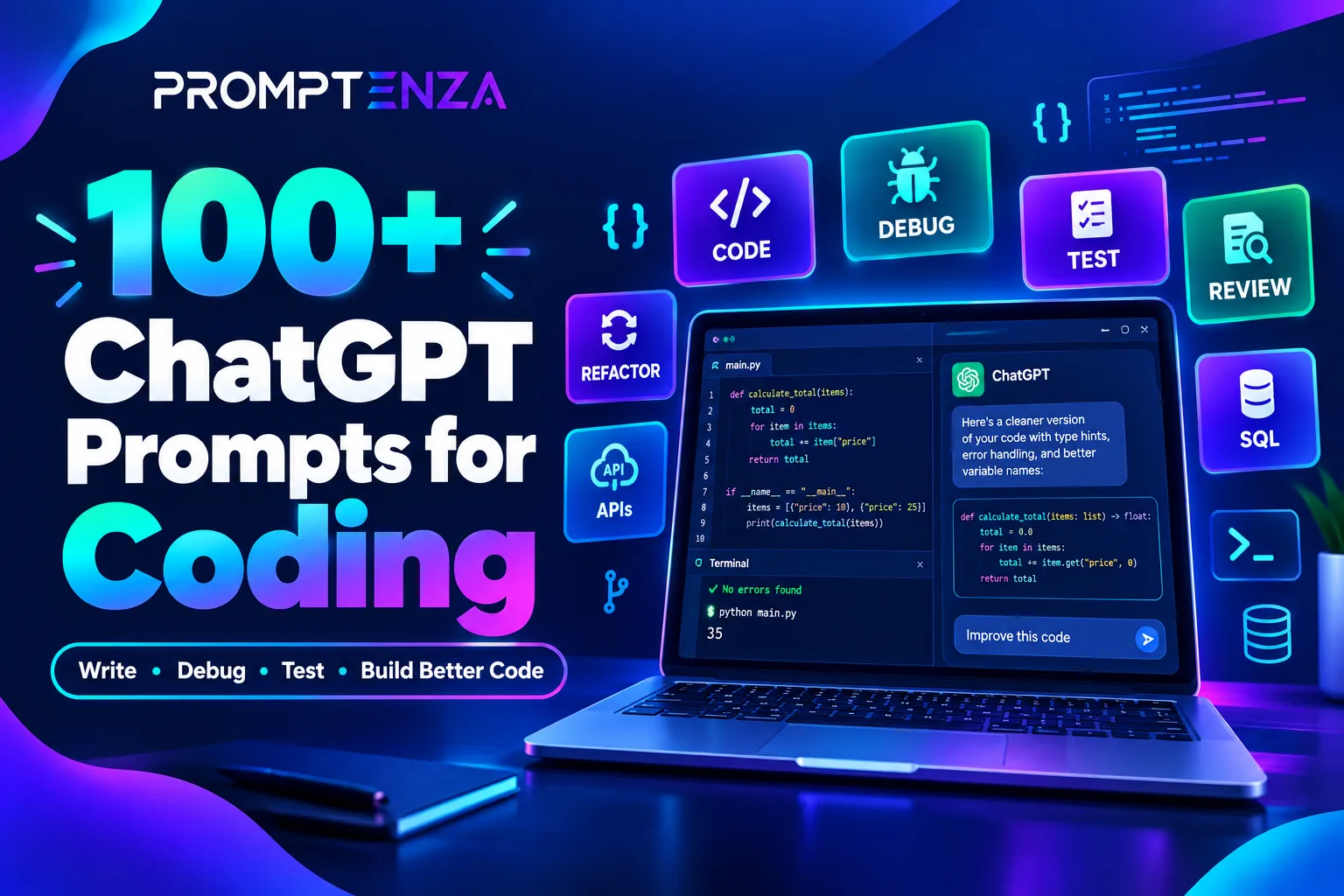
100+ ChatGPT Prompts for Coding: Debug, Write & Improve Code
Quick Answer: What are ChatGPT prompts for coding?
ChatGPT prompts for coding are instructions that help ChatGPT perform programming tasks such as writing code, debugging errors, explaining programming concepts, improving existing code, generating tests, and documenting software. Effective coding prompts specify the programming language, task, relevant code, expected behavior, and technical requirements.
Whether you’re a beginner learning your first programming language, a student working on a project, or an experienced developer dealing with a difficult bug, the right ChatGPT prompt can turn a vague request into a structured coding task.
This guide contains 100+ ChatGPT prompts for coding covering:
- Code generation
- Debugging
- Code explanation
- Refactoring
- Testing
- Documentation
- Programming education
- Web development
- APIs
- Databases
- Git and GitHub
- Code reviews
- Performance optimization
- Security reviews
- Project planning
- AI-assisted development workflows
You can copy these prompts, replace the bracketed information, and adapt them to your own project.
What Are ChatGPT Coding Prompts?
ChatGPT coding prompts are instructions that tell ChatGPT what programming-related task you want it to perform.
They can be used to help with activities such as:
- Writing new code
- Understanding unfamiliar code
- Finding bugs
- Explaining error messages
- Refactoring existing code
- Creating tests
- Writing documentation
- Designing software architecture
- Learning programming concepts
- Converting code between languages
- Improving performance
- Reviewing code for potential security problems
The important distinction is that a coding prompt is not simply a request for code.
A strong prompt explains the programming problem and gives the AI the information it needs to reason about the task.
For example:
Weak prompt:
Write a Python login system.
Better prompt:
I’m building a small Python Flask application. I need a login system for registered users. Explain the recommended structure first, then provide the implementation. Include input validation, secure password handling, session management, error handling, and tests. Clearly identify anything that should be configured separately rather than hard-coded.
The second prompt provides context, requirements, and expectations.
For more information about constructing effective AI instructions, see Promptenza’s Prompt Anatomy guide.
How to Write Better ChatGPT Prompts for Coding
Before using the prompt library, learn the basic formula.
A useful coding prompt usually includes:
1. Programming Context
Tell ChatGPT what you’re building.
“I’m building a React dashboard for a small business.”
2. Technology Stack
Specify the technologies involved.
“The project uses React, TypeScript, Node.js, and PostgreSQL.”
3. Current Situation
Explain what already exists.
“The API is already working, but the dashboard isn’t displaying the returned data.”
4. Specific Task
Clearly state what you want.
“Help me identify why the data isn’t rendering.”
5. Constraints
Mention important limitations.
“Don’t rewrite the entire application. Modify only the relevant component.”
6. Expected Output
Tell ChatGPT how you want the response.
“Explain the cause first, then provide the corrected code and explain each change.”
This structure makes it easier for ChatGPT to work with your actual development problem.
You can also learn more in Promptenza’s How to Improve AI Prompts guide.
100+ ChatGPT Prompts for Coding
The following prompts are organized by use case so you can quickly find one that matches your development task.
ChatGPT Prompts for Writing Code
1. Generate a function
Prompt:
“Write a [programming language] function that [describe the task]. The function should accept [inputs] and return [expected output]. Include input validation and explain the logic.”
2. Build a simple program
“Create a [language] program that [describe the goal]. I’m a [beginner/intermediate/advanced] programmer, so explain the important parts of the implementation.”
3. Generate code from requirements
“Turn these software requirements into working [language] code: [requirements]. Before writing the code, identify any assumptions you need to make.”
4. Write clean code
“Implement this functionality in [language]: [description]. Prioritize readability, maintainability, clear naming, appropriate error handling, and reasonable performance.”
5. Create a reusable function
“Create a reusable [language] function for [task]. Explain its parameters, return value, expected inputs, possible errors, and provide example usage.”
6. Generate a class
“Create a [language] class for [purpose]. Include appropriate properties, methods, validation, and error handling. Explain the design decisions.”
7. Create a command-line tool
“Build a [language] command-line tool that [purpose]. Include argument parsing, helpful error messages, and examples of how to use it.”
8. Generate code step by step
“Help me build [project] step by step in [language]. Start with the architecture and project structure rather than generating the entire application at once.”
9. Convert requirements into code
“Here are my requirements: [requirements]. Convert them into an implementation plan, then provide the code for each major component.”
10. Create a minimal implementation
“Create the simplest maintainable implementation of [feature] in [language]. Avoid unnecessary dependencies and explain why each major component is needed.”
ChatGPT Prompts for Debugging Code
Debugging is one of the most useful applications of AI for developers.
However, simply saying “fix this code” often produces a less useful response than providing the error, expected behavior, actual behavior, and relevant code.
11. Find a bug
“Find the bug in this [language] code. Explain what is causing the problem, then provide the smallest appropriate fix: [code].”
12. Explain an error message
“Explain this [language] error in simple terms. Identify the likely cause, show how to diagnose it, and suggest a fix: [error message].”
13. Debug unexpected output
“This code produces [actual output], but I expected [expected output]. Analyze the code and identify where the behavior differs from what I intended: [code].”
14. Debug step by step
“Help me debug this code systematically. Don’t immediately rewrite it. First identify the likely failure point, explain how to verify it, and then recommend the fix: [code].”
15. Find a runtime error
“Analyze this runtime error and the related code. Identify the probable root cause and explain how I can confirm it before changing the code: [error + code].”
16. Debug a loop
“This loop isn’t producing the expected result: [code]. Explain the iteration logic and identify the problem.”
17. Debug a function
“Review this function and determine why it returns an incorrect result for [example input]. Explain the issue and provide a corrected version: [code].”
18. Debug an API request
“My API request is failing with this response: [error]. Here is the request code: [code]. Identify the likely problem and show how to troubleshoot it.”
19. Debug database code
“This database operation isn’t behaving as expected. Analyze the query and surrounding code, identify potential causes, and suggest a safe correction: [code].”
20. Debug without rewriting everything
“Find the specific problem in this code and make the smallest necessary change. Do not rewrite unrelated sections: [code].”
ChatGPT Prompts for Explaining Code
Understanding existing code can be just as important as writing new code.
21. Explain code simply
“Explain this code as if I’m learning [language] for the first time. Go through the important sections in order and explain what each part does: [code].”
22. Explain line by line
“Explain this code line by line. Focus on what each line contributes to the program rather than simply restating the syntax: [code].”
23. Explain the overall architecture
“Analyze this code and explain its overall architecture, major components, data flow, dependencies, and responsibilities: [code].”
24. Explain a complex function
“Explain what this function does, including its inputs, outputs, side effects, assumptions, and possible failure cases: [function].”
25. Explain unfamiliar code
“I inherited this code and don’t understand it. Explain what it appears to do, identify the most important components, and tell me where I should start if I need to modify it: [code].”
26. Explain an algorithm
“Explain the algorithm used in this code, why it works, its time complexity, its space complexity, and any important edge cases: [code].”
27. Explain a library
“Explain what this [library/framework] is doing in the following code and why it might have been used: [code].”
28. Explain dependencies
“Review these dependencies and explain what each one appears to be used for. Identify any that may be unnecessary based on the provided code: [dependencies + code].”
29. Explain data flow
“Trace the flow of data through this program from input to output. Identify where data is transformed, validated, stored, and returned: [code].”
30. Explain code with an example
“Explain this code using a concrete example input. Walk through what happens at each important stage and show the expected result: [code].”
ChatGPT Prompts for Refactoring Code
Refactoring is about improving existing code without changing what the program is supposed to do.
31. Refactor messy code
“Refactor this [language] code to improve readability and maintainability without changing its intended behavior: [code]. Explain the major changes.”
32. Improve variable names
“Review the naming in this code. Suggest clearer names for variables, functions, classes, and parameters while preserving the existing behavior: [code].”
33. Reduce duplication
“Find duplicated logic in this code and suggest a cleaner structure that avoids unnecessary repetition: [code].”
34. Simplify complex code
“Simplify this code while preserving its behavior. Prioritize readability over cleverness: [code].”
35. Improve function structure
“Review these functions and identify places where responsibilities should be separated. Suggest a cleaner function structure: [code].”
36. Refactor without changing the API
“Refactor this implementation for maintainability while keeping the existing public API unchanged: [code].”
37. Improve error handling
“Review the error handling in this code. Identify missing cases and improve the implementation without hiding useful errors: [code].”
38. Remove unnecessary complexity
“Analyze this code for unnecessary abstractions, dependencies, or complexity. Suggest what could be simplified and explain why: [code].”
39. Refactor into modules
“Suggest how this large file could be divided into logical modules. Explain what belongs in each module and why: [code].”
40. Modernize old code
“Review this older [language/framework] code and identify appropriate modern patterns that could improve maintainability. Don’t change functionality unnecessarily: [code].”
ChatGPT Prompts for Code Review
41. Perform a code review
“Review this code as an experienced developer. Look for correctness issues, maintainability problems, confusing logic, error handling problems, performance concerns, and potential security risks. Separate confirmed issues from suggestions: [code].”
42. Review beginner code
“Review this code as a programming mentor. Identify the most important improvements for a beginner to learn from, and explain each one clearly: [code].”
43. Review before deployment
“Review this code before deployment. Identify potential bugs, security concerns, reliability issues, configuration problems, and missing tests. Prioritize findings by severity: [code].”
44. Review a pull request
“Review this proposed code change. Explain what the change does, identify potential regressions, and suggest improvements where appropriate: [diff/code].”
45. Find edge cases
“Identify edge cases that could cause this code to fail or produce unexpected results. For each case, explain how the code currently behaves and what could be changed: [code].”
46. Review for maintainability
“Evaluate this code specifically for long-term maintainability. Identify unclear responsibilities, tight coupling, duplication, confusing naming, and difficult-to-test areas: [code].”
47. Review error handling
“Review this code’s error handling. Identify errors that could be silently ignored, incorrectly handled, or exposed to users inappropriately: [code].”
48. Review dependencies
“Review the dependencies used by this project and explain which ones are essential based on the code provided. Identify possible unnecessary dependencies: [list/code].”
49. Review coding style
“Review this code against common [language] coding conventions. Identify inconsistencies and show specific improvements: [code].”
50. Create a code review checklist
“Create a reusable code review checklist for [language/framework]. Include correctness, testing, security, performance, maintainability, readability, and documentation.”
ChatGPT Prompts for Testing Code
51. Generate unit tests
“Create unit tests for this [language] function using [testing framework]. Cover normal inputs, edge cases, invalid inputs, and expected failures: [code].”
52. Create test cases
“Generate a comprehensive set of test cases for this feature. Organize them into normal behavior, edge cases, invalid input, boundary conditions, and failure scenarios: [feature].”
53. Test an API
“Create an API testing plan for this endpoint. Include successful requests, invalid inputs, authentication failures, missing parameters, boundary cases, and unexpected server responses: [endpoint details].”
54. Find missing tests
“Review these existing tests and identify important behaviors or edge cases that aren’t currently covered: [tests + code].”
55. Create integration tests
“Design integration tests for this workflow: [workflow]. Explain what components should interact during each test and what should be verified.”
56. Generate test data
“Create realistic test data for this application feature: [feature]. Include normal, boundary, invalid, and unusual cases.”
57. Test error handling
“Create tests specifically for the error-handling paths in this code: [code].”
58. Test a database operation
“Create tests for this database operation. Include valid data, missing data, duplicate records, invalid values, and transaction failure scenarios: [code].”
59. Create regression tests
“This bug was previously found: [bug]. Create a regression test that ensures the same problem cannot silently return.”
60. Explain failing tests
“These tests are failing: [test output]. Analyze the failures and determine whether the problem is likely in the tests, implementation, environment, or assumptions.”
ChatGPT Prompts for Documentation
Good documentation makes code easier for both humans and future AI-assisted development.
61. Document a function
“Write documentation for this function explaining its purpose, parameters, return value, exceptions, assumptions, and usage example: [function].”
62. Create a README
“Create a professional README for this project. Include what it does, prerequisites, installation, configuration, usage, examples, testing, and troubleshooting: [project details].”
63. Document an API
“Create API documentation for this endpoint including request method, URL, authentication requirements, parameters, request body, successful responses, errors, and examples: [endpoint].”
64. Add code comments
“Identify the parts of this code where comments would genuinely improve understanding. Suggest concise comments without explaining obvious syntax: [code].”
65. Create developer documentation
“Turn these technical notes into developer documentation that explains the architecture, setup process, major components, development workflow, and troubleshooting steps: [notes].”
66. Document configuration
“Create documentation explaining these configuration variables, what each controls, expected values, defaults, and any security considerations: [configuration].”
67. Create a changelog
“Turn these development changes into a clear changelog organized by new features, improvements, fixes, and breaking changes: [changes].”
68. Document an architecture
“Create technical documentation explaining this application’s architecture, including components, data flow, dependencies, and major design decisions: [architecture/code].”
69. Create onboarding documentation
“Create an onboarding guide for a developer joining this project. Explain what they need to install, understand, configure, and do to make their first contribution: [project details].”
70. Explain setup problems
“Create a troubleshooting section for these common setup problems: [problems]. For each issue, explain symptoms, likely causes, diagnostic steps, and solutions.”
ChatGPT Prompts for Web Development
71. Build a webpage
“Create a responsive [HTML/CSS/JavaScript] webpage for [purpose]. Before generating the code, describe the page structure and accessibility considerations.”
72. Improve responsive design
“Review this webpage code and identify issues that could affect mobile, tablet, and desktop layouts. Suggest specific improvements: [code].”
73. Fix CSS
“This CSS isn’t producing the layout I expect. Here is the HTML and CSS: [code]. Explain the cause and provide the smallest appropriate fix.”
74. Improve accessibility
“Review this webpage for common accessibility issues. Identify problems with semantic HTML, keyboard navigation, labels, headings, contrast, focus states, and alternative text where relevant: [code].”
75. Improve page performance
“Review this frontend code for potential performance problems. Identify unnecessary work, large assets, inefficient DOM operations, and opportunities for improvement: [code].”
76. Build a form
“Create an accessible responsive form for [purpose]. Include appropriate labels, validation, helpful error messages, and a clear submission state.”
77. Debug JavaScript
“Analyze this JavaScript code and explain why [unexpected behavior] occurs. Show the smallest correction and explain how the corrected logic works: [code].”
78. Improve frontend structure
“Review this frontend project and suggest a maintainable component structure based on the features described: [features].”
79. Create a reusable component
“Create a reusable [React/Vue/etc.] component for [purpose]. Explain its props, state, behavior, and example usage.”
80. Convert design into code
“Turn this interface description into a structured implementation plan for [technology]. Identify the components, states, interactions, and responsive behavior before writing code: [description].”
ChatGPT Prompts for APIs
81. Design an API
“Help me design an API for [application]. Identify the main resources, endpoints, HTTP methods, request formats, response structures, authentication considerations, and error handling.”
82. Explain an API
“Explain how this API works based on the documentation or code below. Focus on authentication, requests, responses, errors, and common usage patterns: [documentation].”
83. Debug an API
“My API request returns [status/error]. Here is the request, response, and relevant server code. Analyze the likely causes and give me a diagnostic sequence: [details].”
84. Create API examples
“Create example requests and responses for these API endpoints: [endpoints]. Clearly identify required and optional fields.”
85. Improve API errors
“Review this API’s error responses and suggest a consistent structure that makes errors useful to developers and safe for users: [API details].”
86. Design API validation
“Design input validation rules for this API endpoint. Identify required fields, allowed formats, boundaries, invalid cases, and appropriate error responses: [endpoint].”
ChatGPT Prompts for Databases and SQL
87. Write an SQL query
“Write an SQL query that retrieves [desired data] from these tables: [schema]. Explain the query and identify assumptions.”
88. Explain an SQL query
“Explain this SQL query step by step. Describe what data it retrieves, how the tables are joined, how filters work, and what the result represents: [query].”
89. Debug SQL
“This SQL query returns [error/wrong result]. Review the schema and query, identify the likely problem, and provide a corrected version: [details].”
90. Optimize a query
“Review this SQL query for possible performance issues. Explain which parts could become expensive as the dataset grows and suggest appropriate improvements: [query + schema].”
91. Design a database schema
“Design a relational database schema for [application]. Identify entities, relationships, primary keys, important constraints, and indexes. Explain the reasoning behind the structure.”
92. Generate sample SQL data
“Generate realistic sample SQL data for testing this schema. Include normal records, edge cases, and relationships that exercise the important constraints: [schema].”
ChatGPT Prompts for Git and GitHub
93. Explain a Git command
“Explain what this Git command does, what changes it can make, and what I should check before running it: [command].”
94. Create a Git workflow
“Design a simple Git workflow for a [small team/solo project] working on [project]. Explain branches, commits, pull requests, and releases.”
95. Write a commit message
“Based on these changes, suggest a concise conventional commit message: [changes].”
96. Understand a Git conflict
“Explain this Git merge conflict and help me understand what each version changed before suggesting how to resolve it: [conflict].”
97. Create a pull request description
“Turn these changes into a clear pull request description containing summary, implementation details, testing performed, and anything reviewers should pay attention to: [changes].”
98. Review a Git diff
“Review this Git diff for potential bugs, unintended changes, missing tests, and maintainability issues. Explain each concern: [diff].”
ChatGPT Prompts for Programming Students
99. Learn a programming concept
“Teach me [programming concept] as a beginner. Start with a simple explanation, then provide an example, a common mistake, and three practice questions.”
100. Create coding exercises
“Create 10 programming exercises for someone at the [beginner/intermediate] level learning [language]. Start easy and gradually increase the difficulty.”
101. Explain my homework concept
“Help me understand this programming problem without immediately giving me the complete solution. Explain the concepts I need and guide me through the reasoning: [problem].”
102. Review my solution
“Review my solution to this programming problem. Don’t simply replace it with another solution. Explain what I did correctly, what could be improved, and why: [problem + solution].”
103. Find my learning gaps
“Based on these programming questions and my answers, identify the concepts I should study next: [questions + answers].”
104. Create a coding study plan
“Create a [number]-week study plan for learning [programming language]. I can study for [time] per day. Include concepts, exercises, mini-projects, and review sessions.”
105. Practice debugging
“Give me a small piece of intentionally buggy [language] code. Don’t tell me the problem. Let me identify it first, then evaluate my answer.”
106. Practice code review
“Give me a short [language] program containing several realistic code-quality problems. Ask me to review it before showing the explanation.”
107. Build a learning project
“Suggest a practical beginner project for learning [language]. Define the requirements, milestones, features, and concepts I should learn while building it.”
108. Understand an algorithm
“Teach me [algorithm] using a simple example. Explain the problem it solves, how the algorithm works, its complexity, and when it may not be appropriate.”
Bonus ChatGPT Prompts for Advanced Coding Workflows
109. Plan a software project
“Help me plan a software project for [idea]. Identify the core requirements, user stories, architecture, technology considerations, milestones, risks, and testing strategy. Separate essential features from optional features.”
110. Analyze an existing project
“Analyze this project structure and explain its major components, dependencies, entry points, data flow, and likely areas of complexity: [project structure/code].”
111. Create an implementation plan
“Turn this feature request into a technical implementation plan. Include requirements, affected components, data changes, API changes, tests, risks, and a recommended implementation order: [feature].”
112. Convert code between languages
“Convert this [source language] code to [target language]. Preserve the intended behavior, explain important differences between the languages, and identify anything that cannot be translated directly: [code].”
113. Improve performance
“Analyze this code for performance bottlenecks. Explain which operations are potentially expensive, how performance could change as input size grows, and which optimizations are worth considering: [code].”
114. Review security
“Review this code for common security risks relevant to its technology stack. Distinguish confirmed issues from potential concerns and explain how each issue could be addressed: [code].”
115. Design a feature
“Help me design [feature]. Start by identifying user requirements and edge cases, then propose the technical design, data flow, implementation stages, and testing strategy.”
116. Create an AI-assisted coding workflow
“Design a workflow for using ChatGPT as a coding assistant on [project]. Include planning, implementation, debugging, testing, code review, documentation, and human verification. Identify where I should not blindly accept AI-generated code.”
How to Get Better Coding Results From ChatGPT
The quality of your coding prompt can dramatically affect the usefulness of the response.
Include the Relevant Code
If you’re debugging a problem, provide the smallest relevant section of code rather than describing it vaguely.
Instead of:
“My Python program doesn’t work.”
Give ChatGPT:
“This function should return the total price, but it returns 0 when the list contains multiple items.”
Then include the relevant code and error output.
Include the Exact Error
When debugging, don’t paraphrase the error if you can provide the actual message.
Include:
- Error message
- Stack trace when relevant
- Relevant code
- Programming language
- Framework/version when important
- What you expected
- What actually happened
- What you already tried
This gives ChatGPT much more information to work with.
Tell ChatGPT What Not to Change
This is particularly useful when working with an existing project.
For example:
“Fix the authentication bug without changing the database schema or frontend.”
Or:
“Modify only this function and preserve the existing function signature.”
Constraints can prevent unnecessary rewrites.
Ask for an Explanation Before the Fix
When learning or debugging, don’t always ask for the final code immediately.
Try:
“First explain the likely cause. Then show the correction.”
This helps you understand the problem instead of simply copying an answer.
Use ChatGPT as a Coding Partner, Not Just a Code Generator
One of the biggest mistakes developers can make with AI coding tools is treating the model as a replacement for understanding the software.
A better workflow is:
Plan → Generate → Inspect → Test → Debug → Review → Document
For example:
Step 1: Plan
Ask ChatGPT to break the feature into components.
Step 2: Implement
Generate one component at a time.
Step 3: Inspect
Ask what assumptions the implementation makes.
Step 4: Test
Generate tests covering normal and unusual cases.
Step 5: Debug
Use actual errors and test results to diagnose problems.
Step 6: Review
Ask for a code review focused on correctness, maintainability, performance, and security.
Step 7: Document
Generate documentation based on the final implementation.
This approach is generally more reliable than asking:
“Build my entire application.”
Promptenza’s Prompt Chaining guide explains how multiple prompts can be combined into a structured workflow.
A Reusable Master Prompt for Coding
If you regularly use ChatGPT for programming, you can create a reusable instruction like this:
“Act as a programming assistant helping me with a real software project. Before changing code, understand the requirements and identify important assumptions. When debugging, analyze the evidence before proposing a fix. Preserve existing behavior unless I explicitly request a change. Prefer simple, maintainable solutions over unnecessary complexity. Explain important decisions, identify edge cases, and suggest appropriate tests. Clearly distinguish confirmed problems from assumptions or suggestions. Here is my project context: [context]. Here is my task: [task]. Here is the relevant code: [code].”
You can customize this master prompt for Python, JavaScript, TypeScript, Java, C++, PHP, SQL, React, Node.js, WordPress, or other development environments.
A Better Framework for AI-Assisted Coding
For complex programming tasks, use this seven-part structure:
Context
What are you building?
Stack
What languages, frameworks, libraries, and databases are involved?
Current State
What already works?
Problem
What specifically isn’t working?
Requirements
What should the solution do?
Constraints
What must remain unchanged?
Output
What do you want ChatGPT to provide?
For example:
“I’m building a WordPress plugin using PHP. The plugin currently saves user settings correctly, but the admin interface doesn’t display saved values after refreshing the page. I want to identify the cause without rewriting the plugin. Analyze the relevant code, explain the likely problem, suggest a minimal fix, and provide a test procedure.”
That is considerably more useful than:
“Fix my WordPress plugin.”
When You Should Be Careful With AI-Generated Code
ChatGPT can produce useful code, but generated code should not automatically be considered correct.
Review AI-generated code carefully when it involves:
- Authentication
- Passwords
- Payments
- Personal data
- Database permissions
- File uploads
- Access control
- Cryptography
- Production infrastructure
- External APIs
- Security-sensitive operations
- Data deletion
- Financial transactions
For important applications, test generated code and verify its behavior against authoritative technical documentation.
A confident explanation from an AI model is not proof that the implementation is correct.
ChatGPT Coding Prompts: Common Mistakes to Avoid
Asking for too much at once
Instead of:
“Build my complete SaaS application.”
Break the project into:
- Requirements
- Architecture
- Database
- API
- Authentication
- Frontend
- Tests
- Deployment
This makes the work easier to inspect and correct.
Providing no technical context
“Write code for a website” isn’t enough.
Tell ChatGPT whether you’re using:
- HTML/CSS/JavaScript
- React
- Vue
- WordPress
- PHP
- Python
- Node.js
- Another stack
Asking AI to fix code without showing the error
A useful debugging prompt should normally include the actual error and relevant code.
Accepting the first solution
The first generated implementation isn’t necessarily the best implementation.
You can ask:
“Review your previous solution for unnecessary complexity, edge cases, security concerns, and maintainability problems.”
Then compare the revised result with the original.
Frequently Asked Questions
What are the best ChatGPT prompts for coding?
The most useful coding prompts depend on the task. Common categories include prompts for writing code, debugging, explaining code, refactoring, testing, code review, documentation, APIs, databases, web development, and programming education.
Can ChatGPT write code?
Yes. ChatGPT can generate code in many programming languages and help with tasks such as implementing functions, creating examples, explaining syntax, debugging, testing, refactoring, and designing software solutions.
However, generated code should be reviewed and tested before being used in important or production systems.
Can ChatGPT debug my code?
Yes. You can provide the relevant code, exact error message, expected behavior, and actual behavior. ChatGPT can then help identify likely causes and suggest ways to verify and fix them.
How do I ask ChatGPT to fix code?
Give it the programming language, relevant code, exact error or unexpected behavior, expected result, and any constraints. A strong debugging prompt should ask ChatGPT to explain the cause before changing unrelated code.
Can ChatGPT explain code to beginners?
Yes. You can explicitly tell ChatGPT your experience level and ask it to explain code using simple language, examples, diagrams described in text, or step-by-step reasoning.
Can ChatGPT improve existing code?
Yes. It can suggest refactoring, clearer naming, reduced duplication, improved structure, error handling, testing, and other maintainability improvements.
Can ChatGPT create unit tests?
Yes. You can provide the function or feature and specify your testing framework. Ask it to cover normal behavior, edge cases, invalid inputs, and expected failures.
Can ChatGPT help me learn programming?
Yes. It can act as a programming tutor by explaining concepts, generating exercises, reviewing your solutions, creating quizzes, and building study plans.
Should programmers trust AI-generated code?
AI-generated code should be treated as a draft that needs review and testing. Developers should verify important behavior, dependencies, security implications, edge cases, and compatibility with the project’s requirements.
How can I make ChatGPT better at coding?
Give it detailed technical context, the relevant code, exact errors, expected behavior, constraints, and the desired output format. For large projects, work in smaller stages and ask ChatGPT to review and test its proposed solutions.
Final Takeaway
ChatGPT can be much more useful for programming when you stop treating it as a machine that simply generates code.
Use it to plan, explain, implement, debug, test, review, document, and improve your software.
The most effective coding prompts usually answer five questions:
What am I building?
What technology am I using?
What problem am I solving?
What constraints should ChatGPT respect?
What kind of result do I want?
The more relevant context you provide, the easier it becomes for ChatGPT to produce an answer that fits your actual development problem.
Start with one of the prompts above, replace the bracketed information with your project details, and refine the instruction based on the result.
For more Promptenza resources, explore the Prompt Library, AI Prompt Examples, Prompt Engineering, and How to Improve AI Prompts guides.
More Promptenza Resources
- 100+ ChatGPT Prompts
- AI Prompt Examples
- Prompt Anatomy
- Prompt Engineering
- Prompt Chaining
- Few-Shot Prompting
- Zero-Shot Prompting
- How to Improve AI Prompts
- Prompt Library