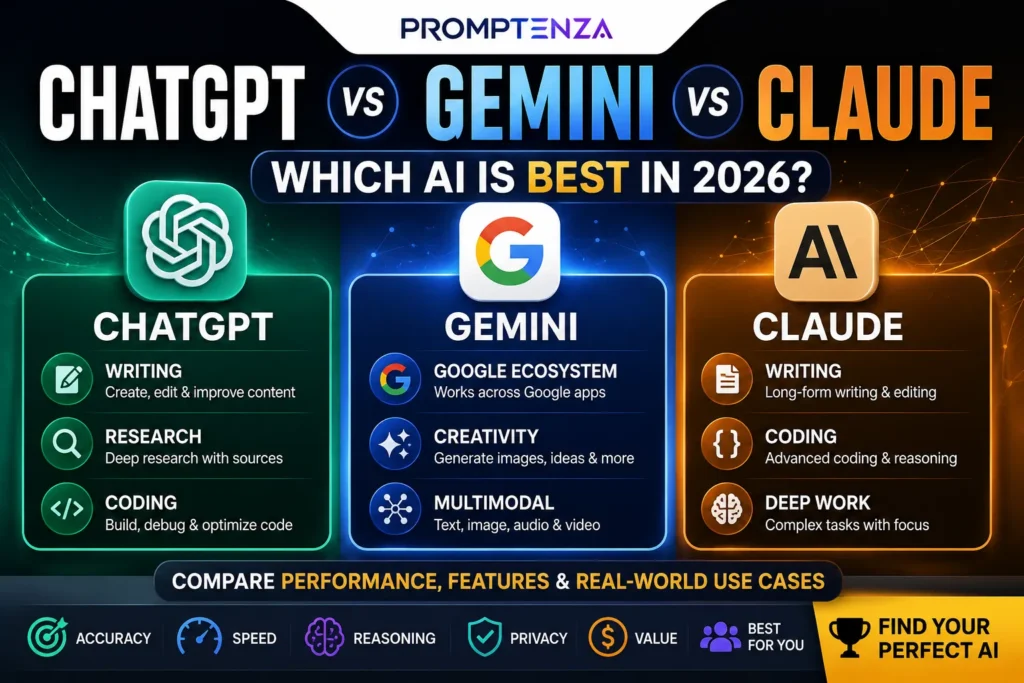
In 2026, AI tools can help you create content faster—from writing articles and generating images to producing videos, voiceovers, and social media graphics. The challenge is knowing which tool is actually worth using for each task. In this guide, we compare the best AI image, video, and writing tools in 2026, highlighting what each does best, who it is for, and practical ways to use it so you can build a smarter content creation workflow.
AI content creation has changed dramatically.
You no longer need separate software for every stage of creating content. In 2026, AI tools can help you write an article, generate images, create video clips, edit visuals, produce voiceovers, repurpose content, and turn one idea into multiple formats.
But there is a problem.
There are now so many AI tools that choosing the right one can be harder than actually creating the content.
Some tools are excellent at writing but average at images. Others produce impressive video but have limited editing controls. Some are designed for professional creative workflows, while others are much easier for beginners.
When choosing the right AI platform, it helps to understand the broader range of tools available. Explore Promptenza’s AI Tools hub for more AI software, platforms, and productivity tools.
This guide cuts through the noise.
We compare the best AI image, video and writing tools in 2026, explain what each tool is actually good at, show practical prompts you can use, and build several AI content workflows so you can choose tools based on the job—not hype.
Quick answer: For an all-purpose creative workflow, ChatGPT is one of the strongest starting points because it combines writing, research, image generation and editing. Claude is particularly useful for substantial writing and reusable content artifacts. Canva is strong when writing, design and visual production need to happen together. For dedicated video generation, Runway is a major option, while Adobe Firefly is useful for creators already working inside Adobe’s ecosystem. Gemini is increasingly capable across multimodal creation and editing.
The Best AI Content Creation Tools at a Glance
| Tool | Best for | Category | Best suited to |
|---|---|---|---|
| ChatGPT | Writing, ideas, research & images | Writing + Image | General creators |
| Claude | Long-form writing & content workflows | Writing | Writers & teams |
| Gemini | Multimodal creation & Google ecosystem | Writing + Image + Video | Creators & researchers |
| Canva AI | Design, social content & visual campaigns | Image + Design + Writing | Beginners & marketers |
| Adobe Firefly | Image/video generation & creative editing | Image + Video | Designers |
| Midjourney | Artistic and stylized images | Image | Visual creators |
| Runway | Generative video | Video | Filmmakers & creators |
| ElevenLabs | AI voice and narration | Audio | Video creators |
| CapCut | Short-form video editing | Video | Social creators |
The “best” tool depends heavily on the output you need. A writer producing a 3,000-word article has different requirements from someone creating a cinematic product video.
What Makes an AI Content Tool Actually Good?
A tool should not be considered good simply because it can generate something impressive in a demo.
For this guide, the more useful questions are:
Does it produce usable output?
A beautiful AI image that requires an hour of fixing may be less useful than a slightly less spectacular image that is ready immediately.
Can you control the result?
Good creative AI should let you refine the output rather than forcing you to start again.
Does it fit your workflow?
A tool that works well with your existing software can save more time than a technically impressive standalone application.
Can you maintain consistency?
This matters enormously for:
- Brand graphics
- Characters
- Social campaigns
- Video series
- Blog illustrations
- Marketing campaigns
Does it let you iterate?
The best AI workflow is rarely:
Prompt → Perfect result
It is usually:
Prompt → Draft → Review → Refine → Final
Best AI Writing Tools in 2026
1. ChatGPT — Best All-Purpose AI Writing Tool
ChatGPT is one of the strongest starting points for creators who want one AI system that can handle multiple parts of the content process.
Beyond writing, ChatGPT can research, analyze uploaded files, work with images and generate images. OpenAI’s current capabilities documentation lists web search, deep research, file uploads, image understanding and image generation among its capabilities, with availability depending on the feature and plan.
Its biggest advantage is breadth.
You can use it to move from:
Idea → research → outline → draft → edit → visual concept
without constantly switching tools.
Best uses
- Blog posts
- Articles
- Scripts
- Social captions
- Brainstorming
- Content briefs
- Research assistance
- Rewriting
- Editing
- Image generation
- Content repurposing
Try this prompt
Act as an experienced content strategist. Create a detailed content brief for [TOPIC]. Identify the target audience, search intent, important questions, unique angles, recommended structure, examples to include and potential content gaps. Prioritize useful information over generic filler.
When discussing AI-assisted writing specifically:
If your main goal is drafting articles, rewriting content, improving clarity, or developing ideas, see our guide to ChatGPT Writing for practical workflows and prompts.
Add ChatGPT Prompts when introducing ready-to-use prompt
Best for
Creators who want one general-purpose AI workspace.
2. Claude — Best for Long-Form Writing and Structured Content
Claude is particularly interesting for writers who work with longer documents and substantial pieces of content.
One of its useful features is Artifacts, which can turn ideas into standalone content, tools, visualizations and interactive experiences that can be edited and reused outside the immediate conversation.
That makes Claude useful for workflows where the output isn’t simply a short chat response.
Best uses
- Long-form articles
- Reports
- Content editing
- Structured documents
- Writing workflows
- Reusable content
- Prototyping simple tools
Try this prompt
Rewrite this article for clarity while preserving the author’s meaning and voice. Improve structure, remove repetition, strengthen weak explanations and identify claims that require verification. Do not introduce unsupported facts.
Best for
Writers and content teams working with longer, structured material.
3. Gemini — Best for Multimodal Creative Work
Google is pushing Gemini beyond traditional text-based assistance.
At Google I/O 2026, Google introduced Gemini Omni and described it as a multimodal system capable of creating outputs from different types of input, beginning with video. Google has also expanded Gemini’s image-generation and editing capabilities.
Gemini can therefore be useful when your workflow moves between:
Text → Images → Video → Research → Editing
rather than remaining purely text-based.
Best uses
- Brainstorming
- Writing
- Research
- Image generation
- Image editing
- Multimodal projects
- Creative experimentation
Try this prompt
Take this article concept and develop it into a complete visual content plan. Suggest the hero image, three supporting graphics, a 30-second video concept, five social posts and the visual style that should remain consistent across all assets.
Best for
Creators who want a multimodal AI workflow connected to Google’s broader ecosystem.
Best AI Image Generators in 2026
4. ChatGPT Images — Best for Prompt-Based Image Creation and Editing
ChatGPT’s current image capabilities go beyond generating a picture from scratch.
OpenAI says ChatGPT Images can create and edit images, add text, change specific elements and work with uploaded images. It also supports different aspect ratios.
That makes it particularly useful for iterative creative work.
You can start with:
“Create a YouTube thumbnail about AI tools.”
Then refine it:
“Make the headline larger.”
Then:
“Move the laptop to the right.”
Then:
“Keep everything else unchanged.”
OpenAI’s image-generation guidance emphasizes clear, specific instructions and targeted revisions rather than endlessly rewriting the entire prompt.
Best uses
- Blog featured images
- Thumbnails
- Illustrations
- Concept art
- Infographics
- Visual experiments
- Image editing
Best for
Creators who want conversational image generation and editing.
5. Canva AI — Best for Complete Visual Content
Canva has evolved from a traditional design platform into a much broader AI-powered creative environment.
Its 2026 Canva AI 2.0 announcement describes conversational design, editable layered outputs, AI-assisted workflows, brand intelligence, web research and other capabilities.
That matters because many creators don’t need an isolated image generator.
They need:
Image + headline + layout + branding + social format
Canva is built around that broader workflow.
Best uses
- Social media graphics
- Presentations
- Blog graphics
- Posters
- Marketing campaigns
- Branded visuals
- Social content calendars
- Simple video content
Canva has also expanded AI features for creating and editing images and producing content at scale.
Try this prompt
Create a modern social media graphic about [TOPIC]. Use a dark professional background, large readable typography, three key benefits, strong visual hierarchy and space for a logo. Make the design suitable for mobile viewing.
Best for
Beginners, marketers and creators who need finished designs rather than isolated AI images.
6. Adobe Firefly — Best for Adobe-Centered Creative Workflows
Adobe Firefly is designed for creators who want generative AI integrated into a broader creative workflow.
Adobe currently supports text-to-video and image-to-video generation in Firefly, while also offering partner models and editing capabilities.
This makes Firefly especially interesting for creators already working with Adobe’s creative ecosystem.
Best uses
- Image generation
- Generative editing
- Image-to-video
- Text-to-video
- Creative production
- Marketing visuals
- Professional design workflows
Try this image prompt
Create a premium editorial image of a futuristic AI workstation in a modern studio. Dark blue environment, subtle cyan lighting, realistic materials, clean composition, wide horizontal framing, professional technology magazine aesthetic.
Adobe also highlights commercial-safety considerations around Firefly’s generated content and its broader creative ecosystem, although licensing and indemnification terms can vary by product and plan.
Best for
Designers and professionals already invested in Adobe workflows.
7. Midjourney — Best for Artistic Visuals
Midjourney remains an important option for creators who prioritize visual style and artistic exploration.
It is particularly useful when the goal is not simply:
“Create an image.”
but:
“Create a distinctive visual direction.”
Best uses
- Concept art
- Editorial imagery
- Artistic visuals
- Moodboards
- Creative campaigns
- Stylized photography concepts
Best for
Creators who care heavily about aesthetics and visual experimentation.
Best AI Video Tools in 2026
8. Runway — Best for Generative Video
Runway has developed into a broad creative AI platform covering image, video, audio, editing and generative workflows.
Its current platform highlights video generation, image-to-video, editing, storyboarding, visual effects and tools for modifying existing footage. It also offers access to multiple models inside its creative environment.
That makes it more than a simple text-to-video generator.
Best uses
- AI-generated video
- Concept videos
- B-roll
- Visual effects
- Storyboarding
- Creative experiments
- Product concepts
- Short cinematic sequences
Try this prompt
Create a 6-second cinematic establishing shot of a modern African city at sunrise. Slow camera movement, realistic atmospheric lighting, subtle movement in the environment, documentary-style cinematography, natural colors and believable physical motion.
Best for
Creators who need generated video shots and more control over the creative process.
9. Adobe Firefly — Best for Image-to-Video Workflows
Firefly deserves a second mention because image and video workflows increasingly overlap.
Adobe’s image-to-video tools allow creators to use images as starting points and add motion through prompts and keyframes.
This is particularly useful for turning a still visual into:
- Social video
- Product animation
- Website backgrounds
- Presentation visuals
- Short promotional clips
Try this prompt
Animate this still image with a slow cinematic camera push. Add subtle environmental movement while keeping the main subject and composition unchanged. Maintain the original lighting and visual style.
10. CapCut — Best for Short-Form Content Workflows
For creators focused on TikTok-style vertical videos, Reels and Shorts, an editor can sometimes be more valuable than a pure video generator.
The reason is simple:
Generating footage is only one part of making a video.
You also need:
- Cuts
- Captions
- Music
- Timing
- Transitions
- Text overlays
- Formatting
- Export
This is where short-form editing platforms become useful.
Best for
- Shorts
- Reels
- TikTok-style videos
- Fast edits
- Captions
- Social content repurposing
Best AI Voice Tool
11. ElevenLabs — Best for AI Voice and Narration
If your workflow includes video, don’t overlook audio.
A strong visual with poor narration can still feel amateur.
AI voice tools can help creators produce:
- Narration
- Voiceovers
- Character voices
- Dubbing
- Audio content
- Video narration
Best use
Create your script first, then generate narration separately so you can revise the writing without rebuilding the entire video.
Try this prompt
Rewrite this script for natural voice narration. Use short sentences, conversational language and clear transitions. Avoid tongue-twisters, unnecessary punctuation and phrases that sound unnatural when spoken aloud.
Which AI Tool Is Best for Writing?
It depends on what you write.
Best all-around
ChatGPT
Useful when writing is only one part of a larger workflow involving research, files, images and analysis.
Best for long-form structured content
Claude
Particularly useful when working with substantial documents and reusable content artifacts.
Best for multimodal workflows
Gemini
Useful when text, images and other media need to work together.
Best for design-connected writing
Canva AI
Useful when the words need to become a finished visual asset immediately.
Which AI Tool Is Best for Images?
Best conversational image creation
ChatGPT Images
Especially useful when you want to generate and then repeatedly refine an image using natural-language instructions.
Best design workflow
Canva AI
Useful when the image is only one component of the final design.
Best Adobe workflow
Adobe Firefly
Strong choice when generation and editing need to connect with Adobe’s broader creative tools.
Best artistic exploration
Midjourney
Useful when visual style and artistic direction are the priority.
Which AI Tool Is Best for Video?
Best for generative video workflows
Runway
Its current platform combines video generation with editing, transformation and other creative tools.
Best for Adobe users
Adobe Firefly
Especially useful for creators who want image-to-video and text-to-video capabilities within an Adobe-centered workflow.
Best for short-form editing
CapCut
Best considered when your priority is turning footage and generated assets into fast social videos.
The Best AI Content Creation Stack for Beginners
You don’t need 15 subscriptions.
A simple stack could be:
ChatGPT → Canva → CapCut
Step 1: ChatGPT
Generate:
- Topic ideas
- Research questions
- Outline
- Script
- Captions
Step 2: Canva
Create:
- Featured image
- Social graphic
- Thumbnail
- Carousel
Step 3: CapCut
Turn the script and visuals into:
- Short video
- Reel
- YouTube Short
This workflow is much simpler than trying to master a different AI tool for every individual task.
The Best AI Stack for a Blogger
For a website like Promptenza, a stronger workflow could be:
Research → Writing → Images → Social → Video
Research and planning
Use ChatGPT or Gemini to organize the topic and research process.
Writing
Use ChatGPT or Claude for the first draft and editing.
Featured image
Use ChatGPT Images, Canva or Firefly.
Supporting graphics
Use Canva.
Video
Convert the article into a short script and produce a short video with your preferred video workflow.
Social promotion
Turn the article into:
- Facebook post
- LinkedIn post
- X post
- Instagram carousel
- Short-form video
The key idea is repurposing, not creating everything from zero.
For better prompting, see Promptenza’s Prompt Engineering guide.
One Article Can Become 10 Pieces of Content
This is where AI becomes particularly powerful.
Start with:
One article
Then create:
- Featured image
- Instagram carousel
- Facebook post
- LinkedIn post
- YouTube Short
- Blog infographic
- Email newsletter
- Short video script
- Quote graphic
- FAQ/social post series
Repurposing Prompt
Take this article and create a content repurposing plan. Produce one 30-second video script, five social posts, one carousel outline, three quote graphics, one email newsletter and five short-form hooks. Keep the core facts consistent across every format.
This is much more useful than asking AI to simply “promote this article.”
How to Write Better Prompts for AI Image Tools
A strong image prompt doesn’t need to be enormous.
OpenAI’s current image prompting guidance recommends clearly describing the purpose, subject, action, setting and visual style, with specific constraints when necessary.
A useful formula is:
Subject + Action + Environment + Composition + Style + Lighting + Aspect Ratio + Constraints
Example
A futuristic AI content creator working at a modern desk, surrounded by floating interfaces showing text, images and video, dark navy studio, wide composition, cinematic editorial photography, cyan and purple accent lighting, clean professional technology aesthetic, 16:9, no logos, minimal background clutter.
The important part isn’t using fancy words.
It is giving the model enough information to understand what the image needs to accomplish.
How to Write Better AI Video Prompts
Video prompts need additional information about movement.
Use:
Subject + Action + Environment + Camera + Motion + Lighting + Style + Duration
Example
A futuristic digital newsroom at night, AI-generated headlines appearing on transparent displays, slow camera push forward, subtle screen animations, realistic reflections, cinematic lighting, premium technology documentary style, 6-second shot.
Think about what moves, not just what the scene looks like.
How to Write Better AI Writing Prompts
For writing, focus less on decorative language and more on the desired outcome.
Use:
Role + Goal + Context + Audience + Constraints + Output
Example
Act as an experienced technology writer. Explain AI image generators to beginners who have never used generative AI. Use simple language, practical examples and short paragraphs. Avoid hype. Compare the main approaches and finish with a beginner-friendly workflow.
This gives the AI a clear job.
For more techniques, see Promptenza’s Prompt Anatomy guide.
Don’t Use AI to Create Everything From Scratch
One of the biggest mistakes creators make is treating AI as a replacement for creative direction.
A better workflow is:
Human idea → AI exploration → Human selection → AI refinement → Human review
For example, don’t ask:
“Make me a good YouTube thumbnail.”
Instead, decide:
- What is the viewer supposed to understand?
- What is the hook?
- What emotion should it create?
- What text belongs on the image?
- What visual will communicate the idea fastest?
Then use AI to execute and refine the concept.
AI Content Still Needs Human Editing
AI can accelerate production, but speed is not the same as quality.
Before publishing AI-generated content, check:
Facts
Are the claims accurate?
Originality
Does the content actually add something?
Voice
Does it sound like your brand?
Visual consistency
Do the images look like they belong to the same project?
Copyright and permissions
Do you have the necessary rights or permissions for assets you use?
Accuracy of AI-generated text
AI systems can confidently produce incorrect information.
The goal should be:
AI-assisted content, human-directed quality.
Common AI Content Creation Mistakes
Using Too Many Tools
More tools do not automatically mean better content.
Chasing Every New Model
A tool that works reliably is often more valuable than the newest model you haven’t learned.
Generating Before Planning
AI can create hundreds of assets.
That doesn’t mean any of them are useful.
Publishing the First Draft
Always review AI-generated writing and visuals.
Ignoring Brand Consistency
Your audience should recognize your content even when AI helped create it.
Optimizing for AI Instead of People
Search visibility matters.
But useful content still starts with the reader.
The Best AI Tool Is the One That Fits Your Workflow
There isn’t one universal winner.
Your choice should depend on what you create most often.
If you mostly write
Start with ChatGPT or Claude.
If you create branded graphics
Try Canva AI.
If you create artistic images
Explore Midjourney.
If you need professional creative generation
Consider Adobe Firefly.
If you create AI-generated video
Look at Runway.
If you make short-form videos
Use a workflow centered around CapCut.
If you need voiceovers
Consider ElevenLabs.
If you want one broad multimodal ecosystem
Consider ChatGPT or Gemini.
A Simple AI Content Workflow for 2026
Here’s the workflow I recommend for most creators:
1. Research
Find reliable information.
↓
2. Plan
Define the audience, purpose and content angle.
↓
3. Write
Create the first draft.
↓
4. Generate visuals
Create the featured image and supporting graphics.
↓
5. Create video
Turn the main idea into a short video.
↓
6. Repurpose
Convert the content into social formats.
↓
7. Review
Check facts, visuals, branding and originality.
↓
8. Publish
Release the strongest version.
The important lesson is that AI works best as a connected production system rather than a collection of random generators.
Frequently Asked Questions
What is the best AI tool for writing in 2026?
ChatGPT and Claude are strong general choices, while Gemini is also increasingly capable for multimodal workflows. The best choice depends on the type of writing, workflow and level of editing required.
What is the best AI image generator in 2026?
There is no universal winner. ChatGPT Images is strong for conversational creation and editing, Canva is useful for complete designs, Adobe Firefly is useful in Adobe workflows, and Midjourney is popular for artistic image creation.
What is the best AI video generator in 2026?
Runway is a major option for generative video and creative production. Adobe Firefly is another strong choice, particularly for creators who want image-to-video and video generation within an Adobe workflow.
Can AI create an entire piece of content?
Yes, AI can assist with multiple stages—from research and writing to images and video—but human review remains important for accuracy, originality, brand voice and final editorial decisions.
Should I use one AI tool or several?
Start with one or two tools. Add specialist tools only when they solve a real problem in your workflow.
Can AI turn an article into a video?
Yes. AI can help transform an article into a script, storyboard, visual plan, narration and video assets. The quality depends on the tools and how much human editing is applied.
Are AI-generated images good enough for websites?
They can be, especially for editorial illustrations, thumbnails, concept visuals and supporting graphics. Always review generated text, visual errors, consistency and licensing considerations before publication.
What makes an AI content workflow effective?
A good workflow combines clear creative direction, appropriate AI tools, strong prompts, iteration, fact-checking and human review.
Final Verdict
The biggest change in AI content creation in 2026 isn’t that one tool suddenly became capable of everything.
It is that the entire content pipeline is becoming AI-assisted.
You can start with an idea, research it, write about it, generate an image, turn the idea into a video, create a voiceover and repurpose everything for social platforms.
But the winning strategy isn’t:
“Use as much AI as possible.”
It is:
“Use the right AI for each part of the creative process.”
For most creators, a focused stack of ChatGPT or Claude + Canva + a video tool such as Runway or CapCut is enough to build a powerful content workflow.
And if you’re building a serious content operation, the next step isn’t collecting more AI tools.
It’s learning how to connect them into a repeatable system.
Explore More on Promptenza
ChatGPT vs Gemini vs Claude: Which AI Is Best in 2026?
15 ChatGPT Features You Probably Aren’t Using Yet in 2026
25 Best Free AI Tools in 2026 for Work, Study, Writing & More
How to Use AI to Learn Faster: 20 Powerful Prompts for Students
Best AI Tools for Students in 2026: 15 Tools for Studying
Gemini vs ChatGPT: What’s the Difference?
10 AI Tools That Can Save You Hours Every Week in 2026
ChatGPT Prompts: 100+ Best Prompts for Work & School
AI Agents Explained: What They Can Actually Do in 2026