How AI Is Helping Developers Find Security Problems in Code
Software developers are increasingly using AI to help write, review, and maintain code. But as AI-generated code becomes part of everyday development, another question is becoming more important: Can AI help developers find security problems before vulnerable code reaches production?
On October 26, 2026, OpenAI published a case study describing how CodeRabbit uses GPT-6.1 Sol as the primary model in its security agent to investigate potential vulnerabilities across complex codebases.
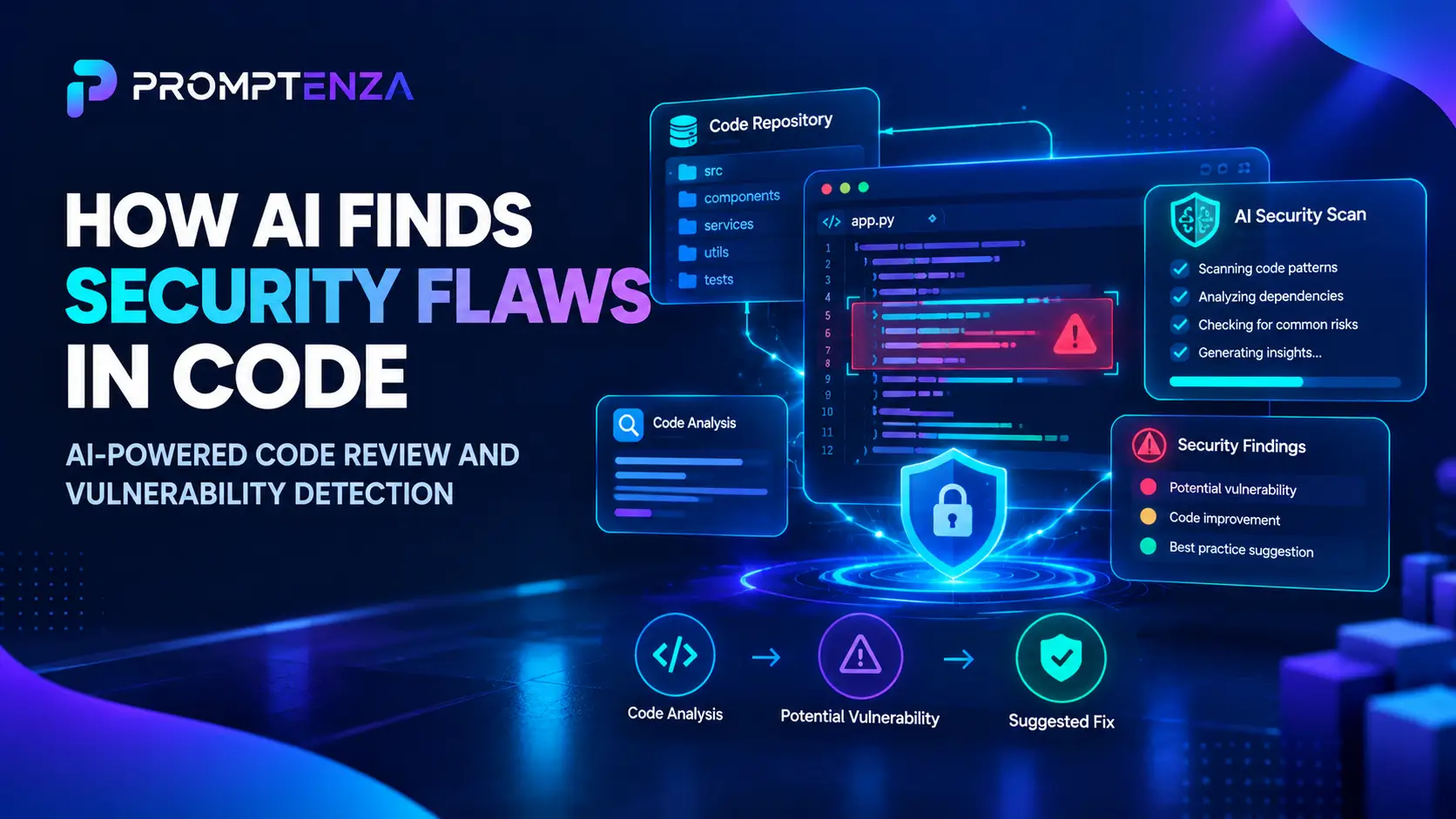
According to the announcement, the system can examine relationships between files and components, investigate dependencies and linked repositories, attempt to verify selected findings in an isolated sandbox, and prepare proposed fixes for human review. The system also uses other AI models and security tools. Source: OpenAI’s CodeRabbit security case study.
The development highlights an important change in software security: AI-assisted review can go beyond checking a small code change and help developers investigate how that change might affect an entire application.
However, AI detection is not the same as proof that a vulnerability exists, and a suggested fix is not automatically safe.
Quick Answer: AI can help developers find potential security vulnerabilities by reviewing code changes, examining relationships between components, identifying suspicious patterns, explaining risks, and suggesting fixes. Some systems can also investigate whether selected findings are reproducible in an isolated test environment. AI should complement established security tools and human code review—not replace them.
What Is AI Code Security Review?
AI code security review is the use of AI systems to help examine software for potential security weaknesses.
Traditional security tools often rely on defined rules, known vulnerability patterns, dependency information, or other analysis techniques. AI-assisted systems can add another layer by interpreting code, reasoning about relationships between components, and helping developers understand how a possible weakness could affect an application.
Depending on the system, AI may help with tasks such as:
- Reviewing proposed code changes.
- Identifying suspicious input handling or access-control logic.
- Examining how functions and components interact.
- Investigating dependencies and shared libraries.
- Explaining why a finding could matter.
- Suggesting a potential correction.
- Helping prepare tests for a proposed fix.
Not every AI security tool offers all these capabilities. Some focus on code suggestions or pull-request reviews, while others support broader repository analysis.
AI-generated findings also need validation. A tool may miss a vulnerability, flag code that is not actually exploitable, or recommend a change that introduces another problem.
The October 2026 Development: OpenAI and CodeRabbit
OpenAI’s October 26 announcement describes CodeRabbit’s use of GPT-6.1 Sol in its security-review workflow.
The case study is notable because it focuses on investigating security risks across complex codebases rather than looking only at the lines changed in an individual pull request.
Here are the main capabilities described in the announcement.
| Capability | What it does | Why it matters |
|---|---|---|
| Pull-request review | Helps analyze proposed code changes | Potential issues can be examined during development |
| Broader codebase analysis | Investigates code beyond the immediate change | A risk may depend on code elsewhere in the application |
| Dependency investigation | Examines how libraries and components interact | Shared components can affect multiple parts of a system |
| Linked-repository analysis | Extends investigation to connected repositories | A weakness in a shared library may affect other applications |
| Isolated verification | Attempts to verify selected findings in a sandbox | Developers can gather more evidence about a suspected issue |
| Proposed fixes | Can draft a pull request for supported findings | Developers have a proposed change to inspect and test |
Source: OpenAI’s announcement about CodeRabbit.
OpenAI reports that CodeRabbit uses GPT-6.1 Sol alongside other models and security tooling. It also relays CodeRabbit’s report that the system flags security-related issues across thousands of repositories and organizations.
These details describe a company’s deployment. The announcement does not establish an independent detection rate, false-positive rate, or overall improvement in security outcomes. It is therefore too early to use this case study alone to conclude that AI security review is more accurate than every traditional approach.
The broader lesson is that AI can contribute to a security-review process by helping developers investigate issues and prepare changes for review.
How AI Helps Find Security Problems in Code
AI-assisted security review can involve several stages. Understanding these stages helps developers distinguish an initial warning from a verified vulnerability.
1. Reviewing code changes
When a developer proposes a code change, a review system can examine the affected lines and the surrounding context.
For example, a change might introduce a new endpoint that accepts user input. A reviewer may need to determine whether the application validates that input, checks permissions, and handles errors appropriately.
An AI-assisted system can help identify suspicious logic and explain why the change deserves closer inspection.
This is useful because code that appears reasonable in isolation may interact with existing authentication, validation, or authorization mechanisms in unexpected ways.
Important: A suspicious pattern is a reason to investigate, not automatic proof of a security flaw.
2. Looking beyond the changed lines
Some security problems cannot be understood by looking only at a pull request’s differences.
A function might rely on a shared library, an authentication service, or a validation step located elsewhere in the application.
An AI-assisted reviewer may investigate these relationships to understand whether a proposed change creates a risk in another part of the codebase.
OpenAI’s CodeRabbit case study describes this broader approach, including investigation across dependencies and linked repositories. Source.
The benefit is additional context. The limitation is that the quality of the analysis still depends on the code and information available to the system.
3. Explaining why a finding matters
A security warning is more useful when developers understand its potential impact.
An AI assistant can help explain:
- Which part of the application is involved.
- What assumptions the code appears to make.
- Which validation or permission checks may be relevant.
- What evidence supports the warning.
- What additional information is needed to confirm the issue.
This explanation can help developers decide which findings deserve immediate investigation.
However, explanations should be checked against the actual code. AI may misunderstand an execution path or overlook safeguards elsewhere in the application.
4. Investigating dependencies and shared components
Modern applications often depend on libraries, services, and components maintained in separate repositories.
A weakness in one shared component may affect several applications. Conversely, a vulnerable library may not create the same risk in every project because the surrounding code and configuration can differ.
AI-assisted systems can help trace these relationships and identify where further review is needed.
This is one reason repository-wide analysis can complement reviews focused only on individual code changes.
5. Attempting to verify potential vulnerabilities
Some systems go beyond identifying a possible issue and attempt to test whether it can be reproduced.
OpenAI’s CodeRabbit case study describes an option to attempt exploit verification for user-selected findings in an isolated sandbox rather than against production systems.
This distinction is important: an initial finding is a hypothesis, while a successful reproduction can provide additional evidence.
Even then, the results need interpretation. A test environment may not perfectly represent production, and a failed reproduction does not necessarily prove that a suspected issue is harmless.
Security testing should be conducted only in authorized, appropriately isolated environments.
6. Proposing a fix for human review
Once a possible vulnerability has been investigated, an AI system may suggest a code change.
For supported findings, CodeRabbit’s described workflow can prepare a pull request containing a proposed fix for a developer to review and approve. Source.
A proposed fix should be evaluated for more than whether it removes the original warning.
Developers also need to consider:
- Whether it preserves intended application behavior.
- Whether it introduces new vulnerabilities.
- Whether relevant tests pass.
- Whether other components depend on the existing behavior.
- Whether the change follows the project’s conventions.
The goal is not simply to make a warning disappear. It is to improve security without breaking the application.
AI Security Review vs. Traditional Security Tools
AI-assisted review and traditional security tools have different strengths. They are often most useful when combined.
| Approach | Typical strength | Important limitation |
|---|---|---|
| Static application security testing (SAST) | Examines source code for suspicious patterns and potential vulnerabilities | Findings depend on the tool’s analysis and configuration |
| Software composition analysis (SCA) | Identifies known issues in software dependencies | Does not necessarily establish whether a vulnerability is exploitable in a particular application |
| Automated tests | Check whether defined behaviors and conditions work as expected | Tests can miss scenarios that were never covered |
| Human code review | Uses developer knowledge of application behavior and requirements | Can miss issues, especially in large or unfamiliar codebases |
| AI-assisted security review | Can help interpret context, connect components, explain findings, and propose fixes | May hallucinate, miss vulnerabilities, or suggest incorrect changes |
These categories overlap, and actual capabilities vary by tool. The table describes common approaches rather than a universal ranking.
The practical recommendation is to use complementary checks where appropriate. An AI system should not be treated as a replacement for dependency scanning, established security testing, code review, or the organization’s security process.
Practical Example: Reviewing a Code Change With AI
Imagine a developer adds a new feature that allows users to update information in their accounts.
The change may look straightforward, but the review needs to consider questions such as:
- Is the user authenticated?
- Is the user authorized to update this particular record?
- Is the submitted data validated?
- Could the change expose another user’s information?
- Are errors handled safely?
- Do tests cover the relevant access-control rules?
An AI assistant can help organize these questions and identify areas of the code that deserve closer inspection.
Example prompt for AI-assisted code review
The following prompt is a general review template. It does not depend on any particular security product.
Review the supplied code change for potential security and correctness issues.
Context: [Explain what the application or feature is supposed to do.]
Relevant files: [Identify the files or code supplied for review.]
Expected behavior: [Describe the intended behavior.]
Examine the change for:
- Authentication and authorization assumptions.
- Input validation and output handling.
- Sensitive information exposure.
- Error-handling weaknesses.
- Relevant dependency or component interactions visible in the supplied material.
- Missing tests for security-sensitive behavior.
For every potential finding, provide:
- The affected code or location, where identifiable.
- The evidence supporting the concern.
- The potential impact.
- The assumptions or missing context that could affect the assessment.
- A suggested defensive correction.
- Tests that could help validate the proposed change.
Separate confirmed observations from hypotheses. Do not claim that a vulnerability is exploitable unless the supplied evidence supports that conclusion. Do not modify files or apply changes; return recommendations for a developer to review.
This prompt encourages evidence-based analysis rather than asking the AI to produce a list of dramatic-sounding vulnerabilities.
It also makes the expected output explicit, which can improve the usefulness of the review.
For more guidance on writing clear, structured instructions, read Promptenza’s Prompt Anatomy and AI Prompting Techniques guides.
How Developers Can Evaluate AI Security Findings
Not every warning should receive the same response. A practical review process separates the initial finding from the evidence needed to make a decision.
Step 1: Check the evidence
Examine the affected code and the explanation provided by the tool.
Ask whether the cited code actually supports the claim and whether the tool has considered relevant validation or permission checks.
Step 2: Understand the potential impact
Determine what could happen if the suspected weakness exists.
Consider the data, functionality, and application components involved. Do not assume that every warning has the same severity.
Step 3: Validate the finding
Use suitable tests, established security tools, and qualified review to determine whether the issue is genuine.
Where testing could trigger unsafe behavior, use an authorized and isolated environment.
Step 4: Review the proposed correction
Check whether the suggested change addresses the underlying problem rather than merely changing the code pattern that triggered the warning.
A correction should preserve legitimate behavior and avoid introducing new weaknesses.
Step 5: Run appropriate tests
Use the project’s existing test suite and add relevant tests when necessary. Security-sensitive changes may require additional analysis beyond ordinary functional testing.
Step 6: Keep a human accountable for the decision
A developer or authorized reviewer should decide whether the finding is valid, whether the fix is appropriate, and whether the change is ready to merge.
AI can help gather evidence and prepare recommendations. It should not automatically become the final authority on a security-sensitive change.
The Risks and Limitations of AI Code Security Tools
AI can make code review more capable in some situations, but it introduces limitations that developers should understand.
False positives
A tool may flag code that appears suspicious but is protected by a safeguard elsewhere in the application.
False positives can waste review time and cause developers to lose confidence in the system if they are not managed carefully.
False negatives
An AI tool may fail to identify a genuine vulnerability. A clean report is not proof that a codebase is secure.
Incorrect fixes
A suggested correction may remove one issue while introducing another, changing application behavior, or failing to address the underlying cause.
Incomplete context
The system may not have access to the full repository, runtime configuration, deployment environment, or relevant business rules.
Privacy and intellectual property concerns
Source code may contain proprietary information, credentials, or other sensitive material. Organizations should use approved tools and follow their policies for handling code and related data.
Overreliance on automation
Developers may be tempted to trust a confident explanation or automatically accept a suggested patch. Security-sensitive decisions require evidence, appropriate testing, and accountable review.
The safest approach is to treat AI findings as inputs to a security process, not as a certification that an application is safe.
How Businesses Can Introduce AI Into Code Security Reviews
Organizations interested in AI-assisted security review can start with a controlled evaluation rather than enabling automatic changes across every project.
A sensible rollout can include these steps:
- Define the goal. Decide whether the priority is reviewing pull requests, identifying risky dependencies, investigating existing code, or helping developers understand findings.
- Choose a limited pilot. Begin with a suitable repository and a clearly defined scope.
- Use existing safeguards. Keep established security checks and code-review requirements in place.
- Measure the results. Track which findings are confirmed, which are dismissed, how much review time is required, and whether fixes introduce regressions.
- Require review of proposed changes. Begin with recommendations and human-approved pull requests rather than unrestricted automatic modifications.
- Protect sensitive information. Verify the tool’s data handling, permissions, and compatibility with organizational requirements.
- Expand only when justified. Use evidence from the pilot to decide whether broader adoption makes sense.
Useful evaluation metrics include confirmed findings, false positives, missed issues discovered by other methods, time required to resolve vulnerabilities, and the quality of proposed fixes.
These measures are more informative than counting the number of warnings generated.
What This Development Means for the Future of Software Security
AI-assisted code security is moving toward workflows that connect several tasks: examining a change, investigating the wider codebase, gathering evidence, and preparing a potential correction.
That could help developers investigate problems that are difficult to understand from a small code diff alone. It could also make it easier to explain findings and prepare suggested fixes within existing development workflows.
But the outcome depends on implementation quality, tool access, testing, and the human review process.
OpenAI’s CodeRabbit case study demonstrates one company’s approach to using an AI model within a broader security system. It does not establish that all AI code reviewers offer the same capabilities or that AI-based security review has eliminated the need for traditional tools.
For developers, the practical opportunity is to use AI to strengthen investigation and review while continuing to validate findings independently.
Frequently Asked Questions
How is AI helping developers find security problems in code?
AI can help examine code changes, identify suspicious patterns, trace relationships between components, explain possible risks, and suggest fixes. Some systems can also attempt to verify selected findings in isolated environments.
What is AI code security review?
AI code security review uses AI systems to assist with identifying and investigating potential software vulnerabilities. It can complement static analysis, dependency scanning, testing, and human code review.
What did OpenAI announce about CodeRabbit in October 2026?
On October 26, 2026, OpenAI published a case study describing CodeRabbit’s use of GPT-6.1 Sol as the primary model in its security agent. The described workflow includes code-change review, broader codebase investigation, sandboxed verification of selected findings, and proposed fixes for human review.
Can AI find every software vulnerability?
No. AI systems can miss genuine vulnerabilities, flag harmless code, or misunderstand an application’s context. A clean AI report does not prove that software is secure.
Can AI fix security vulnerabilities automatically?
Some systems can propose code changes or prepare pull requests. Whether changes are applied automatically depends on the tool and its configuration. Security-sensitive fixes should be reviewed and tested before being accepted.
Is AI code review better than traditional security tools?
There is no universal answer. AI-assisted review may provide useful context and explanations, while established security tools offer other forms of analysis. The best approach depends on the project and often involves combining complementary methods.
Should developers trust AI-generated security fixes?
They should treat them as proposals. Developers need to check the underlying finding, review the proposed change, run appropriate tests, and verify that the fix does not introduce new problems.
Is it safe to upload source code to an AI security tool?
That depends on the tool, its data-handling practices, the information in the repository, and the user’s authorization. Follow organizational policies and use approved services when code is proprietary or sensitive.
Test Your Knowledge: AI Code Security Review
1. What is the main purpose of AI-assisted code security review?
A. To guarantee that software has no vulnerabilities
B. To help identify and investigate potential security problems
C. To eliminate all testing
D. To replace every developer
2. Why might a security reviewer examine files beyond a proposed code change?
A. Every file must always be rewritten
B. Problems may depend on interactions with other components
C. Unchanged files cannot contain security issues
D. It removes the need to understand the application
3. What is a false positive?
A. A genuine vulnerability that has been fixed
B. A warning that does not correspond to a real issue under the relevant conditions
C. A test that always passes
D. A confirmed security incident
4. What should developers do with an AI-proposed security fix?
A. Merge it without inspection
B. Assume it is correct if the explanation sounds convincing
C. Review the change and test it appropriately
D. Remove the existing security checks
5. What does OpenAI’s CodeRabbit case study establish?
A. Every AI security tool is more accurate than traditional tools
B. All software vulnerabilities can now be detected
C. It describes a specific implementation, not a universal guarantee of security performance
D. Human code review is no longer needed
Answers
- B — AI can help identify and investigate potential security problems.
- B — A vulnerability may depend on code, dependencies, or safeguards elsewhere.
- B — A false positive is a reported concern that does not hold under the relevant conditions.
- C — Proposed fixes require review and appropriate testing.
- C — The case study describes one deployment and does not prove universal effectiveness.
Final Takeaway
AI is creating new ways for developers to investigate security problems, understand complex codebases, and prepare proposed fixes. OpenAI’s October 2026 case study on CodeRabbit illustrates how these capabilities can be incorporated into a broader security-review workflow.
The most important point is that AI-generated findings and fixes still require validation. Effective software security depends on the combination of suitable tools, good engineering practices, testing, and human accountability.
For developers, AI should be another layer of defense—not the only layer.
Continue learning with Promptenza: Prompt Anatomy · AI Prompting Techniques · AI Agents and Security Incidents · AI Tools