30+ Google Vids AI Prompts for Marketing, Social Media and Product Videos
Google Vids makes it easier to turn written ideas and reference images into short AI-generated video clips. However, the quality of the result depends heavily on how clearly you describe what you want to see.
Whether you are promoting a product, creating social media content, introducing a business or producing a short advertisement, the right Google Vids AI prompts can help you create more focused and engaging videos.
In this guide, you will find more than 30 ready-to-use Google Vids prompts for marketing, social media, product demonstrations, business promotions and other creative projects. Each prompt includes visual direction such as camera movement, lighting, atmosphere and action to help you communicate your idea more clearly.
You can copy a prompt, replace the details in brackets and adapt it to your project.
Quick Answer: What Are the Best Google Vids AI Prompts?
The best Google Vids AI prompts clearly describe the subject, setting, action, camera movement, lighting and visual style. For marketing and promotional videos, explain what the viewer should notice and what feeling the video should create.
For example:
Create a cinematic 10-second promotional video showing a premium skincare bottle on a clean marble surface. Soft natural light enters from the side as water droplets move gently across the background. Slowly push the camera toward the product, keeping the bottle in sharp focus. Use an elegant, minimal luxury-advertising style with warm neutral colors and subtle ambient sound.
This type of prompt gives the video generator more useful direction than a short instruction such as “make a skincare advertisement.”
How to Use These Google Vids AI Prompts
Before using the prompts, open Google Vids and start a new project or open an existing one.
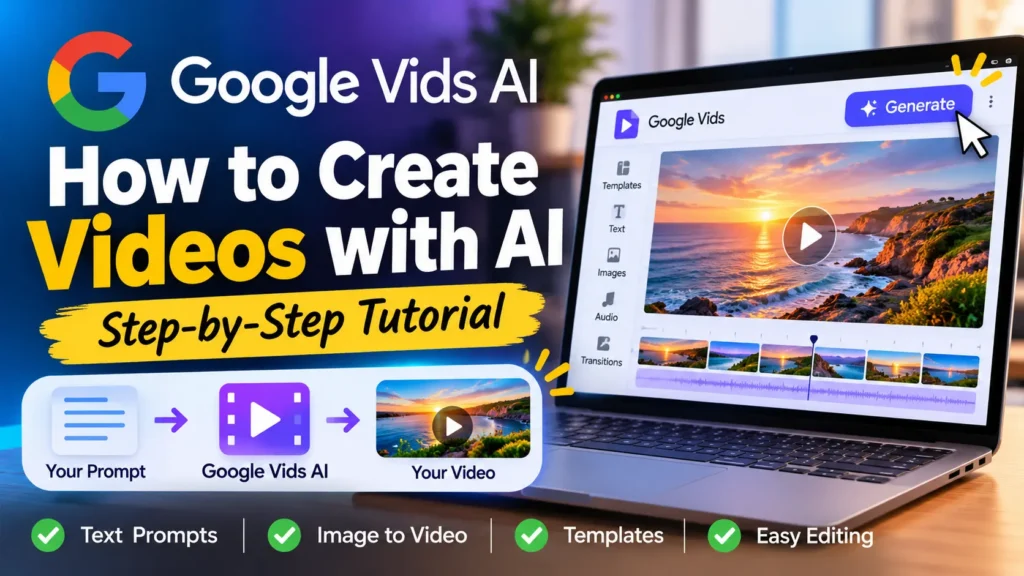
To generate an AI video clip:
- Open Google Vids on your computer.
- Select Create AI videos from the start menu, or open the AI video option inside an existing project.
- Choose the creation option for generating a video from a prompt.
- Copy one of the prompts below and paste it into the prompt field.
- Add reference images when they will help guide the appearance of a product, character or scene.
- Choose the available video settings, including landscape or portrait orientation and duration.
- Generate the clip and review the result.
- Refine the prompt if necessary, then insert the clip into your video project.
Google’s current help documentation describes text-prompt generation, reference-image inputs, image animation, AI video editing and clip extension. Available options and usage limits can depend on your account and subscription. See the official Google Vids AI video instructions.
Important: AI-generated video clips are only one part of a finished video. You can still need to add titles, captions, logos, calls to action, music and other editing elements in your project.
1. Google Vids AI Prompts for Marketing Videos
Marketing videos need to communicate a clear message quickly. These prompts are designed for brand awareness, advertising campaigns, product launches and promotional content.
1. Brand Awareness Video Prompt
Create a 12-second brand awareness video for [brand name], a company specializing in [industry or product]. Show a series of visually connected scenes representing the brand’s main value: [brand value]. Use smooth cinematic camera movements, clean composition, professional lighting and a consistent color palette based on [brand colors]. End with an uncluttered visual space suitable for adding the brand logo and tagline during editing.
2. Business Promotion Video Prompt
Create a short promotional video for [business name], a [type of business] serving [target audience]. Show the business environment, the service being delivered and a positive customer experience. Use natural lighting, smooth transitions and a polished commercial style. Make the atmosphere welcoming, professional and trustworthy.
3. New Product Launch Video Prompt
Create a cinematic 15-second product launch video for [product name]. Begin with a close-up of the product emerging from a softly illuminated background. Slowly reveal its design, materials and important details using smooth camera movements and dramatic lighting. Build anticipation throughout the clip and finish with a clean hero shot suitable for adding a launch announcement.
4. Seasonal Marketing Campaign Prompt
Create a festive promotional video for [brand or business] celebrating [season or occasion]. Show [product or service] in a visually appropriate seasonal environment. Use warm lighting, carefully selected seasonal colors and gentle camera movement. Make the video feel cheerful, polished and suitable for a business social media campaign.
5. Customer Experience Video Prompt
Create a realistic promotional video showing a customer experiencing [product or service]. Begin with the customer discovering the product, then show the product or service being used in a natural setting. Use authentic-looking movement, bright professional lighting and a warm commercial style. Focus on the experience rather than exaggerated claims.
2. Google Vids AI Prompts for Social Media
Short videos are useful for introducing ideas, promoting products and keeping social media audiences interested. These prompts are designed for vertical or landscape social content, depending on the platform and your project settings.
6. Instagram Reels Promotional Video
Create a dynamic 10-second vertical promotional video for [product or business]. Open with an eye-catching close-up of [main subject], then show two visually interesting details that make it stand out. Use quick but smooth camera movements, bright lighting and a modern social media advertising style. Leave clear space for adding a short headline and call to action during editing.
7. TikTok Product Showcase
Create a short vertical video showcasing [product name]. Start with an attention-grabbing close-up, then reveal the product from multiple visual angles. Show its most important feature through a clear visual demonstration. Use energetic camera movement, appealing lighting and a contemporary short-form video style. Keep the product as the main focus.
8. YouTube Shorts Introduction
Create a 12-second vertical introduction for a YouTube Shorts video about [topic]. Begin with a visually surprising scene related to the topic, then transition to a clear central subject. Use engaging camera movement, strong visual contrast and a modern educational entertainment style. Leave space for a short title overlay.
9. Social Media Announcement
Create a short announcement video revealing [announcement]. Begin with a visually interesting scene that creates curiosity. Gradually reveal the main subject using a smooth camera push-in and subtle lighting changes. Use a clean, modern style and finish with a simple composition suitable for adding the announcement text.
10. Behind-the-Scenes Video
Create a natural-looking behind-the-scenes video showing how [product or service] is created or delivered. Show the workspace, important stages of the process and the people or tools involved where appropriate. Use documentary-style camera movement, realistic lighting and an authentic atmosphere. Make the process feel interesting and transparent.
11. Event Promotion Video
Create a cinematic promotional video for [event name], taking place on [date] at [location]. Show an energetic event atmosphere with carefully framed scenes of the venue, decorations and activities. Use smooth camera movements, vibrant lighting and an exciting promotional style. Leave room for the event details and registration information to be added during editing.
3. Google Vids AI Prompts for Product Videos
Product videos should make the product easy to recognize. When you have a reference image, use it to guide the product’s appearance and describe the movement or camera action you want.
12. Luxury Product Advertisement
Create a premium 15-second advertisement featuring [product name]. Place the product on a refined surface in a sophisticated studio environment. Use soft directional lighting, subtle reflections and a slow cinematic camera movement that reveals the product’s design. Maintain a luxurious, minimalist advertising aesthetic.
13. Beauty and Skincare Product Video
Create a clean, elegant product video featuring [skincare product]. Show the bottle standing on a light marble surface with soft natural light and delicate water droplets in the background. Slowly move the camera closer to reveal the packaging and texture. Use a fresh, minimal beauty-commercial style with neutral colors.
14. Fashion Product Showcase
Create a cinematic fashion promotional video featuring [clothing item or fashion accessory]. Show the item in a stylish environment with gentle fabric movement and carefully controlled lighting. Use a combination of close-up details and wider product views. Keep the clothing design, color and important visual details consistent with the reference image.
15. Electronics Product Advertisement
Create a modern promotional video for [electronic product]. Display the product against a clean, futuristic background with subtle light reflections. Slowly rotate the camera around the product to reveal its design and key physical details. Use crisp lighting, precise composition and a premium technology-advertising style.
16. Food and Beverage Product Video
Create an appetizing 10-second commercial for [food or beverage product]. Show the product in a beautifully arranged setting with natural textures and warm lighting. Capture close-up details that highlight its appearance and presentation. Use gentle camera movement and a professional food-commercial aesthetic.
17. Product Unboxing Video
Create a short product unboxing-style video featuring [product name]. Begin with a neatly packaged box on a clean table. Show the packaging being opened and the product gradually revealed. Use close-up camera framing, realistic hand movements and bright studio lighting. Keep the presentation simple, clear and visually satisfying.
18. Product in Everyday Use
Create a realistic lifestyle video showing [product name] being used in [specific everyday situation]. Show the product naturally interacting with its environment and demonstrate its main practical use. Use realistic movement, soft natural lighting and a relatable commercial style. Keep the product’s appearance consistent with the reference image.
19. Product Feature Highlight
Create a short product demonstration video highlighting the [specific feature] of [product name]. Begin with a clear view of the product, then move the camera closer to show the feature in action. Use a clean background, controlled lighting and precise visual framing. Make the feature easy to understand without adding unsupported claims.
4. Google Vids AI Prompts for Small Business Promotions
Small businesses can use short AI-generated clips to introduce their services, showcase their work and create promotional content.
20. Restaurant Promotion Video
Create a cinematic promotional video for [restaurant name], a restaurant specializing in [cuisine]. Show beautifully presented dishes, a welcoming dining environment and details of the restaurant’s atmosphere. Use warm lighting, close-up food shots and smooth camera movement. Create an inviting, professional restaurant advertisement.
21. Real Estate Property Showcase
Create a polished property showcase video featuring a [property type] in [location]. Begin with an exterior view, then reveal the most attractive architectural details and surrounding environment. Use smooth camera movement, balanced natural lighting and a clean real estate marketing style. Keep the property layout realistic and avoid inventing features that are not visible in the reference material.
22. Salon and Beauty Business Promotion
Create a professional promotional video for [salon or beauty business]. Show the interior, service environment and examples of the business’s work. Use soft lighting, elegant framing and a welcoming atmosphere. Make the video suitable for a short social media advertisement.
23. Fitness Business Promotion
Create an energetic promotional video for [fitness business or training service]. Show a clean training environment, equipment and people participating in appropriate exercise activities. Use dynamic but smooth camera movement, bright lighting and an encouraging commercial style. Keep the scenes realistic and professional.
24. Online Store Promotion
Create a modern promotional video for an online store selling [product category]. Show a selection of products arranged in an attractive visual sequence. Use clean backgrounds, smooth transitions and consistent lighting. Make the video feel professional and suitable for an e-commerce homepage or social media campaign.
25. Local Service Business Advertisement
Create a short promotional video for [business name], which provides [service] in [location]. Show the service being delivered in a realistic setting, highlighting professionalism, attention to detail and the finished result. Use natural lighting, clear framing and a trustworthy commercial style.
5. Google Vids AI Prompts for Educational and Explainer Videos
AI-generated clips can also provide visual introductions and supporting scenes for educational content. Use these prompts to create short visual explanations that can be combined with narration, captions and additional footage.
26. Educational Explainer Video
Create a short educational video introducing [topic] to beginners. Use clear visual scenes to represent the main concept, with a simple and uncluttered composition. Use smooth transitions, balanced lighting and a modern educational animation style. Make the visuals easy to understand and suitable for adding explanatory text and narration.
27. Technology Explainer Video
Create a cinematic technology explainer clip showing how [technology or concept] works. Use clean visual metaphors, connected digital elements and a modern technology-inspired environment. Begin with a wide view and gradually move closer to the central concept. Use a professional educational style without displaying inaccurate technical labels.
28. Online Course Introduction
Create a professional introduction video for an online course about [course topic]. Show a modern learning environment, digital learning materials and visual elements related to the subject. Use calm camera movements, balanced lighting and an engaging educational style. Leave space for the course title and instructor information to be added during editing.
6. Google Vids AI Prompts for Image-to-Video Animation
Google Vids can also animate an uploaded image. When using this option, the image already establishes much of the scene’s appearance. Your prompt should concentrate on how the subject or camera should move.
Avoid repeating every visual detail from the image. Describe the motion you want instead.
29. Animate a Product Image
Animate this product image into a smooth promotional video. Keep the product’s original shape, colors, packaging and proportions consistent. Add a slow camera push-in, subtle background movement and gentle changes in lighting. Make the result look like a premium product advertisement.
30. Animate a Fashion Photograph
Animate this fashion photograph with subtle, natural movement. Preserve the clothing design, colors and overall composition. Add gentle fabric movement and a slow cinematic camera movement. Keep the result realistic and polished, like a professional fashion campaign.
31. Animate a Restaurant Food Photograph
Turn this food photograph into a short cinematic video. Preserve the original dish and presentation. Add subtle movement in the surrounding environment and a slow camera push-in that highlights the food. Use warm, natural-looking lighting and a professional food-commercial style.
32. Animate a Landscape Photograph
Animate this landscape image into a cinematic nature clip. Preserve the original scenery and composition. Add gentle movement to the clouds, trees or water where visible, with a slow camera movement that creates a sense of depth. Keep the atmosphere natural and realistic.
33. Animate a Business Interior Photograph
Turn this business interior photograph into a short promotional video. Preserve the room layout, furniture and visible design details. Add a slow camera movement through the space and subtle natural lighting changes. Keep the result professional and realistic.
34. Animate a Travel Photograph
Animate this travel photograph into a cinematic destination video. Preserve the original location and main visual elements. Add subtle environmental movement, such as moving water, clouds or trees where appropriate. Use a slow camera movement and natural lighting to create an inviting travel-film atmosphere.
7. Bonus: Google Vids AI Prompts for Different Video Styles
The following prompts can help you experiment with different creative directions.
35. Cinematic Brand Story
Create a cinematic brand story video for [brand name]. Show the journey from the original idea to the finished product or service. Use visually connected scenes, natural lighting and smooth camera movement. Create an inspiring, authentic atmosphere that communicates the brand’s purpose.
36. Minimalist Promotional Video
Create a minimalist promotional video for [product or service]. Use a clean background, a carefully arranged central subject and subtle camera movement. Keep the composition simple, with soft lighting and a refined visual style. Avoid unnecessary objects or distracting background details.
37. Documentary-Style Business Video
Create a short documentary-style video about [business or industry]. Show realistic scenes of the work environment, the process and the people involved where appropriate. Use natural camera movement, authentic lighting and an informative visual tone.
38. Futuristic Technology Advertisement
Create a futuristic promotional video for [technology product or service]. Show the main subject in a sophisticated digital environment with subtle glowing elements and reflective surfaces. Use smooth camera movement, controlled lighting and a premium technology-commercial style.
39. Inspirational Campaign Video
Create an inspiring short video for a campaign about [message or cause]. Show visually meaningful scenes that communicate progress, determination and positive action. Use cinematic framing, natural lighting and a hopeful atmosphere. Keep the visuals authentic and appropriate for a broad audience.
40. Before-and-After Concept Video
Create a short visual comparison video showing the transformation from [starting situation] to [desired result]. Present the two stages clearly using consistent framing and lighting. Use a smooth transition between the scenes and a professional promotional style. Do not introduce results or details that are not supported by the provided reference material.
How to Write Better Google Vids AI Prompts
The prompts above provide starting points, but you can improve them by making the instructions more specific.
A useful Google Vids prompt should describe the following elements:
| Prompt element | What to include | Example |
|---|---|---|
| Subject | The main thing viewers should see | A premium skincare bottle |
| Setting | Where the scene takes place | A bright marble studio |
| Action | What happens in the clip | Water droplets move across the surface |
| Camera | How the camera behaves | Slow cinematic push-in |
| Lighting | The type of illumination | Soft natural side lighting |
| Visual style | The overall appearance | Luxury product advertisement |
| Audio | Sound or dialogue, if required | Soft ambient background sound |
| Tone | The feeling you want to create | Elegant and sophisticated |
You do not need to include every element in every prompt. Focus on the details that matter most to the video.
For a deeper explanation of prompt construction, read AI Prompt Structure and Prompt Anatomy.
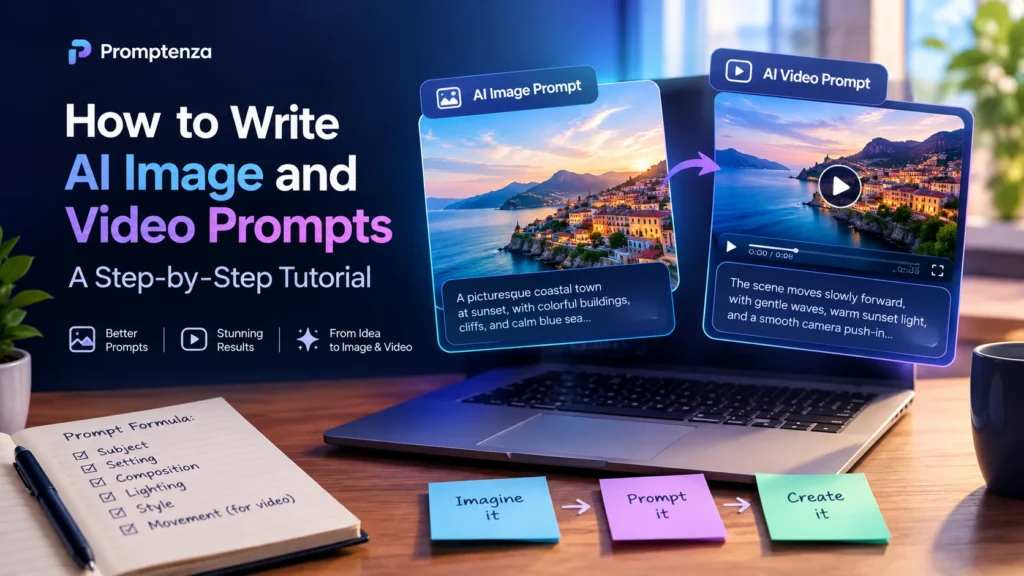
Use This Google Vids AI Prompt Formula
You can build your own prompts using this structure:
Subject + Setting + Action + Camera Movement + Lighting + Visual Style + Audio + Tone
For example:
Basic prompt:
Create a video of a coffee shop.
Improved prompt:
Create a 10-second cinematic promotional video showing a barista preparing a cappuccino in a modern coffee shop. Capture a close-up of the milk being poured into the coffee, followed by a slow camera movement toward the finished cup. Use warm natural lighting, a softly blurred background and a premium lifestyle-advertising style. Add subtle café ambience and create a welcoming atmosphere.
The improved version gives the generator a clearer visual direction.
You can also explore AI Prompt Examples and AI Prompt Templates for more ways to structure instructions.
Tips for Getting Better Results with Google Vids
1. Describe One Main Scene Clearly
Avoid combining too many unrelated actions in a short clip. A focused prompt makes it easier to communicate what the viewer should see.
2. Use Reference Images for Important Visual Details
If you are creating a video for a real product or brand, use a suitable reference image when available. This can help guide the appearance of the subject.
Google’s current instructions allow up to seven reference images for supported generation workflows. The result may still vary, so review the generated clip carefully.
3. Be Specific About Camera Movement
Instead of writing “make it cinematic,” describe the movement you want:
- Slow camera push-in
- Smooth side-to-side tracking shot
- Gentle camera orbit around the product
- Static close-up with subtle background movement
- Wide establishing shot followed by a gradual reveal
4. Choose the Right Video Orientation
Use portrait orientation for vertical social media content and landscape orientation for widescreen presentations, website videos and many YouTube formats.
Google Vids currently documents 9:16 portrait and 16:9 landscape output options for its AI video generation workflow.
5. Keep Product Details Consistent
For product advertisements, clearly describe the product’s color, shape, packaging and other important details. Add a reference image where possible.
6. Refine the Prompt Instead of Starting Over
If the first result is not quite right, change the part that needs improvement.
For example:
- If the product is difficult to see, request a closer camera view.
- If the scene looks too dark, specify brighter lighting.
- If the movement is too fast, request slower camera movement.
- If the background is distracting, ask for a simpler setting.
Learn more about controlling AI output with AI Prompt Constraints.
7. Add Text and Branding During Editing
AI-generated video can struggle with accurate spelling, logos and small text. For professional marketing videos, add important headlines, prices, product names, website addresses and calls to action during the editing stage.
Google Vids AI Prompts: Common Mistakes to Avoid
| Common mistake | Better approach |
|---|---|
| Using vague instructions | Describe the subject, action and setting |
| Asking for too many actions | Focus on one main scene |
| Ignoring camera movement | Specify the camera angle or movement |
| Forgetting the video format | Choose portrait or landscape based on the destination |
| Expecting perfect product details | Use reference images and review the output |
| Asking AI to create exact text inside the scene | Add important text during editing |
| Using unsupported product claims | Only include claims you can verify |
| Accepting the first result automatically | Review and refine the prompt |
Frequently Asked Questions About Google Vids AI Prompts
1. What are the best prompts for Google Vids AI?
The best prompts describe the main subject, setting, action, camera movement, lighting and visual style. For marketing videos, also explain the product or message you want viewers to notice.
2. Can I use Google Vids AI prompts to create marketing videos?
Yes. You can use prompts to create short promotional clips for products, services, events, brands and businesses. You can then edit the clips and add branding, captions and calls to action.
3. Can Google Vids create product advertisement videos?
Google Vids supports AI video generation from text prompts and reference images. You can describe a product, its environment and the camera movement you want. A reference image can help guide the product’s appearance.
4. Can I use Google Vids to create vertical videos for social media?
Yes. Google’s documented AI video generation options include portrait 9:16 and landscape 16:9 formats. Choose the orientation that fits your intended platform and project.
5. Can Google Vids animate images?
Yes. Google Vids supports animating uploaded JPG and PNG images into video clips. You can describe the movement you want, such as a slow camera push-in or subtle movement in the background.
6. How long can Google Vids AI-generated videos be?
Google’s current AI video generation instructions describe clips ranging from 3 to 15 seconds for the supported Omni workflow. Available duration options can depend on the generation mode and account access.
7. Can I use reference images with Google Vids AI?
Yes. Supported workflows allow you to add reference images to guide the generated video. Google’s current instructions describe up to seven images for the text-prompt generation workflow.
8. How do I make Google Vids AI videos look more realistic?
Use clear descriptions of the subject, action, environment and lighting. Avoid adding too many unrelated actions, use reference images where helpful and refine the prompt after reviewing the generated result.
9. Can Google Vids generate videos for YouTube Shorts and Instagram Reels?
You can create portrait-oriented video clips suitable for vertical social media formats. You may need to add captions, music, titles and other platform-specific elements during editing.
10. Are Google Vids AI prompts free to use?
The prompts in this article are free to copy and adapt. Access to Google’s AI video generation features and monthly generation limits depend on the account, subscription and feature availability. Check Google’s current Google Vids AI instructions for the latest details.
Final Thoughts
Google Vids AI prompts can help turn marketing ideas, product concepts and social media plans into short video clips. The most effective prompts do more than name a subject: they describe what should happen, how the camera should move and what visual style the final clip should communicate.
Start with one of the 40 prompts in this guide, replace the placeholders with your own details and refine the result until it fits your project.
For more practical tutorials, explore Promptenza’s AI tools guide and our growing collection of AI prompt examples.