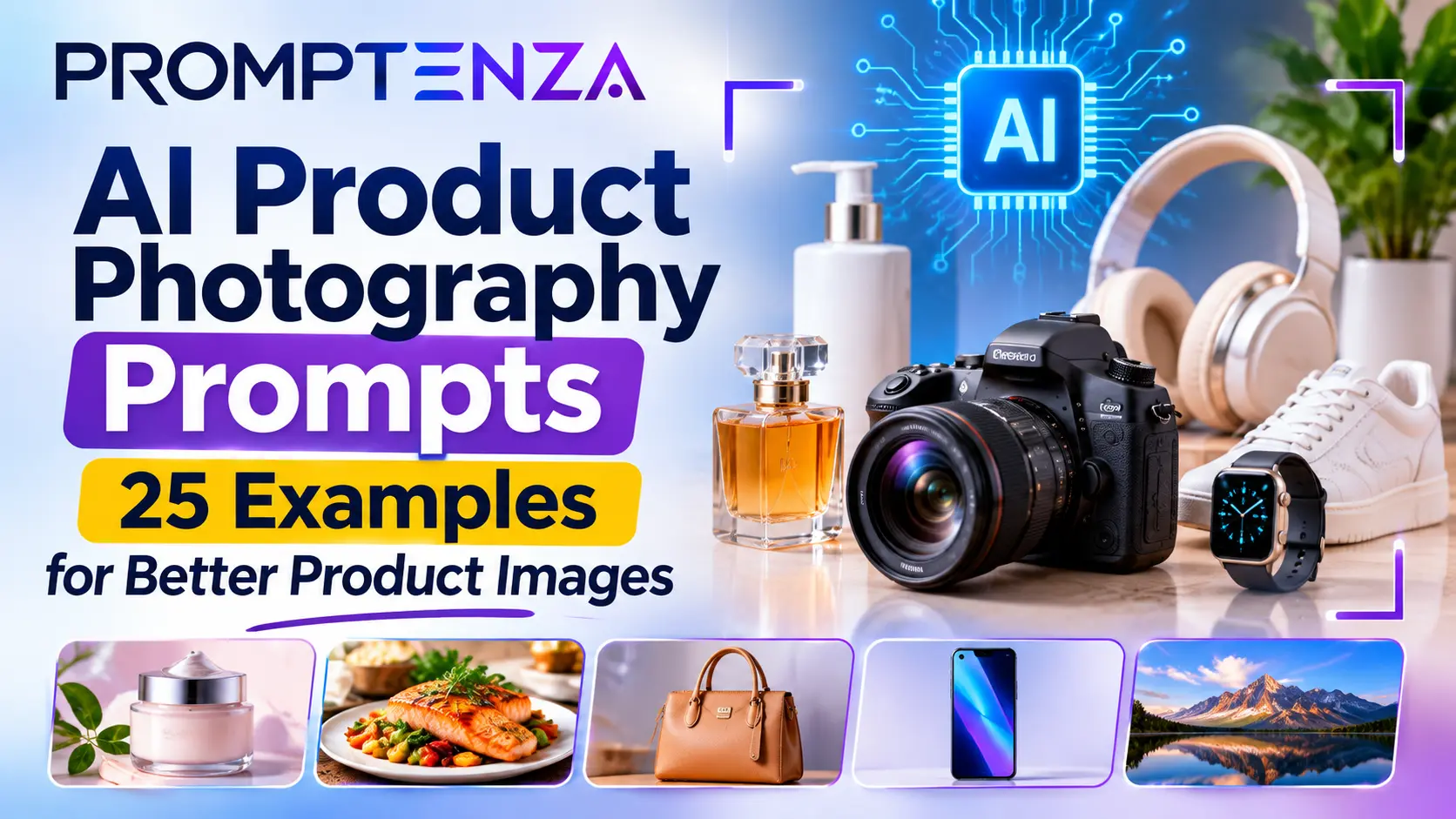
AI Product Photography Prompts: 25 Examples for Better Product Images
Creating professional product photographs traditionally involves careful lighting, backgrounds, camera positioning, and product styling. AI image generation and editing tools offer another way to develop product visuals, experiment with advertising concepts, and create lifestyle scenes.
But getting a useful result requires more than asking an AI tool to “make this product look beautiful.”
You need to describe the product, the environment, the lighting, the composition, and the intended photography style. If you are editing a photograph of an actual product, you must also explain which product details should remain unchanged.
Whether you are creating visuals for an online store, a small business, a marketing campaign, or a product presentation, the right AI product photography prompts can help you communicate your creative direction more clearly.
This guide provides 25 practical prompts for skincare, cosmetics, food, fashion accessories, electronics, home products, and advertising. It also explains how to preserve product accuracy, improve generated images, and avoid common mistakes.
Quick Answer: What Are AI Product Photography Prompts?
AI product photography prompts are written instructions that tell an image-generation or image-editing tool how to create or modify a product photograph. They describe the product, background, lighting, camera composition, visual style, and other details needed to produce the intended image.
For example, instead of writing:
Create a beautiful photograph of a perfume bottle.
Use a more specific prompt:
Create a premium commercial product photograph of the supplied perfume bottle standing on a polished beige stone surface. Use soft directional studio lighting, subtle reflections, and a warm neutral background. Preserve the bottle’s exact shape, cap, label, color, and proportions. Use a clean luxury advertising composition with negative space around the product. Do not invent additional branding or change the packaging.
The second prompt provides more useful visual instructions and makes product preservation an explicit requirement.
A good AI product photography prompt typically includes:
- Product: The item being photographed.
- Background: Where the product should appear.
- Surface: What the product should stand on.
- Lighting: How the product should be illuminated.
- Composition: How the product should be positioned and framed.
- Style: The intended photographic or advertising aesthetic.
- Preservation instructions: Which real product details must remain unchanged.
How to Write Better AI Product Photography Prompts
A product photography prompt should function like a creative brief. It tells the image generator what the final photograph should look like and identifies the details that matter.
OpenAI’s official image-prompting guide recommends describing the intended result, visible details, composition, lighting, and constraints. It also recommends separating requested edits from details that must be preserved.
Google DeepMind’s image-prompting guidance similarly recommends describing the subject, setting, action, composition, and style.
These are official prompting recommendations. They do not guarantee that every image generator will reproduce a product perfectly.
The AI Product Photography Prompt Formula
Use this structure as a starting point:
Product + Setting + Surface + Lighting + Composition + Photography Style + Product Preservation + Constraints
| Element | What to describe | Example |
|---|---|---|
| Product | The item being photographed | A glass skincare bottle |
| Setting | The environment | A minimalist bathroom |
| Surface | Where the product sits | A beige marble countertop |
| Lighting | The lighting conditions | Soft natural window light |
| Composition | How the product is framed | Centered close-up shot |
| Style | Intended visual appearance | Luxury commercial photography |
| Preservation | Details that must stay accurate | Original bottle and label |
| Constraints | What should not appear | No extra logos or text |
Why product preservation matters
There is an important difference between generating an imaginary product and editing a photograph of a real product.
If you ask an image generator to create a luxury perfume bottle from scratch, it may invent the bottle shape, label, cap, and branding.
That may be acceptable for a fictional concept. It is not necessarily acceptable when you are advertising an actual product.
For real product images, start with a photograph of the item when your chosen tool supports image editing. Explicitly instruct the model to preserve:
- Product shape and proportions.
- Packaging and label design.
- Brand name and logo.
- Product color.
- Visible buttons, caps, handles, and other components.
- Important product features.
Always compare the generated image with the original product photograph before publishing.
25 AI Product Photography Prompts You Can Copy and Use
The following examples are designed for different products and creative situations. Adapt the product descriptions, colors, backgrounds, and lighting to suit your project.
For actual commercial products, upload an approved product photograph where supported and include the preservation instructions in the prompt.
1. Skincare Product Photography Prompts
Skincare products often benefit from clean backgrounds, soft lighting, and a minimal commercial photography style.
Prompt 1: Luxury skincare bottle
Create a premium commercial product photograph using the supplied skincare bottle as the exact product reference. Place it on a smooth beige stone surface with a warm neutral background. Use soft directional studio lighting, gentle shadows, and subtle reflections. Preserve the bottle’s exact shape, color, cap, label, logo, and proportions. Use an elegant luxury skincare advertising style. Do not invent additional packaging details or text.
Prompt 2: Natural skincare product
Create a realistic lifestyle product photograph of the supplied skincare product placed on a light wooden surface beside a few fresh green leaves. Use soft natural morning light, a clean neutral background, and a fresh botanical atmosphere. Preserve the original packaging, label, logo, and product colors. Keep the composition simple and uncluttered.
Prompt 3: Minimalist skincare advertisement
Create a minimalist skincare advertising photograph featuring the supplied product centered against a smooth cream-colored background. Use soft studio lighting, delicate shadows, and a premium editorial composition. Preserve all original product details. Leave generous negative space around the product for advertising copy. Do not add text or extra branding.
2. Perfume and Beauty Product Photography Prompts
Perfume photography often uses reflective surfaces, controlled highlights, and carefully arranged backgrounds.
Prompt 4: Luxury perfume bottle
Create a high-end commercial photograph of the supplied perfume bottle standing on a polished dark stone surface. Use dramatic but controlled studio lighting, subtle reflections, and a deep charcoal background with soft golden highlights. Preserve the exact bottle shape, cap, label, logo, and liquid color. Do not redesign the packaging.
Prompt 5: Elegant perfume lifestyle image
Place the supplied perfume bottle on a clean marble dressing table beside a small vase of fresh flowers. Use warm natural window light, soft shadows, and a sophisticated neutral color palette. Keep the bottle as the main subject and preserve its original design and branding. Use realistic luxury lifestyle photography.
Prompt 6: Makeup product photography
Create a professional commercial photograph of the supplied makeup products arranged neatly on a smooth pink-beige studio surface. Use soft diffused lighting, gentle shadows, and a modern beauty campaign aesthetic. Preserve the exact packaging, colors, product names, and logos. Avoid inventing additional products or labels.
3. Food and Beverage Product Photography Prompts
Food and beverage images should emphasize realistic textures, presentation, and appropriate lighting.
Prompt 7: Coffee product advertisement
Create a commercial product photograph of the supplied coffee package standing beside a freshly brewed cup of coffee on a wooden café table. Use warm morning sunlight, realistic coffee textures, and a softly blurred café background. Preserve the package’s exact design, label, logo, and colors. Leave clear space for promotional text.
Prompt 8: Bottled beverage photography
Create a professional beverage advertisement using the supplied bottle as the exact reference. Place it on a clean surface with subtle water droplets and a softly illuminated background. Use fresh cool lighting and realistic reflections. Preserve the bottle’s shape, cap, label, logo, and liquid color. Do not change the packaging.
Prompt 9: Bakery product photography
Create a professional commercial photograph of freshly baked pastries arranged on a light wooden display surface. Use warm natural lighting, realistic golden-brown textures, and a softly blurred bakery background. Frame the food closely and keep the composition appetizing but natural. Do not add text, logos, or unrealistic decorations.
Prompt 10: Packaged snack photography
Create a clean commercial product photograph using the supplied snack package as the reference. Position it upright on a simple colorful studio surface that complements the original packaging. Use balanced studio lighting and a clear front-facing composition. Preserve the package artwork, wording, logo, and proportions exactly. Do not invent ingredients or nutritional claims.
4. Fashion and Accessory Product Photography Prompts
Fashion accessories benefit from carefully controlled lighting, visible material textures, and appropriate product positioning.
Prompt 11: Luxury handbag
Create a premium fashion product photograph using the supplied handbag as the exact reference. Place it on a minimalist display stand against a warm beige studio background. Use soft directional lighting to reveal the material texture and original construction. Preserve the handbag’s shape, stitching, handles, hardware, colors, and branding. Do not redesign the product.
Prompt 12: Wristwatch product photography
Create a detailed commercial photograph of the supplied wristwatch positioned on a dark polished display surface. Use controlled studio lighting with subtle reflections and a clean background. Preserve the exact dial design, hands, markings, strap, case, and visible branding. Frame the watch in a close-up product composition.
Prompt 13: Shoe product advertisement
Create a professional commercial photograph of the supplied pair of shoes displayed on a minimalist studio platform. Use directional lighting, a soft neutral background, and a three-quarter camera angle that clearly shows the product. Preserve the original shoe shape, sole, laces, materials, colors, and logo. Do not add design features.
Prompt 14: Jewelry product photography
Create an elegant commercial photograph of the supplied jewelry item displayed on a light cream-colored surface. Use soft studio lighting, delicate shadows, and realistic metal reflections. Preserve the exact number, arrangement, and appearance of stones, clasps, and other visible details. Do not invent gemstones or change the product design.
Prompt 15: Eyewear product photography
Create a premium product photograph of the supplied pair of glasses placed on a clean marble surface. Use soft directional lighting, realistic lens reflections, and a neutral background. Preserve the frame shape, color, hinges, lens proportions, and branding. Keep the product centered and clearly visible.
5. Electronics Product Photography Prompts
Electronics products require clear details, realistic materials, and careful preservation of their physical design.
Prompt 16: Wireless headphones
Create a professional technology product photograph using the supplied wireless headphones as the exact reference. Display them against a dark navy background with subtle cyan highlights. Use controlled studio lighting to reveal the material texture and product shape. Preserve the original ear cups, headband, buttons, colors, and logo. Do not add extra components.
Prompt 17: Laptop product concept
Create a clean commercial product photograph of the supplied laptop displayed on a minimalist desk against a modern neutral background. Use soft natural window light and a three-quarter camera angle. Preserve the laptop’s original shape, screen proportions, keyboard layout, ports, and branding. Do not invent specifications or add text to the screen.
Prompt 18: Smartwatch product photography
Create a premium commercial photograph of the supplied smartwatch displayed on a smooth dark surface. Use subtle studio lighting and a close-up composition that highlights the screen and strap. Preserve the watch’s actual screen design, case shape, strap color, buttons, and branding. Do not add unsupported features or invented interface text.
6. Home and Lifestyle Product Photography Prompts
Lifestyle images show how a product might fit into a real environment.
Prompt 19: Home décor product
Create a professional interior product photograph of the supplied decorative vase placed on a minimalist wooden console table. Use soft natural daylight, a warm neutral background, and a carefully balanced composition. Preserve the vase’s original shape, color, material, and decorative details. Include only a few subtle background elements.
Prompt 20: Furniture product photography
Create a realistic commercial furniture photograph of the supplied chair displayed in a bright minimalist living room. Use natural window light, a neutral interior color palette, and a wide architectural composition. Preserve the chair’s exact dimensions, structure, upholstery, legs, and color. Do not change its design.
Prompt 21: Kitchen appliance photography
Create a professional product photograph of the supplied kitchen appliance displayed on a clean modern kitchen countertop. Use balanced natural lighting, a neutral background, and a three-quarter camera angle. Preserve all visible controls, buttons, labels, handles, and proportions. Do not invent features or alter the product.
7. Advertising and E-commerce Product Photography Prompts
These prompts are designed for product listings, promotional graphics, and marketing concepts.
Prompt 22: E-commerce main product image
Create a clean e-commerce product photograph using the supplied product as the exact reference. Center the item against a plain white background with even lighting and minimal natural shadow. Preserve the original shape, color, packaging, label, and branding. Show the entire product clearly without cropping important details. Do not add props, text, or extra objects.
Prompt 23: Seasonal product advertisement
Create a professional seasonal advertising photograph using the supplied product as the main subject. Place it in a tasteful festive setting with subtle seasonal decorations and warm studio lighting. Preserve the exact product design, label, logo, and colors. Keep the product clearly visible and avoid overcrowding the scene.
Prompt 24: Social media product campaign
Create a polished square social media product advertisement using the supplied product as the main subject. Use a modern gradient background that complements the product’s original colors, professional studio lighting, and a clear visual hierarchy. Preserve the exact packaging and branding. Leave negative space for a headline and call-to-action to be added later. Do not generate extra text.
Prompt 25: Premium billboard product concept
Create a realistic outdoor billboard advertising mockup featuring the supplied product image. Position the product prominently within a clean advertising layout. Use realistic daylight, a modern urban environment, and a professional commercial photography style. Preserve the product’s exact packaging and logo. Leave a clearly defined space for the headline and advertising copy to be added separately. Do not invent promotional claims.
How to Use AI to Edit an Existing Product Photograph
One of the most useful product photography workflows is to start with an actual photograph of the product and use AI to change the surrounding scene.
For example, a business may already have a clear photograph of a skincare bottle but want additional images showing it on a marble surface, in a bathroom, or in a botanical setting.
Instead of asking the AI to recreate the product from scratch, provide the original image as a reference and specify which parts may be edited.
Example: Change the background only
Original instruction:
Create a luxury skincare photograph with a marble background.
Improved editing prompt:
Use the supplied product photograph as the reference. Replace only the existing background with a light beige marble studio surface. Preserve the exact product shape, label, logo, cap, color, proportions, camera angle, and position. Maintain realistic lighting and contact shadows. Do not redesign, replace, or add any product features.
Example: Create a lifestyle setting
Place the supplied product on a clean bathroom countertop with a softly blurred mirror and neutral interior in the background. Preserve the product’s original packaging, label, logo, color, and proportions. Change only the surrounding environment. Use natural window lighting and realistic shadows.
Example: Create multiple advertising variations
Using the supplied product photograph, create three separate advertising scene concepts: a clean white studio background, a warm beige luxury background, and a natural botanical setting. Keep the product’s physical appearance and branding unchanged in all three versions. Do not combine the three concepts into one collage.
This approach is useful when you want several creative directions while keeping the actual product recognizable.
How to Make AI Product Photos More Realistic
A well-written prompt can improve creative direction, but realistic results also depend on the reference image, the image generator, and the complexity of the requested scene.
Use these practical techniques:
1. Start with a clear product photograph
If you are editing a real product, use a reference image with:
- Good lighting.
- A clear view of the product.
- Minimal obstruction.
- Visible packaging and labels.
- Sufficient image resolution.
- A useful camera angle.
A poor reference image may make it harder for the model to preserve important details.
2. Describe the lighting
Lighting helps communicate the intended commercial style.
Examples include:
- Soft diffused studio lighting.
- Natural window light.
- Warm golden-hour lighting.
- Controlled directional lighting.
- Subtle rim lighting.
- Even white-background lighting.
Choose lighting that suits the product. Reflective objects, transparent bottles, and textured materials may need different lighting approaches.
3. Choose the right background
The background should support the product rather than compete with it.
For example:
| Product | Suitable background concept |
|---|---|
| Skincare | Beige stone or neutral studio |
| Perfume | Dark reflective surface |
| Coffee | Wooden café table |
| Electronics | Dark navy or charcoal |
| Jewelry | Soft cream or neutral display |
| Food | Natural tabletop or clean kitchen |
| Home décor | Minimalist interior |
These are creative suggestions, not strict rules. Your brand identity and product design should determine the final choice.
4. Specify the camera composition
Useful instructions include:
- Front-facing product shot.
- Three-quarter product view.
- Close-up detail photograph.
- Top-down flat lay.
- Centered studio composition.
- Wide lifestyle photograph.
- Side-angle product photograph.
A suitable camera angle helps viewers understand the product’s shape and features.
5. Make one change at a time
If an image is almost correct, do not rewrite the entire prompt immediately.
For example:
Keep the product, background, lighting, and camera position unchanged. Adjust only the background brightness slightly.
Targeted editing makes it easier to identify what changed and whether the result improved.
6. Keep a record of successful prompts
Save prompts that produce useful results. Record the image generator, reference photograph, prompt, and any important editing instructions.
This creates a reusable creative workflow for future product campaigns.
Common AI Product Photography Mistakes
AI-generated product visuals can look polished while still containing errors. These are some of the most important mistakes to watch for.
| Mistake | Why it matters | Better approach |
|---|---|---|
| Asking AI to recreate a real product from text alone | It may invent packaging or features | Use an approved product reference image |
| Ignoring label accuracy | Brand names and packaging text may change | Inspect labels against the original |
| Using too many props | The product can become difficult to identify | Keep the product as the main subject |
| Requesting conflicting lighting | The scene may look inconsistent | Choose one clear lighting direction |
| Adding unsupported product claims | The image may misrepresent what the product does | Use only verified product information |
| Changing several details at once | It becomes difficult to identify the source of errors | Make targeted edits |
| Publishing without inspection | Visual errors may mislead customers | Compare the final image with the real product |
Important Limitations of AI Product Photography
AI product photography is useful for creative exploration, but it should not automatically replace accurate product photography.
1. Product details may change
An AI image generator may alter the product’s shape, packaging, label, logo, or other features. Even when the prompt asks for exact preservation, the result may not be perfectly faithful.
For actual products, compare the generated image with the original photograph before publishing.
2. Text and logos may be distorted
Image generators can struggle with small text, detailed packaging, and complex logos.
If a product label must be accurate, use an approved original image or add verified branding in a graphics editor after generation.
3. Generated scenes may contain unrealistic details
An image may include incorrect reflections, unusual shadows, inconsistent materials, or objects that do not interact naturally.
Inspect the final result at full size, especially around the product edges and labels.
4. AI-generated images may misrepresent products
A promotional image should not show features, ingredients, accessories, packaging, or product results that the real item does not have.
This is particularly important for food, cosmetics, electronics, and other products where customers rely on accurate visual information.
5. Marketplace requirements may differ
Online marketplaces and advertising platforms may have rules about main product images, background requirements, image editing, and AI-generated content.
Check the relevant platform’s current policies before uploading images. Do not assume that a visually attractive AI-generated image automatically meets listing requirements.
6. Commercial use depends on applicable terms and rules
The right to use a generated image may depend on the image service’s terms, the source material, applicable laws, and the way the image is used.
Check the service’s commercial-use terms and make sure you have permission to use the original product photograph and any supplied branding.
AI Product Photography and Responsible AI Workflows
Product image generation is one example of a wider change in how people use AI tools. Some systems can go beyond creating an image and help manage multi-step workflows involving files, content, and connected applications.
When an AI agent has access to business assets or other tools, its permissions should be carefully controlled.
For example, a safe product-image workflow might involve:
- Selecting an approved product photograph.
- Generating a proposed background or advertising concept.
- Reviewing the output against the real product.
- Obtaining human approval.
- Publishing the approved image through the normal business process.
Do not give an AI agent unrestricted access to business accounts, private customer information, or publishing permissions simply because it can complete tasks automatically.
Promptenza’s guide to AI Agents: Autonomy and Security Incidents explains why permissions, human oversight, and responsible AI deployment matter.
For a broader look at how AI can assist with technical reviews and security checks, see How AI Helps Developers Find Security Problems in Code.
Frequently Asked Questions About AI Product Photography Prompts
1. What is the best prompt for AI product photography?
A useful product photography prompt describes the product, background, surface, lighting, composition, and intended photographic style. If you are editing an existing product photograph, also specify which details must remain unchanged.
2. Can AI create product photos for an online store?
AI tools can help create product concepts, lifestyle scenes, and edited promotional images. However, check the final image against the actual product and the store’s image requirements before publishing.
3. How do I keep my product looking the same in an AI-generated image?
Use a clear reference photograph and explicitly instruct the model to preserve the product’s shape, proportions, color, label, logo, and packaging. Review the output carefully because exact preservation is not guaranteed.
4. Can I use AI to change a product photo’s background?
Yes. Image-editing tools can often replace or modify backgrounds. Specify that only the background should change and list the product details that must remain untouched.
5. What lighting is best for AI product photography?
It depends on the product and desired result. Soft studio lighting is useful for clean commercial images, while directional lighting can help reveal textures and shapes. Natural window light can work well for lifestyle photography.
6. Can AI generate accurate product labels and logos?
Not reliably in every situation. AI-generated text and logos may contain errors. Use original approved product images or add verified branding separately when accuracy matters.
7. What is the difference between AI product photography and regular AI image generation?
AI product photography focuses on presenting a specific product through commercial or lifestyle imagery. General AI image generation can create almost any visual concept, including imaginary objects, illustrations, landscapes, and abstract scenes.
8. Can I use AI product photography for advertising?
AI-generated or edited images can be useful in advertising, provided they accurately represent the product and comply with applicable advertising laws, image-service terms, and platform policies. Do not use generated visuals to imply features or results that the actual product does not have.
9. How do I make AI product photos look more professional?
Use a clear product reference, controlled lighting, a suitable background, balanced composition, and realistic material details. Keep unnecessary objects out of the scene and review the final image carefully.
10. Should I use one prompt for multiple product images?
You can use a consistent prompt structure across a product collection, but adjust the product description, lighting, background, and composition for each item. When brand consistency matters, record the successful prompt settings and use approved reference images.
Test Your Knowledge: AI Product Photography Prompts
1. What should a product photography prompt describe?
A. Only the product name
B. Product, background, lighting, composition, and visual style
C. Website hosting details
D. Social media account passwords
2. Why should you use a reference photograph when editing a real product?
A. To make the file larger
B. To help the AI understand the actual product’s appearance
C. To remove all product details
D. To guarantee perfect results
3. What should you do if an AI-generated product label contains errors?
A. Publish it immediately
B. Ignore the errors
C. Correct it using verified branding or the original image
D. Change the product name
4. What is the best approach when only the background needs to change?
A. Ask the AI to redesign the entire product
B. Specify that only the background should change and list what must be preserved
C. Remove the product from the photograph
D. Add unrelated objects
5. Should AI-generated product images always be published without human review?
A. Yes
B. No, the output should be checked for product accuracy and platform requirements
C. Only when the background is white
D. Only when the image is square
Answers and Explanations
- B — A useful product prompt describes the subject and the visual conditions needed to create the intended photograph.
- B — A reference image gives the model visual information about the real product.
- C — Product labels and branding should be checked against verified source material.
- B — Targeted editing instructions help protect the parts of the image that should remain unchanged.
- B — Human review helps identify inaccurate details, misleading visuals, and policy issues before publication.
Final Thoughts: Better Product Images Start With Better Prompts
AI product photography can help businesses and creators explore new visual concepts, create advertising mockups, and experiment with different product settings.
The most important skill is learning how to communicate the intended result clearly.
Start with a good product photograph when accuracy matters. Describe the background, lighting, composition, and photography style. Explain what must remain unchanged, and review every generated image before using it.
Remember: a visually attractive image is not necessarily an accurate product image.
If you want to improve your prompting skills beyond product photography, start with Promptenza’s Prompt Anatomy guide and explore the broader collection of 30+ AI Photo Prompts: Best AI Image Prompt Examples.