Last Updated: September 16, 2026
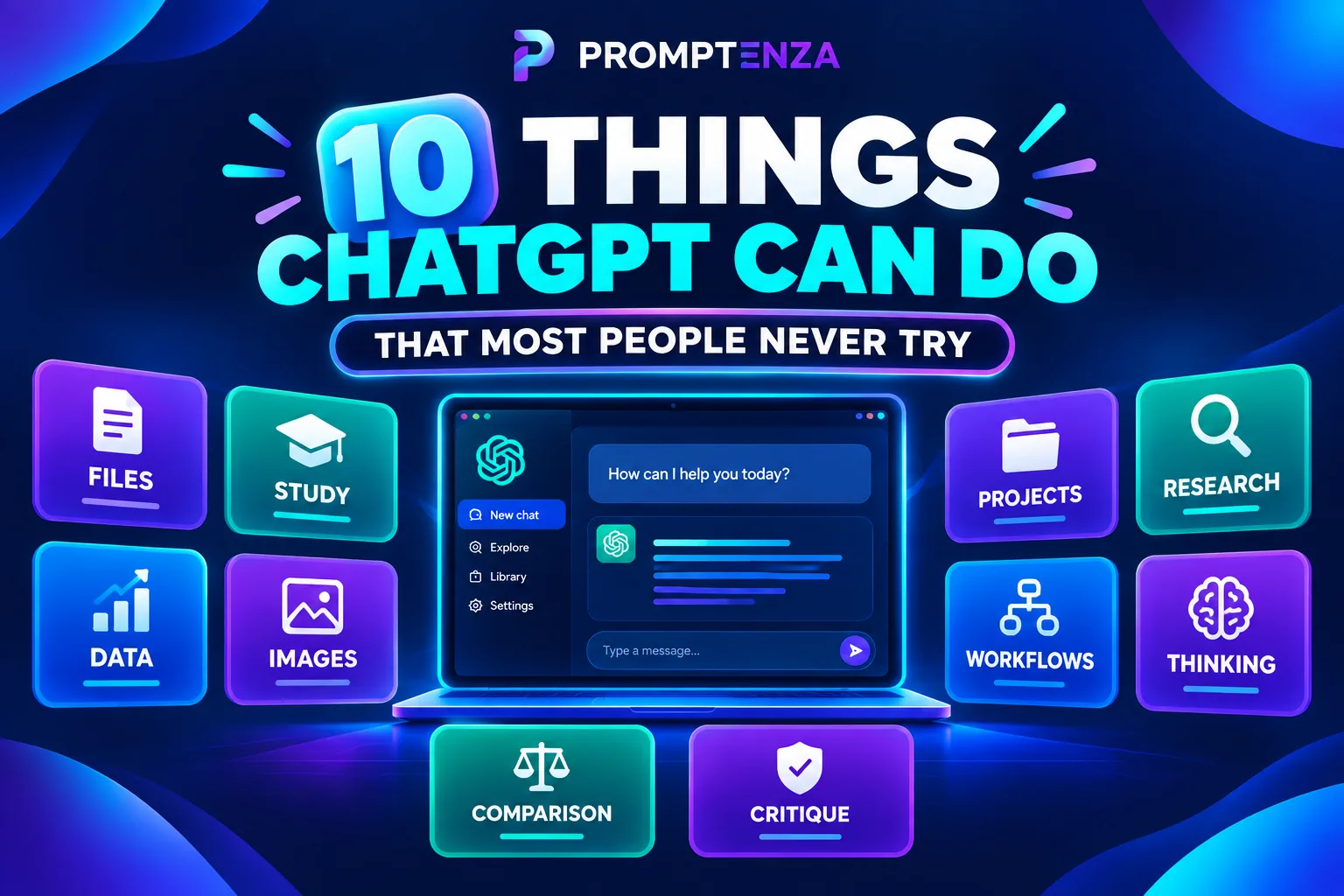
ChatGPT can do far more than answer questions. Depending on the features available on your account, it can help you learn through guided study, analyze documents and spreadsheets, interpret images, organize long-term projects, conduct deeper research, build repeatable workflows, challenge ideas, compare options using your criteria, and improve its own responses through structured critique.
Most people use ChatGPT in a surprisingly narrow way.
They ask a question.
They request an email.
They summarize something.
They brainstorm an idea.
They get help understanding homework.
All of those uses are useful. But they treat ChatGPT mainly as a question-and-answer machine.
That leaves a lot of its practical potential unused.
Depending on the features available on your account, ChatGPT can also work as a tutor, document analyst, data-analysis assistant, research partner, project workspace, visual interpreter, critical-thinking partner, and workflow designer.
The bigger shift is not learning hundreds of complicated prompts.
It is learning how to give ChatGPT a better job to perform.
For example, instead of asking:
“What does this document say?”
You can ask:
“Find the five most important claims, identify the evidence supporting each one, point out limitations, and tell me what questions remain unanswered.”
The second prompt gives ChatGPT a process rather than a vague request.
Below are 10 practical things you can try, why they are useful, when they make sense, and prompts you can adapt.
What Can ChatGPT Do That Most People Don’t Try?
Some of the most useful ChatGPT workflows involve doing something with information, rather than simply asking for information.
You can use it to:
- Learn a difficult subject through guided practice
- Question and compare uploaded documents
- Find patterns in spreadsheets and other structured data
- Analyze screenshots, charts, diagrams, and images
- Organize ongoing work inside Projects
- Turn individual tasks into repeatable workflows
- Research complicated subjects across multiple sources
- Challenge your assumptions
- Compare options using criteria you define
- Critique and improve an earlier response
Several of these capabilities are supported by ChatGPT, although availability can vary depending on your account, plan, platform, and settings.
The important lesson is this:
The value often comes from how you structure the task, not from asking a more complicated question.
1. Turn ChatGPT Into a Personal Tutor
One of the easiest mistakes to make with AI is asking for an answer when what you really need is understanding.
If you’re studying photosynthesis, for example, you could simply ask:
“What is photosynthesis?”
You’ll probably receive an explanation.
But if your goal is to actually learn the subject, you can give ChatGPT a teaching role.
Try This Prompt
I’m learning photosynthesis for a high-school biology class. Act as my tutor. First ask me what I already understand, then teach the topic step by step. Don’t give me the final answer to practice questions immediately. Ask me questions and help me correct my mistakes.
The important part isn’t the phrase “act as my tutor.”
It’s the learning process you have specified.
You have told ChatGPT to:
- Check your existing knowledge.
- Teach progressively.
- Ask questions.
- Let you attempt answers.
- Correct mistakes.
- Avoid immediately revealing practice answers.
That makes the interaction more active than simply requesting an explanation.
Try a Socratic Version
Teach me [TOPIC] using the Socratic method. Ask me one question at a time, wait for my answer, explain where I’m right or wrong, and gradually increase the difficulty.
This can be particularly useful when you don’t know exactly what you don’t understand.
When This Is Useful
Use this approach for:
- Difficult school subjects
- Exam revision
- Learning a new skill
- Reviewing concepts
- Preparing for interviews
- Self-directed learning
For graded assignments, follow your school’s or teacher’s rules regarding AI use.
When Not to Use It
If you simply need a quick definition, a full tutoring workflow may be unnecessary.
That’s an important prompting principle:
Use enough structure to solve the problem, but don’t add structure just because you can.
2. Upload a Document and Interrogate It
Uploading a document and asking for a summary is useful.
But it is often only the first question you should ask.
If you have a report, research paper, proposal, meeting document, study material, or other file, you can ask targeted questions about its contents.
Instead of Asking
“Summarize this PDF.”
Try:
Analyze this document like a research assistant. Identify:
- The five most important findings
- The strongest evidence supporting each finding
- Any important limitations
- Questions the document leaves unanswered
- Three practical conclusions I should take from it
Now the document isn’t merely being summarized.
You’re asking ChatGPT to extract, evaluate, organize, and interpret information from the material.
Compare Two Documents
You can also upload two relevant documents and ask:
Compare these two documents. Identify where they agree, where they disagree, what information appears in one but not the other, and which differences are most important.
This can be useful when comparing:
- Reports
- Proposals
- Versions of a document
- Study materials
- Meeting notes
- Research papers
- Policy documents
A Better Document-Analysis Pattern
For important documents, think beyond:
Summarize → finish
Instead use:
Extract → compare → question → identify gaps → apply
For example:
Extract the main claims from this report.
Then:
Which claims have the strongest supporting evidence?
Then:
What important information is missing?
Then:
What questions should I investigate next?
This turns one uploaded file into a structured research conversation.
When Not to Use It
Don’t upload sensitive or confidential information unless you understand the privacy and data-handling implications of the service and have permission to use the material.
3. Give ChatGPT a Messy File and Ask It to Find the Story
Many people assume they need to organize their information perfectly before using AI.
That isn’t always necessary.
When supported, ChatGPT can work with structured data such as spreadsheets and CSV files and help identify patterns, organize findings, and create tables or charts.
Imagine you have hundreds or thousands of rows of information.
Instead of manually scanning every row, start by asking ChatGPT to investigate the dataset.
Try This Prompt
Analyze this spreadsheet and identify the most important patterns. Look for unusual changes, significant increases or decreases, missing information, and anything that deserves further investigation. Explain the findings in simple language.
Then narrow the investigation.
Which three findings appear most important, and what evidence in the data supports each one?
Then:
Turn the most important findings into five useful charts and explain what each chart shows.
Or:
Create an executive summary of this data for someone who has only two minutes to read it.
The Bigger Idea
Don’t think of AI data analysis as:
“Give me the answer.”
Think of it as:
“Help me discover what deserves my attention.”
That distinction matters because large datasets often contain patterns you wouldn’t think to search for manually.
A Useful Follow-Up
After receiving an analysis, ask:
What could make this analysis misleading? Identify missing data, unusual assumptions, possible errors, or alternative explanations I should investigate.
That gives you both the finding and a basic challenge to the finding.
When This Is Useful
This approach can help with:
- Sales data
- Survey results
- Budgets
- Website data
- Research datasets
- Student records
- Business spreadsheets
- CSV files
AI analysis should not automatically be treated as proof that a pattern is meaningful. Important conclusions should still be checked against the underlying data.
4. Show ChatGPT a Screenshot Instead of Explaining Everything
Sometimes explaining a problem takes longer than showing it.
If image analysis is available, you can upload a screenshot, chart, diagram, or other visual material and ask ChatGPT to interpret it.
For example, imagine you’re looking at a confusing error message.
Instead of typing the entire message, upload the screenshot.
Try This Prompt
Look at this screenshot. Explain what I’m seeing in simple terms, identify the most likely problem, and give me a step-by-step explanation of what I should check first.
You can also upload a chart.
Analyze this chart. Explain the three most important trends, any unusual points, and what conclusions can reasonably be drawn from the data.
Or a diagram:
Explain this diagram to me as if I’m a beginner. Start with the overall idea, then explain what each major part represents and how the parts relate to each other.
Ask What You Might Be Missing
One particularly useful follow-up is:
What should I notice in this image that I might otherwise miss?
This changes the task from simple identification to guided observation.
Important Limitation
Visual interpretation is useful, but it isn’t automatically perfect.
For important information, verify critical details against the original source, especially when the image contains small text, numerical information, technical diagrams, or information that could affect an important decision.
5. Turn ChatGPT Into a Long-Term Workspace
A single conversation works well for a single task.
But some projects don’t last for one conversation.
You might be working on:
- A website
- A research project
- A book
- A business idea
- A school project
- A content strategy
- A long-term learning goal
That’s where Projects can become useful when available.
Projects let you organize related chats, files, instructions, and context around a shared objective.
Example
Create a project called:
“My Website Content Strategy”
Then add relevant files and project instructions.
You could tell ChatGPT:
In this project, act as my content strategist. Keep recommendations practical, prioritize search visibility and reader usefulness, and maintain a consistent tone across all content.
Instead of explaining the same background in every new conversation, the project can provide a shared context for related work.
Think of Projects Like This
One objective → multiple conversations → shared files → consistent instructions
That’s different from treating every conversation as completely independent.
When Projects Make Sense
Projects are particularly useful when:
- The work continues over time
- Several conversations concern the same objective
- You have reference files
- You need consistent instructions
- You repeatedly return to the same subject
When a Normal Chat Is Enough
Don’t create a project for every tiny task.
If you only need help rewriting one paragraph, a normal conversation is usually sufficient.
The goal isn’t to use more features.
The goal is to use the right feature for the job.
6. Ask ChatGPT to Turn One Idea Into an Entire Workflow
This is one of the biggest differences between using AI for isolated tasks and using it as a productivity tool.
Most people ask:
“Write an article about AI prompts.”
That gives ChatGPT one job.
A workflow prompt asks it to design the sequence of jobs required to complete a larger objective.
Try This Prompt
I want to publish an article about [TOPIC].
Build the complete workflow from idea to publication.
Include:
- Search intent
- Target audience
- Article angle
- Content outline
- Questions readers are likely to ask
- Examples to include
- Internal linking opportunities
- Featured image concept
- SEO title
- Meta description
- Final editing checklist
Put the workflow in the order I should actually complete it.
Now you’re not simply asking for content.
You’re asking for a process.
Turn the Workflow Into a Template
Once ChatGPT creates the workflow, continue:
Now turn this workflow into a reusable template that I can use for every new article.
You could then improve the template further:
Identify which steps should always remain the same and which steps should change depending on the topic.
That distinction is valuable because good workflows usually contain both:
- Fixed steps
- Flexible decisions
The Workflow Prompting Principle
A useful workflow should answer three questions:
What happens first?
What happens next?
How do I know the process is finished?
Without the third question, a workflow can produce a lot of activity without producing a reliable result.
7. Use Deep Research for Questions That Need More Than a Quick Answer
Not every question needs extensive research.
If you need a quick fact, a normal question or search may be enough.
But some questions require multiple sources, comparison, synthesis, and careful organization.
That’s where deeper research capabilities can be useful when available.
Think About the Difference
Quick lookup:
“What year was this company founded?”
Deeper research:
“How has this industry changed over the last five years, what developments caused those changes, what evidence supports the major explanations, and where do reliable sources disagree?”
The second question isn’t really asking for one fact.
It’s asking you to understand a subject.
Try This Prompt
Research the current state of [TOPIC]. Compare the most important developments, identify the strongest evidence, explain where sources disagree, and produce a structured report with citations. Prioritize authoritative sources and clearly distinguish established facts from uncertain claims.
Search vs. Deep Research
A simple way to think about it:
Search:
“I need this fact.”
Deep research:
“I need to understand this subject.”
The deeper the question, the more important it becomes to pay attention to source quality, dates, conflicting evidence, and uncertainty.
Don’t Stop at the First Report
For important research, follow up with:
Which conclusions in this report depend most heavily on assumptions or limited evidence?
Then:
Identify the strongest opposing evidence or alternative interpretation.
That can help you distinguish information gathering from actual analysis.
8. Ask ChatGPT to Challenge Your Thinking
AI can make it very easy to hear an idea repeated back to you.
That’s not always useful.
Sometimes the better prompt is the opposite:
Find the weaknesses.
Try This Prompt
I’m considering this idea:
[YOUR IDEA]
Don’t simply agree with me. Act as a critical thinking partner. Identify the strongest arguments against the idea, assumptions I may be making, potential risks, missing information, and circumstances in which the idea could fail.
This can reveal issues that are difficult to notice when you’re already convinced an idea is good.
Try a Three-Part Challenge
Ask ChatGPT to:
- Make the strongest case for the idea.
- Make the strongest case against it.
- Identify what evidence would help distinguish between the two positions.
That final step is important.
Instead of simply asking which side sounds better, you’re asking:
What information would actually help resolve the uncertainty?
Use It for More Than Business Ideas
This technique can help with:
- Writing
- Research questions
- Project planning
- Arguments
- Product ideas
- Career planning
- Study strategies
- Personal projects
A Better Rule
Don’t ask AI to tell you whether an idea is good.
Ask it to help you stress-test the idea.
You remain responsible for deciding what to do with the analysis.
9. Give ChatGPT Your Criteria Before Asking for a Recommendation
“What’s the best option?” sounds simple.
But “best” is incomplete unless you explain what matters to you.
Consider three products.
One might be cheaper.
Another might be easier to use.
Another might be more powerful.
Which one is “best”?
There isn’t enough information to answer without knowing your priorities.
Try This Prompt
I’m choosing between three options.
My priorities, in order, are:
- Reliability
- Ease of use
- Cost
- Long-term usefulness
Compare the options using these criteria. Give each criterion a score, explain the reasoning, identify trade-offs, and recommend the option that best matches my priorities.
The important part is not the scoring itself.
It is that you define the decision framework before asking for the comparison.
Why This Works
“Best” is not a universal measurement.
It’s usually shorthand for:
“Best according to the things I care about.”
By providing your criteria, you reduce the amount of guessing ChatGPT has to do.
An Even Better Version
For important decisions, ask:
Before comparing the options, tell me whether my criteria are sufficient. Identify any important criterion I may have overlooked, but don’t change my priorities without explaining why.
This can reveal hidden trade-offs before you commit to a decision framework.
Remember the Source of the Recommendation
A criteria-based recommendation is only as good as:
- The criteria
- The information available
- The assumptions
- The accuracy of the underlying facts
So don’t confuse a structured recommendation with certainty.
The goal is to make your reasoning more explicit, not to outsource the decision.
10. Ask ChatGPT to Critique Its Own Answer
One of the simplest ways to improve an AI response is to give it another job after it finishes the first one.
Don’t immediately accept the first draft.
Ask ChatGPT to inspect it.
Try This Prompt
Review your previous answer critically. Identify anything that is unclear, unsupported, overly broad, repetitive, potentially inaccurate, or missing. Then provide an improved version.
Or use a stricter editorial approach:
Act as an editor reviewing your previous response. Find the five biggest weaknesses, explain why they matter, and then rewrite the response to fix them.
Add a Requirements Check
For important work:
Before finalizing your answer, check it against the original requirements. Create a short checklist showing whether each requirement was satisfied. Then revise anything that was missed.
This creates a simple:
Draft → Critique → Revision
workflow.
Why This Is More Useful Than “Make It Better”
“Make it better” is vague.
A useful critique tells ChatGPT what counts as a problem.
For example:
- Missing requirements
- Unsupported claims
- Repetition
- Weak organization
- Unclear language
- Incorrect assumptions
- Poor examples
- Wrong audience
- Missing evidence
The more specific the evaluation criteria, the more useful the revision is likely to be.
5 Bonus Things You Can Try With ChatGPT
The 10 workflows above cover some of the biggest opportunities, but you can also use ChatGPT for smaller transformations.
Turn Notes Into a Presentation
Turn these notes into a presentation outline with a logical slide order, key points, examples, and suggested visuals for each slide.
Turn a Topic Into a Quiz
Create a 15-question quiz about [TOPIC]. Ask one question at a time. Wait for my answer before revealing whether I’m correct.
Make a Complicated Explanation Simpler
Explain this to me at three levels: beginner, intermediate, and advanced. Use an example at each level.
Transform Information Into Different Formats
Turn this information into a table, checklist, short explanation, and five-question quiz. Keep the information consistent across all four formats.
Create a Personal Learning Plan
I want to learn [TOPIC] from beginner to intermediate level. Create a four-week learning plan with daily topics, practice activities, review sessions, and checkpoints.
The common pattern is simple:
One piece of information can often become several useful outputs.
The Secret Is Not Asking More Questions
The biggest improvement doesn’t come from memorizing hundreds of complicated prompts.
It comes from learning how to describe the job you want ChatGPT to perform.
Compare:
“Help me with this.”
with:
“Analyze this and identify the three most important problems.”
Compare:
“Write this.”
with:
“Write this for a beginner audience using a clear, practical tone and include three examples.”
Compare:
“What’s the best option?”
with:
“Compare these options using reliability, cost, and ease of use, then explain the trade-offs.”
And compare:
“Is this good?”
with:
“Critique this against these requirements and identify the five most important improvements.”
The second prompt in each example is more useful because it defines the task, context, requirements, or evaluation method.
For more on building better prompts, see Prompt Anatomy and How to Improve AI Prompts.
A Simple Formula for Getting More From ChatGPT
A useful starting structure for many tasks is:
ROLE + TASK + CONTEXT + REQUIREMENTS + OUTPUT
For example:
Role: Act as a study tutor.
Task: Help me understand photosynthesis.
Context: I’m a beginner preparing for a biology test.
Requirements: Use simple language, examples, and short explanations. Don’t give me practice answers immediately.
Output: Teach me one concept at a time and quiz me after each section.
Compare that with:
“Teach me photosynthesis.”
The second prompt may still work.
But the structured version gives ChatGPT much more information about how the task should be performed.
You can learn more about this structure in Promptenza’s Prompt Anatomy guide.
The Promptenza Method: Define → Provide → Challenge → Refine
If you want a simple system for using these techniques together, think in four stages:
1. Define
Tell ChatGPT exactly what job it needs to perform.
“Analyze this report.”
“Teach me this topic.”
“Compare these options.”
2. Provide
Give it the information it needs.
This might include:
- A document
- Spreadsheet
- Screenshot
- Background information
- Audience
- Goals
- Criteria
- Examples
3. Challenge
Don’t automatically accept the first result.
Ask:
What could be wrong with this analysis?
Or:
What important information might be missing?
Or:
What is the strongest argument against this conclusion?
4. Refine
Use the critique to produce a better result.
Based on your critique, revise the answer and explain what changed.
This creates a more deliberate workflow:
Define → Provide → Challenge → Refine
It also explains why some of the techniques in this article work particularly well together.
For example:
Upload a document → analyze it → challenge the analysis → revise the conclusions.
Or:
Create a workflow → test the workflow → identify weaknesses → create a reusable version.
Or:
Study a topic → answer practice questions → identify mistakes → focus the next lesson on those weaknesses.
Which ChatGPT Technique Should You Use?
| If you want to… | Try this |
|---|---|
| Learn something | Study Mode / tutoring |
| Understand a PDF | Upload and interrogate it |
| Find patterns in data | Data analysis |
| Understand a screenshot | Image analysis |
| Manage ongoing work | Projects |
| Build a repeatable process | Workflow prompting |
| Understand a complicated subject | Deep Research |
| Stress-test an idea | Critical thinking |
| Compare options | Criteria-based comparison |
| Improve an answer | Self-critique and revision |
| Create study materials | Quiz or learning-plan prompts |
| Transform information | Format-transformation prompts |
There isn’t one universally useful ChatGPT feature.
The useful question is:
What are you actually trying to accomplish?
Then choose the workflow that matches the job.
How to Choose the Right ChatGPT Workflow
A simple way to decide is to identify the problem you’re facing.
If the problem is “I don’t understand this”
Use a tutoring workflow.
If the problem is “There is too much information”
Use document analysis or data analysis.
If the problem is “I can’t explain what I’m seeing”
Use image or screenshot analysis.
If the problem is “This project keeps getting scattered”
Consider Projects.
If the problem is “I keep repeating the same process”
Build a workflow.
If the problem is “This question is complicated”
Consider deeper research.
If the problem is “I might be overlooking something”
Use critical thinking prompts.
If the problem is “I need to compare alternatives”
Define your criteria first.
If the problem is “My first answer isn’t good enough”
Use critique and revision.
This is a more useful way to think about ChatGPT than simply collecting a huge library of prompts.
Common Mistakes When Trying These ChatGPT Techniques
Even advanced workflows can produce poor results if the instructions are unclear.
Mistake 1: Giving ChatGPT a Vague Goal
“Do something with this.”
Instead, define the actual task.
Mistake 2: Giving It No Context
A good task with missing background information can still produce a poor result.
Tell ChatGPT who the audience is, what you’re trying to accomplish, and what information matters.
Mistake 3: Asking for “The Best” Without Defining Best
If you’re comparing options, specify the criteria.
Mistake 4: Trusting the First Response
A first response is often a starting point, not necessarily the finished result.
Use critique and revision when accuracy or quality matters.
Mistake 5: Adding Instructions That Don’t Matter
More instructions do not automatically create better results.
If an instruction doesn’t help the task, remove it.
Mistake 6: Treating AI Analysis as Automatic Proof
A confident response can still contain mistakes.
For important research, data analysis, or factual claims, verify important conclusions.
A Quick Test for Better Prompts
Before pressing Enter, ask yourself five questions:
What is the job?
Can I describe exactly what I want ChatGPT to do?
What does it need to know?
Have I provided the necessary context or source material?
What matters most?
Have I explained the requirements or criteria?
What should the result look like?
Have I specified the desired output when formatting matters?
How will I check it?
Do I have a way to determine whether the response is actually good?
That final question is often forgotten.
A good prompt doesn’t only tell AI what to produce.
It gives you a way to judge whether the result is useful.
Frequently Asked Questions
What can ChatGPT do besides answering questions?
Depending on the features available to your account, ChatGPT can help analyze documents and images, work with structured data, support learning, organize long-running projects, conduct deeper research, build workflows, compare information, and critique or transform content.
Can ChatGPT analyze PDF files?
When file uploads are available, ChatGPT can work with uploaded documents for tasks such as summarization, information extraction, comparison, transformation, and question answering.
Can ChatGPT analyze spreadsheets?
ChatGPT can analyze supported spreadsheet and data files, identify patterns, organize findings, and create tables or charts when the relevant capabilities are available.
Can ChatGPT analyze images?
ChatGPT can interpret supported uploaded images, screenshots, diagrams, and charts. You can ask questions about what appears in an image or request analysis of visual information.
What is ChatGPT Study Mode?
Study Mode is a learning experience designed to help users understand subjects through guided questions, step-by-step explanations, practice, and checks for understanding. It can also work with uploaded study materials when supported.
What are ChatGPT Projects?
Projects are workspaces designed to organize related chats, files, instructions, and context around a shared objective. They can be useful for ongoing work such as research, writing, planning, and study.
When should I use Deep Research instead of normal ChatGPT?
Use a normal question or search when you need a quick answer or lookup. Deeper research capabilities are more appropriate for complex questions that require information from multiple sources, synthesis, and a documented report with citations.
Can ChatGPT improve its own answers?
Yes. You can ask ChatGPT to review a previous response against specific requirements, identify weaknesses, and produce a revised version. This can be useful for writing, research, planning, and other structured tasks.
Does a longer prompt always produce a better answer?
No.
A longer prompt can be useful when the task requires context, constraints, examples, or a specific output.
But unnecessary instructions can make a prompt harder to follow.
The goal is not to write the longest prompt possible.
The goal is to provide the information and direction needed for the task.
Should I use all 10 techniques every time I use ChatGPT?
No.
Choose the technique that matches the problem you’re trying to solve.
If you need a definition, ask for a definition.
If you need to understand a document, upload the document and interrogate it.
If you need to test an idea, challenge it.
If you need to improve a draft, critique it.
Good prompting is not about adding complexity to every conversation.
Final Takeaway: Stop Using ChatGPT Only as a Question-and-Answer Tool
Most people open ChatGPT and ask:
“What can you tell me?”
A more useful question is:
“What can you help me do?”
That small change can completely alter how you use the tool.
You can use ChatGPT to:
- Learn instead of simply receiving answers
- Interrogate documents instead of merely summarizing them
- Investigate data instead of manually scanning every row
- Show screenshots instead of describing visual problems
- Organize long-term work inside Projects
- Turn individual tasks into repeatable workflows
- Conduct deeper research when a question requires multiple sources
- Challenge your ideas instead of asking for agreement
- Define decision criteria before requesting comparisons
- Critique and revise responses instead of accepting the first draft
The most important skill isn’t memorizing 1,000 prompts.
It’s learning how to give AI a clear job, useful context, meaningful requirements, and a way to evaluate the result.
Start with one technique.
Try it on a real task.
Then ask ChatGPT what could be improved.
That’s when prompting starts becoming less about asking better questions and more about building better ways to work with AI.
For more practical ways to get better results, explore Promptenza’s AI Prompt Examples, AI Prompt Templates, AI Prompting Techniques, and ChatGPT guide.
Explore More on ChatGPT from Promptenza
- ChatGPT vs Gemini vs Claude: Which AI Is Best in 2026?
- 15 ChatGPT Features You Probably Aren’t Using Yet in 2026
- Gemini vs ChatGPT: What’s the Difference?
- 100+ ChatGPT Prompts for Writing: Essays, Emails, Stories & More
- 100+ ChatGPT Prompts for Students Making Studying Much Easier
- 100+ ChatGPT Prompts for Work: Save Time and Get More Done
- 15 ChatGPT Tricks That Feel Like Hidden Features
- 100+ ChatGPT Prompts You’ll Actually Want to Use (2026)
About Promptenza Editorial Team
The Promptenza Editorial Team creates practical guides, prompt templates, AI tool resources, and educational content designed to help readers use generative AI more effectively.
Last Updated: September 16, 2026