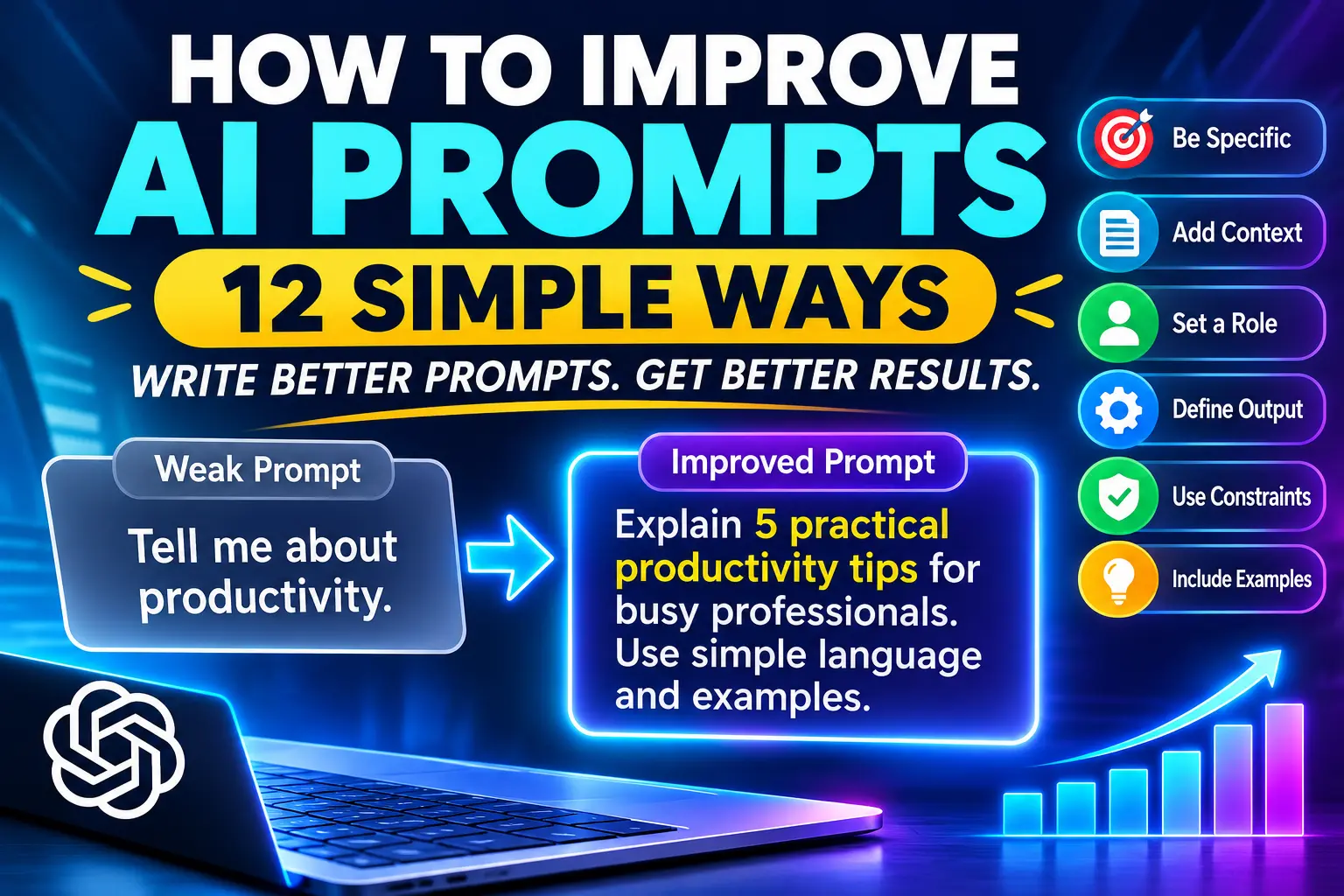
How to Improve AI Prompts: 12 Simple Ways to Get Better Results
To improve AI prompts, clearly define the task, provide relevant context, specify the audience and desired output, add useful requirements and constraints, use examples when necessary, and refine the prompt based on the response.
AI can write, explain, summarize, brainstorm, analyze, and create ideas in seconds—but the quality of the response often depends on the quality of the prompt.
If your AI responses feel too generic, too long, inaccurate, repetitive, or simply different from what you had in mind, you may not need a different AI tool. You may need a better prompt.
The good news is that improving AI prompts is a skill you can learn.
In this guide, you’ll learn 12 practical ways to improve AI prompts, with before-and-after examples you can adapt for work, school, writing, research, marketing, business, and everyday tasks.
What Does It Mean to Improve an AI Prompt?
Improving an AI prompt means making your instructions clearer, more specific, better organized, and more relevant to the result you want.
A weak prompt might give an AI system only a broad task:
“Write about social media marketing.”
An improved prompt gives the AI additional information about the task, audience, purpose, tone, and desired output:
“Act as a social media strategist. Create a 7-day Instagram content plan for a small U.S. fitness brand targeting adults ages 25–40. Include a post idea, hook, caption angle, CTA, and suggested format for each day. Keep each idea practical and avoid generic advice.”
The second prompt gives the AI much more direction.
For a deeper breakdown of the individual components that make up an effective prompt, see Promptenza’s Prompt Anatomy Guide.
Why Do Better AI Prompts Produce Better Results?
AI systems generate responses based on the instructions and context you provide.
When a prompt is vague, the AI has to make more assumptions.
When your prompt clearly communicates the objective, context, constraints, audience, and desired format, there is less room for unnecessary assumptions.
Think of your prompt as a brief given to an assistant.
The better the brief, the easier it is to produce the result you actually want.
A Simple Example
Vague prompt:
“Write an email.”
Better prompt:
“Write a professional email to a customer explaining that their order will arrive two days later than expected. Apologize briefly, explain the delay without making excuses, and offer a helpful next step. Keep the email under 150 words.”
The second version gives the AI a clearer target.
12 Ways to Improve AI Prompts
You don’t need to make every prompt extremely long.
Instead, focus on giving the AI the right information.
Here are 12 practical ways to improve your prompts.
1. Start With a Clear Goal
The first question to ask is:
What exactly do I want the AI to accomplish?
Avoid starting with a vague request when the desired outcome is specific.
Weak prompt
“Help me with my website.”
Improved prompt
“Analyze my website homepage copy and suggest five ways to make the value proposition clearer for first-time visitors.”
The improved version defines the actual job.
Try This
Before writing a prompt, complete this sentence:
“I want the AI to…”
Your answer becomes the foundation of the prompt.
2. Give the AI Enough Context
Context helps the AI understand the situation surrounding your request.
Without context, an AI system may produce a technically correct response that isn’t useful for your particular situation.
Weak prompt
“Write a product description.”
Improved prompt
“Write a product description for a reusable stainless-steel water bottle. The target customers are U.S. college students who want something durable and easy to carry. Highlight practical benefits rather than exaggerated claims.”
The second prompt provides:
- Product information
- Target audience
- Location
- Customer needs
- Writing direction
That context changes the response significantly.
3. Specify Your Target Audience
One of the easiest ways to improve an AI prompt is to tell the AI who the output is for.
The same topic may require completely different explanations for a beginner, expert, customer, student, or executive.
Example
Instead of:
“Explain artificial intelligence.”
Try:
“Explain artificial intelligence to a beginner who has never studied computer science. Use simple language, one everyday analogy, and three practical examples. Avoid technical jargon.”
The audience immediately gives the AI a better sense of the appropriate depth and language.
4. Tell the AI What Role to Take
Role prompting can help establish the perspective, expertise, or approach you want.
For example:
“Act as an experienced SEO strategist…”
or:
“Act as a high school science tutor…”
or:
“Act as a product manager reviewing this feature proposal…”
The role should be relevant to the task.
Don’t add a role simply to make a prompt longer.
Example
Basic:
“Review this blog title.”
Improved:
“Act as an SEO content strategist. Review this blog title for search intent, clarity, and click-through potential. Suggest five alternatives and explain the strongest option.”
The second prompt defines what kind of review is expected.
You can learn more about structured prompting in Promptenza’s Prompt Engineering Guide.
5. Be Specific About the Output
One of the most effective prompt improvements is telling the AI what the final answer should look like.
Instead of:
“Give me ideas.”
Try:
“Give me 10 ideas in a numbered list. For each idea, include a title, one-sentence explanation, target audience, and suggested call to action.”
Now the AI knows what to produce.
Useful Output Instructions
You can ask for:
- A numbered list
- A table
- Bullet points
- Step-by-step instructions
- A short paragraph
- A checklist
- Frequently asked questions
- A comparison
- A summary
- A JSON structure
- A content outline
The output format should match the task.
6. Add Constraints
Constraints tell the AI what boundaries to follow.
For example:
“Keep the answer under 500 words.”
“Use simple English.”
“Give exactly 10 examples.”
“Do not use technical jargon.”
“Use a professional but conversational tone.”
“Keep each social media caption below 100 words.”
Constraints can make an answer more usable because they reduce unnecessary variation.
Before
“Write a blog introduction.”
After
“Write a compelling blog introduction of approximately 100 words. Use a conversational tone, introduce the reader’s problem immediately, and avoid generic statements such as ‘In today’s digital world.'”
The second prompt gives the AI a much clearer boundary.
7. Provide Examples When Precision Matters
Examples can show the AI what you mean when words alone aren’t enough.
This technique is often called few-shot prompting.
Suppose you want AI to classify customer feedback.
Instead of explaining your preferred categories at length, you can provide examples:
Feedback: “The delivery was late, but the product was excellent.”
Category: DeliveryFeedback: “The app keeps crashing when I try to check out.”
Category: Technical IssueFeedback: “The product arrived damaged.”
Category: Product QualityNow classify this feedback: “My package arrived three days late.”
The examples demonstrate the pattern you want the AI to follow.
Learn more about this approach in Promptenza’s Few-Shot Prompting Guide.
8. Separate Instructions From Input
If your prompt contains a large amount of information, clearly separate the instructions from the content you want the AI to work on.
For example:
Task: Summarize the article below.
Requirements:
- Use five bullet points.
- Focus on the main arguments.
- Don’t introduce information that isn’t in the article.
Article:
[Paste article here]
This structure makes complex prompts easier to understand and modify.
It is especially useful when working with long documents, research notes, customer feedback, or datasets.
9. Tell the AI What to Avoid
Sometimes telling an AI what not to do is just as useful as explaining what it should do.
For example:
“Write a product description for a running shoe. Focus on comfort, durability, and everyday use. Avoid unsupported performance claims, exaggerated language, and clichés.”
This gives the AI both positive and negative boundaries.
Common Things You Can Ask AI to Avoid
Depending on your task, you might specify:
- No unnecessary introductions
- No repetition
- No jargon
- No unsupported claims
- No emojis
- No clichés
- No overly promotional language
- No lengthy conclusion
- No information outside the provided source
Only include constraints that actually matter.
10. Ask for the Right Level of Detail
A common problem with AI responses is getting either too little information or far too much.
Tell the AI how detailed you want the answer to be.
Too Broad
“Explain SEO.”
Better
“Explain SEO to a beginner in approximately 500 words. Cover search intent, keywords, on-page SEO, internal linking, and technical SEO. Give one practical example for each.”
Now the AI has a target depth.
You can also use instructions such as:
“Give me a concise answer.”
“Explain this step by step.”
“Provide a beginner-friendly explanation.”
“Give me an advanced technical explanation.”
“Summarize this in five key points.”
11. Ask the AI to Improve Its Own Draft
You don’t always need to create the perfect prompt on the first attempt.
A powerful workflow is:
Draft → Review → Improve → Refine
For example:
“Review your previous answer. Identify the three areas that are least useful to the reader, then rewrite the answer with those issues corrected.”
You can also ask:
“Compare the previous answer against my requirements and identify anything you missed.”
Then:
“Rewrite the answer while addressing those gaps.”
This turns prompting into an iterative process instead of a one-shot request.
Promptenza’s AI Prompting Techniques guide explores several techniques you can use to make this workflow more effective.
12. Build Prompts Around a Repeatable Structure
If you frequently perform the same type of task, create a reusable prompt template.
A useful structure is:
ROLE: Who should the AI act as?
TASK: What should it do?
CONTEXT: What does it need to know?
REQUIREMENTS: What rules should it follow?
CONSTRAINTS: What should it avoid or limit?
OUTPUT: What should the final response look like?
EXAMPLES: What does a good result look like?
This structure is based on the idea that effective prompts provide the information necessary for the AI to understand the task—not simply as many words as possible.
For a visual breakdown of these components, visit Promptenza’s Prompt Anatomy.
Before-and-After AI Prompt Examples
The easiest way to understand prompt improvement is to see it in action.
Example 1: Writing
Weak prompt:
“Write a blog post about remote work.”
Improved prompt:
“Write a 1,200-word beginner-friendly article about how to work effectively from home. The audience is U.S. professionals who are new to remote work. Cover workspace setup, communication, time management, meetings, and maintaining boundaries. Use short paragraphs, practical examples, descriptive H2 headings, and a helpful conversational tone.”
Why It Is Better
The improved version defines:
- Topic
- Length
- Audience
- Geographic context
- Required sections
- Writing style
- Formatting
Example 2: Marketing
Weak prompt:
“Create a Facebook post for my business.”
Improved prompt:
“Act as a social media marketer. Create three Facebook post concepts for a small U.S. coffee shop launching a new seasonal drink. Each concept should include a short hook, caption, CTA, and visual idea. Keep the tone friendly and natural rather than overly promotional.”
The AI now knows what business it is writing for and what the output should contain.
Example 3: Studying
Weak prompt:
“Explain photosynthesis.”
Improved prompt:
“Act as a science tutor. Explain photosynthesis to a beginner using simple language. Start with a one-sentence definition, then explain the process in five numbered steps. Finish with three quick questions to test understanding.”
The improved prompt specifies both teaching approach and output structure.
Example 4: Research
Weak prompt:
“Research electric cars.”
Improved prompt:
“Create a beginner-friendly overview of electric vehicles for a U.S. consumer considering their first EV. Compare charging, maintenance, range, purchase considerations, and everyday usability with traditional gasoline vehicles. Separate established facts from areas where costs or specifications vary by model.”
This produces a much more focused research task.
Example 5: Coding
Weak prompt:
“Fix this code.”
Improved prompt:
“Review the following Python code and identify the cause of the error. Explain the problem in beginner-friendly language, provide the corrected version, and briefly explain what changed. Do not rewrite unrelated parts of the code.”
The improved prompt tells the AI what kind of help is required and prevents unnecessary changes.
A Simple Formula for Better AI Prompts
If you don’t know where to start, use this formula:
Goal + Context + Requirements + Constraints + Output
For example:
“Create a 7-day content plan for a U.S. personal finance blog. The audience is young adults who are beginning to manage their money. Include one topic, hook, content format, and CTA for each day. Avoid complex financial terminology. Present the result in a table.”
This formula works for many everyday AI tasks.
For beginners, Promptenza’s Prompting for Beginners guide provides another simple framework for building effective prompts.
How to Fix a Bad AI Response
Getting a poor response doesn’t necessarily mean the AI tool failed.
First, identify what went wrong.
Was the answer:
- Too generic?
- Too long?
- Too short?
- Incorrect?
- Missing important information?
- In the wrong format?
- Too technical?
- Too promotional?
- Not relevant to your audience?
Then change the prompt specifically to address that problem.
Example
If the AI gives you a generic article:
“The response is too generic. Rewrite it for U.S. small-business owners. Add three practical examples, remove broad introductory statements, and focus on actions the reader can take.”
This is more useful than simply saying:
“Make it better.”
Specific feedback produces more actionable refinement.
A Better Prompting Workflow
You can improve almost any prompt using this five-step workflow.
Step 1: Define the Outcome
What should the AI produce?
Step 2: Add Context
What information does the AI need to understand the situation?
Step 3: Add Requirements
What must the response include?
Step 4: Add Constraints
What should the AI avoid or limit?
Step 5: Review and Refine
Check the response against your original goal and improve the prompt where necessary.
This approach is more reliable than trying to create a huge prompt containing every possible instruction.
Should AI Prompts Be Long?
No. A good AI prompt does not have to be long. It has to contain the right information.
A short prompt can be highly effective when the task is simple.
For example:
“Rewrite this sentence in a professional tone.”
There is no need to add several paragraphs of instructions.
A complex task, however, may require more context, requirements, examples, and constraints.
The goal is clarity, not length.
Common Mistakes That Make AI Prompts Worse
Improving prompts also means avoiding common mistakes.
Being Too Vague
“Tell me about marketing” gives the AI too much freedom.
Giving Conflicting Instructions
For example:
“Write a detailed 2,000-word article but keep the entire response under 300 words.”
Conflicting requirements make the desired outcome unclear.
Adding Unnecessary Information
More words don’t automatically create better results.
Only provide context that helps the AI perform the task.
Changing Too Many Things at Once
If you’re testing prompts, change one or two important variables at a time.
That makes it easier to understand which improvement actually helped.
Forgetting the Audience
A response written for an expert will not necessarily work for a beginner.
Always consider who will use or read the output.
How to Improve AI Prompts for Different Tasks
Different tasks benefit from different prompt elements.
For Writing
Focus on:
- Audience
- Tone
- Topic
- Length
- Structure
- Examples
For Marketing
Focus on:
- Target customer
- Offer
- Brand voice
- Platform
- CTA
- Desired action
For Research
Focus on:
- Research question
- Scope
- Audience
- Required evidence
- Output format
- Limitations
For Coding
Focus on:
- Programming language
- Goal
- Existing code
- Error
- Expected behavior
- Constraints
For Learning
Focus on:
- Current knowledge level
- Subject
- Explanation style
- Examples
- Practice questions
Copy-and-Use AI Prompt Improvement Template
Use this template whenever you’re unsure how to improve a prompt:
Act as: [relevant role]
Task: [exactly what I want you to do]
Context: [important background information]
Audience: [who the result is for]
Requirements:
[requirement 1]
[requirement 2]
[requirement 3]
Constraints:
[what to avoid]
[length or other limits]
Output format: [table, bullets, steps, paragraphs, etc.]
Success criteria: [what a good result should accomplish]
You don’t have to use every field.
For a simple request, use only the components that actually matter.
How to Make AI Give More Useful Answers
If you remember only a few things from this guide, remember these:
Be specific about the task.
Give relevant context.
Tell the AI who the audience is.
Specify the desired output.
Add important constraints.
Use examples when precision matters.
Review the response and refine the prompt.
These principles can dramatically improve the usefulness of AI-generated responses without requiring unnecessarily complicated prompts.
Frequently Asked Questions
What is the best way to improve an AI prompt?
Start by making the goal specific. Then add relevant context, requirements, constraints, audience information, and the desired output format. Finally, review the response and refine the prompt based on what was missing.
How can I make AI give better answers?
Give the AI clear instructions, enough context, a defined audience, and a specific output format. If the response is not useful, explain exactly what needs to change instead of simply asking the AI to “make it better.”
Does a longer prompt produce better AI responses?
Not necessarily. A longer prompt can help with complex tasks when the additional information is relevant, but unnecessary instructions can make a prompt harder to follow. The goal is useful context and clear instructions, not maximum length.
What should every good AI prompt include?
There is no single required structure for every prompt. However, many effective prompts contain a clear task, relevant context, requirements, constraints, and an expected output format.
Should I tell AI to act as an expert?
A relevant role can help establish the perspective and type of response you want, but simply adding “act as an expert” does not guarantee a better answer. The task, context, and requirements still matter.
How do I fix a bad AI response?
Identify the specific problem first. Then modify your prompt to address it. For example, if the answer is too generic, provide more context and specify the audience, depth, examples, and desired outcome.
Related Promptenza Guides
Continue learning with these Promptenza resources:
- Prompt Anatomy: The Complete Guide to AI Prompt Structure
- Prompt Engineering: How to Design Better AI Prompts
- Prompting for Beginners
- AI Prompting Techniques
- Zero-Shot Prompting
- Few-Shot Prompting
- AI Prompt Library
The Bottom Line
Learning how to improve AI prompts is less about writing huge instructions and more about communicating clearly.
Start with the outcome you want.
Add the context the AI actually needs. Define the audience, requirements, constraints, and output format when they matter. Then evaluate the response and refine your instructions.
Once you understand the anatomy of an effective prompt, you can apply the same principles across writing, research, marketing, coding, studying, business, and everyday AI tasks.
Better prompts don’t have to be longer. They have to be clearer.
Explore More on Promptenza
What Is Prompt Engineering? Examples & Techniques (2026)
ChatGPT vs Gemini vs Claude: Which AI Is Best in 2026?
15 ChatGPT Features You Probably Aren’t Using Yet in 2026
25 Best Free AI Tools in 2026 for Work, Study, Writing & More
How to Write a Good AI Prompt: 10-Step Formula 2026
The Best AI Image, Video & Writing Tools in 2026
AI Prompt Examples: 50+ Prompts to Get Better AI Results in 2026